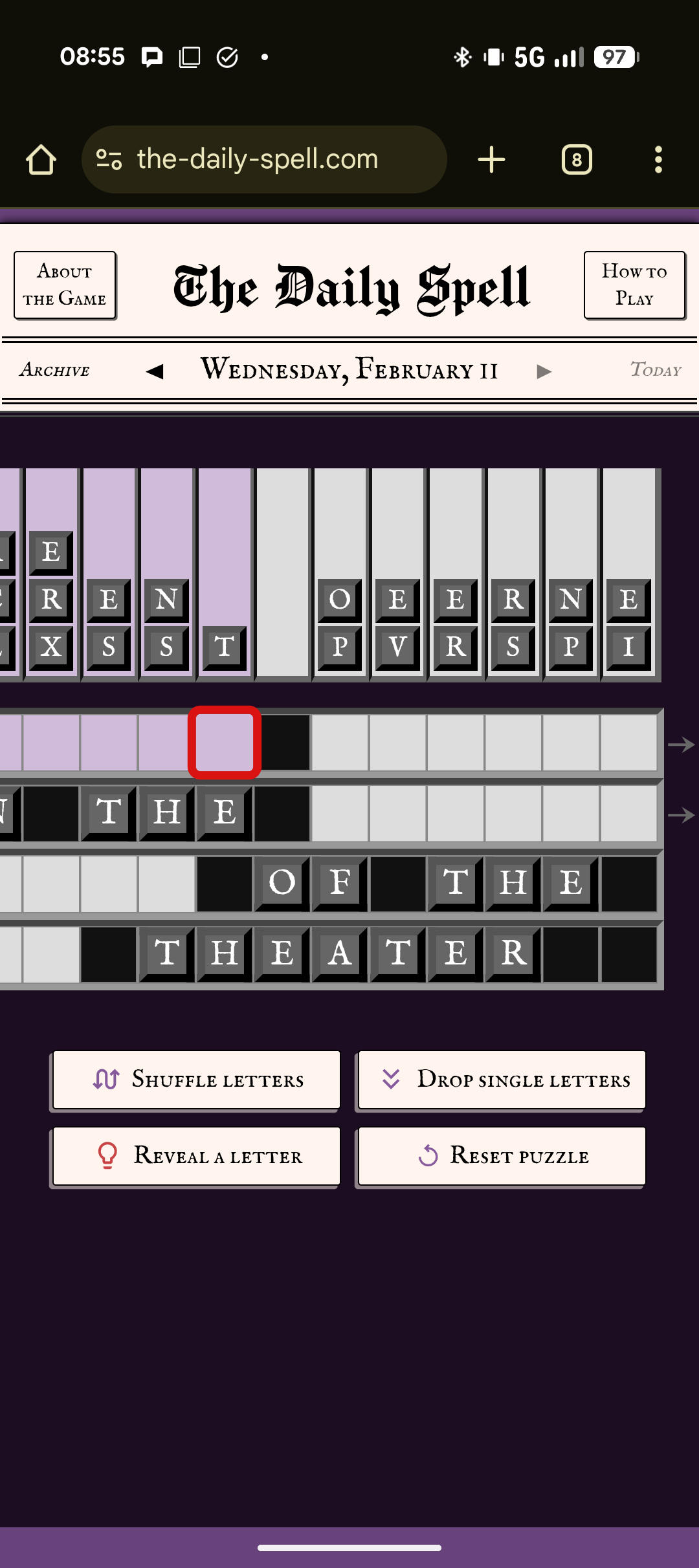
I want the game to flow well on mobile, so I added a lot of features like automatic selection and scrolling… but I got some great feedback that those can also get in the way, so I just made some changes. Please let me know what you think or if you have any other pet peeves.
(Keyboard entry hasn’t changed and is a lot simpler - the selection always advances to the next square - because it’s easy to move the selection with the arrow keys, so this is aimed at mobile players, especially if you play in portrait orientation.)
- Selection is no longer automatically advanced to a new row, unless it’s the same word.
- After picking a letter, if the next space is empty, selection moves there, but now that does not apply if you’re at the end of the row and at the end of a word. This is so you can continue working on that side of the grid.
- When selection is auto-advanced after picking a letter, that no longer scrolls the whole word into view.
- It will scroll slightly to get the selected square into view if necessary, but will otherwise leave you where you were.
- If you tap a square to select it, that still does scroll the whole word into view - so just tap the next word if you want to focus on it.
- Skip over already-filled letters in the same word when auto-advancing.
- If the next spot is already filled, but there are empty spaces later in the word, move selection there.
- Also, if the end of the word is now filled, but the beginning has empty spaces, move selection to the beginning. I’m not sure about this one, so let me know.
- Adjusted swap logic so clicking an empty square doesn’t move the currently selected letter.
- Fixed the scroll word into view logic for words that are too wide for the screen.
The logic is a bit complex, but my goal is the net effect is it should feel intuitive and save you some taps. Let me know what you think as you try it out! (If you have a specific situation to comment on, if can take a screenshot and note exactly what order you did things in, that would be amazing.)