

Sorry I'm late, I haven't been checking my inbox!
The easiest way to change it is to swap out the default font your game is using, this will change the font everywhere. There's a video that shows you how to do this in this link!
If you want to SPECIFICALLY have the font in the menus changed, and ONLY the menus, we can add a style rule to them! Follow the video I linked above to create a folder with fonts in it! Instead of changing gui script, go into the script from this plugin and look for where the styles are defined (the lines in the picture)! Then you just want to add "font "newfontname.tff" " in it! Like so: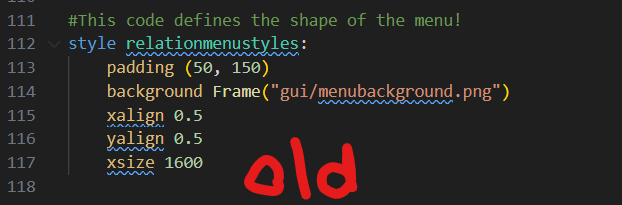
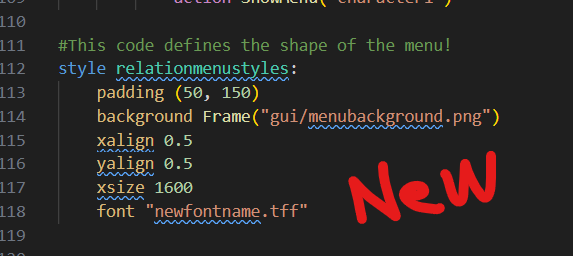
And that should get you where you need to go! Let me know if there's any problems!