

Hi, I think the issue is you're passing a Gamemaker constant to setCursorColor instead of a Scribble color tag, which in turn is printing the color number as part of the blinking cursor text, possibly hiding the text.
I assume you're using 2025.11 and latest Gamemaker, but let me know.
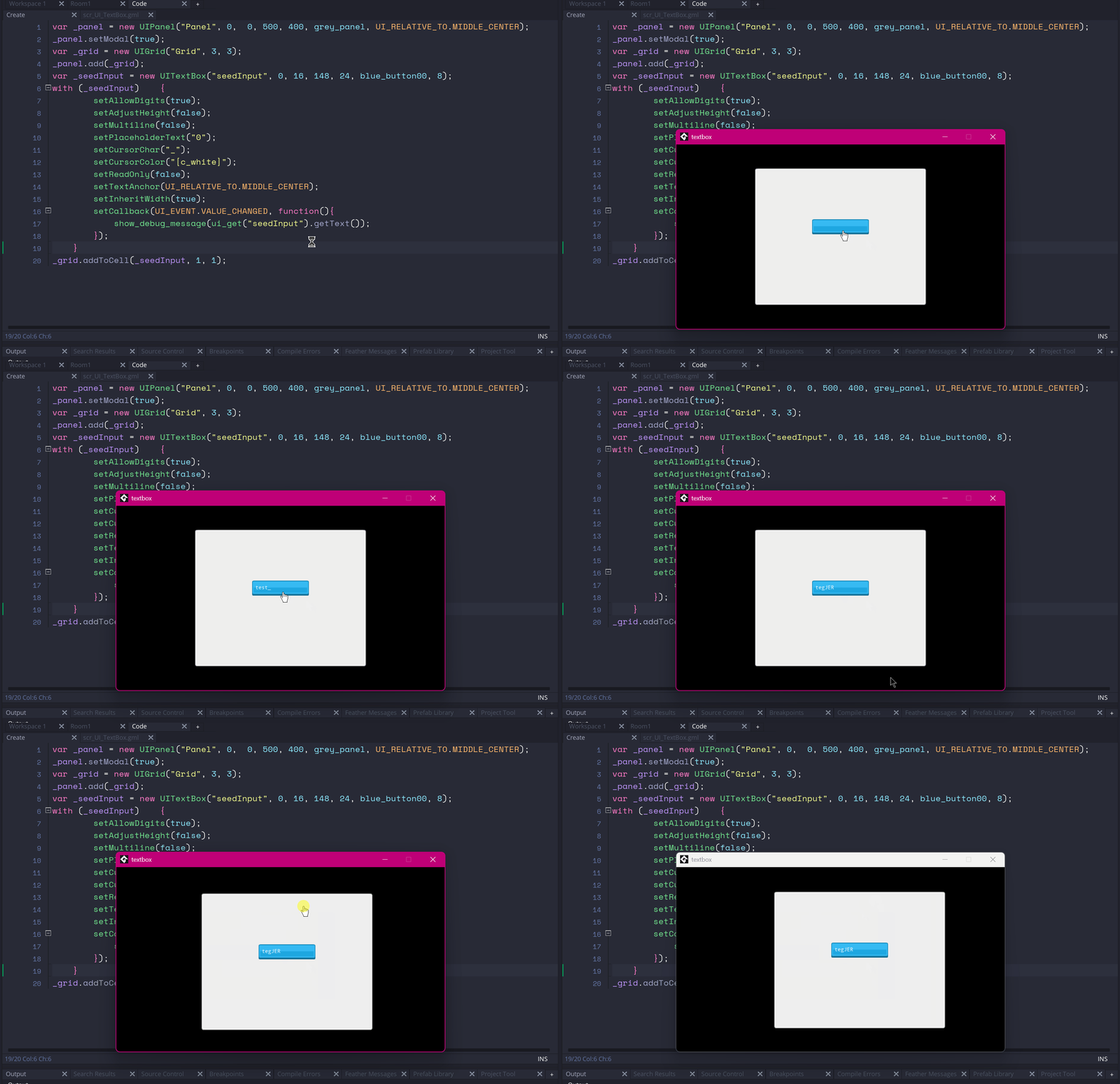
For reference this is the corrected code, which only changes setCursorColor, I added a modal panel and a grid like you said, and the textbox to a grid cell:
var _panel = new UIPanel("Panel", 0,  0, 500, 400, grey_panel, UI_RELATIVE_TO.MIDDLE_CENTER); _panel.setModal(true);
var _grid = new UIGrid("Grid", 3, 3); _panel.add(_grid);
var _seedInput = new UITextBox("seedInput", 0, 16, 148, 24, blue_button00, 8); with (_seedInput)    {
    setAllowDigits(true);
    setAdjustHeight(false);
    setMultiline(false);
    setPlaceholderText("0");
    setCursorChar("_");
    setCursorColor("[c_white]");
    setReadOnly(false);
    setTextAnchor(UI_RELATIVE_TO.MIDDLE_CENTER);
    setInheritWidth(true);
    setCallback(UI_EVENT.VALUE_CHANGED, function() {
        show_debug_message(ui_get("seedInput").getText());
    });
}
_grid.addToCell(_seedInput, 1, 1);
This is the result:
Let me know if you have more problems.