The images in Amber Burrows are generated with AI, touched up in paintNet to remove some AI blemishes.
Both Alberto Verde (Harlowe) and Amber Burrows (Sugarcube) use html to insert the image. For instance:
<img src="AB-Content/img/FGL/Support/Director.png" width="512" height="512">
If using variables or math to determine the image it looks like this instead:
<img @src=" $player.path + _imageResultant + '.png'" width="512" height="512">
Where $player.path can be the string "AB-Content/img/FGL/Stella/" and _imageResultant is the string "1A"; so twine will have this tag will mathematically resolve and ends up calling
<img src="AB-Content/img/FGL/Stella/1A .png" width="512" height="512">
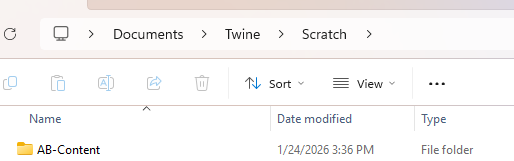
For testing the game you want this in your Twine's "Scratch" folder; so Twine/Scratch/YourGameContent/...
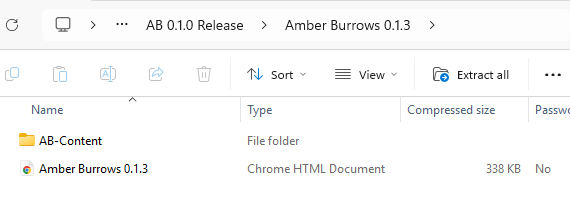
When publishing your project, This content folder and the game should be in the same base directory (for instance Amber Burrows 0.1.3.html is in a folder named Amber Burrows 0.1.3 alongside AB-Content. When publishing for web-play; instead name your game html to "index"