

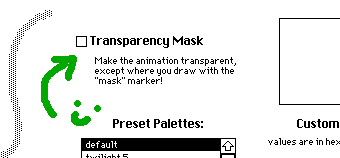
Click 'options' (above the crop button) on the drawing screen and enable 'Transparency Mask' by clicking this checkbox.
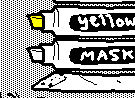
The mask marker will be available on the drawing screen (under the color markers) when you go back to it.
---
A little more explanation, for the curious: the mask marker is always on the drawing screen, it's just hidden. The checkbox in the options menu changes the mask marker's visibility from "none" to "transparent" and changes the wiggly drawing canvas from "solid" to "transparent" which reveals the pattern on the card underneath it. So now you can tell the difference between the the transparent areas and the opaque white of the mask marker when you're drawing. :)