Indie game storeFree gamesFun gamesHorror games
Game developmentAssetsComics
SalesBundles
Jobs
TagsGame Engines

Hey!

Thank you for the response. What I meant by different pixel densities is that for example, the outside ground tiles are 32x32 where as the mine tiles are 48x48, another thing is the character size vs the tent or signs and so on, a lot of things have different pixel densities making them have different sizing by default and when scaled, after being placed next to each other the look very off (like from 2 different games).

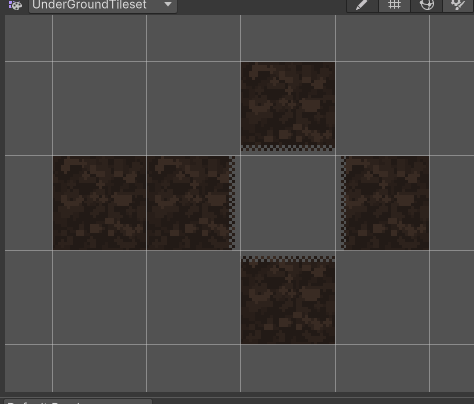
What I meant by padding is that I had to add a 2 pixel wide line around each side of every tile so that unity doesn’t have visual glitches, here is an example of that: image1.png
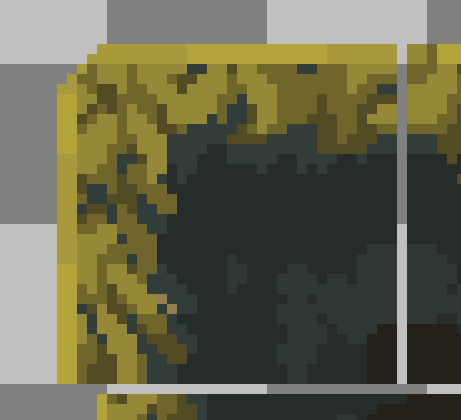
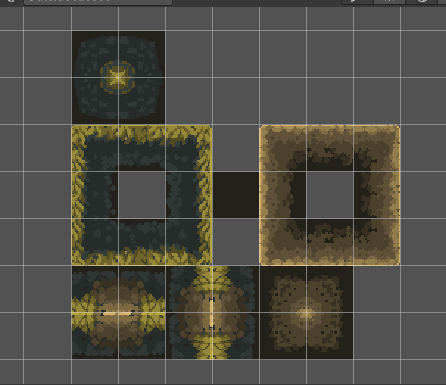
In terms of the transitions, I mostly had issues with corner pieces, here is the tile pallete with additional stuff I put in: image2.png image3.png
Hey, thanks again for the detailed explanation and for taking the time to put this together — I appreciate you buying the pack and sharing concrete examples.

Just to clarify one point: both tilesets are authored at the same base tile size (16×16). If they appeared as 32×32 or 48×48 in Unity, that’s typically caused by default import settings (PPU, tile palette cell size) rather than the source sprites themselves. I understand how that can be confusing from a Unity workflow point of view though.

Padding is a fair point — Godot and GameMaker don’t require it, but Unity’s texture sampling does, so I’ll be adding properly padded exports specifically for Unity to avoid those visual glitches.

Regarding character vs tent/sign scale: the characters and props are intended as freeform sprites and visual scale references, not tilemap elements. That said, I agree this could be communicated more clearly, and I’ll add better documentation and examples so the intended scale relationship is clearer out of the box.

Thanks as well for pointing out the corner transition use cases — while some transitions are already included, I can see where additional corner pieces would improve level building, and I’ll expand on those in an update.

I genuinely appreciate the feedback — it’s helpful for improving the pack, especially for Unity users.

Hi again!

Thank you for putting in the additional work, it’s great to see my feedback being taken seriously.

Just wanted to comeback to the tile sizes thing, idk if I’m doing something wrong, but after opening the tileset and tileset-mining files in Aseprite I can just measure them and while the tiles in tileset are sized to be 32x32 I couldn’t find an equivalent in tileset-mining even things like the prop used to keep the roof of the shaft up??? (not sure what to call it) looks like it’s made to fit with 48x48 tiles instead of 32x32 which made it so I had to resize and create my own so that they fit together with the smaller tileset tiles!

But again, thank you for taking my feedback to heart!