

Hi Dave,
In both cases it's important to keep in mind that an endmill is not going to be able to produce sharp inside corners (i.e. the 90 degree corners in a square pocket, or the sharp angled points on a 5-point star shaped pocket). They'll only be able to have a radius as small as half of the diameter of the endmill used to mill the pocket out. That being said, the best ways to go for 2D milling an area are with either the 2D Trochoidal Milling operation or the 2D Offset Milling operation, at least for general roughing. Then come in afterward with a 2D Profile Milling operation to bring the carved area to size and shape as much as is possible with the endmill being used. You'll want to include an Offset on your roughing operations to leave something for profiling to cleanup. Keep in mind that the profile milling operation puts the center of the cutter on the edge of the contour being cut, which means you'll need to include half of the cutter's diameter as an Offset to have the tool follow the inside of the contour (but the 2D Trochoidal/Offset Milling operations automatically keep cutpaths inside of the contour being milled out with Offset being zero).
The 2D Trochoidal/Offset Milling operations both allow you to choose between tracing one of the canvas layer groups at a specified Z plane or using a paths-layer as contour input from which cutpaths are generated. This means that you can either just have it generate a toolpath directly from the canvas for 2D milling, or feed it your own paths-layer, either hand-drawn, traced from something else (like an image or 3D model that was traced to paths) or traced from a canvas composition of multiple raster/model/text layers.
For something like relief carvings you'll generally want to use the 2.5D variants of the offset/trochoidal milling operations, because it will contour the canvas at each successive cutting plane to generate cutpaths for, better conforming to the canvas as a whole for something like rough material removal before coming in with a 3D Contouring operation type like Parallel Carving.
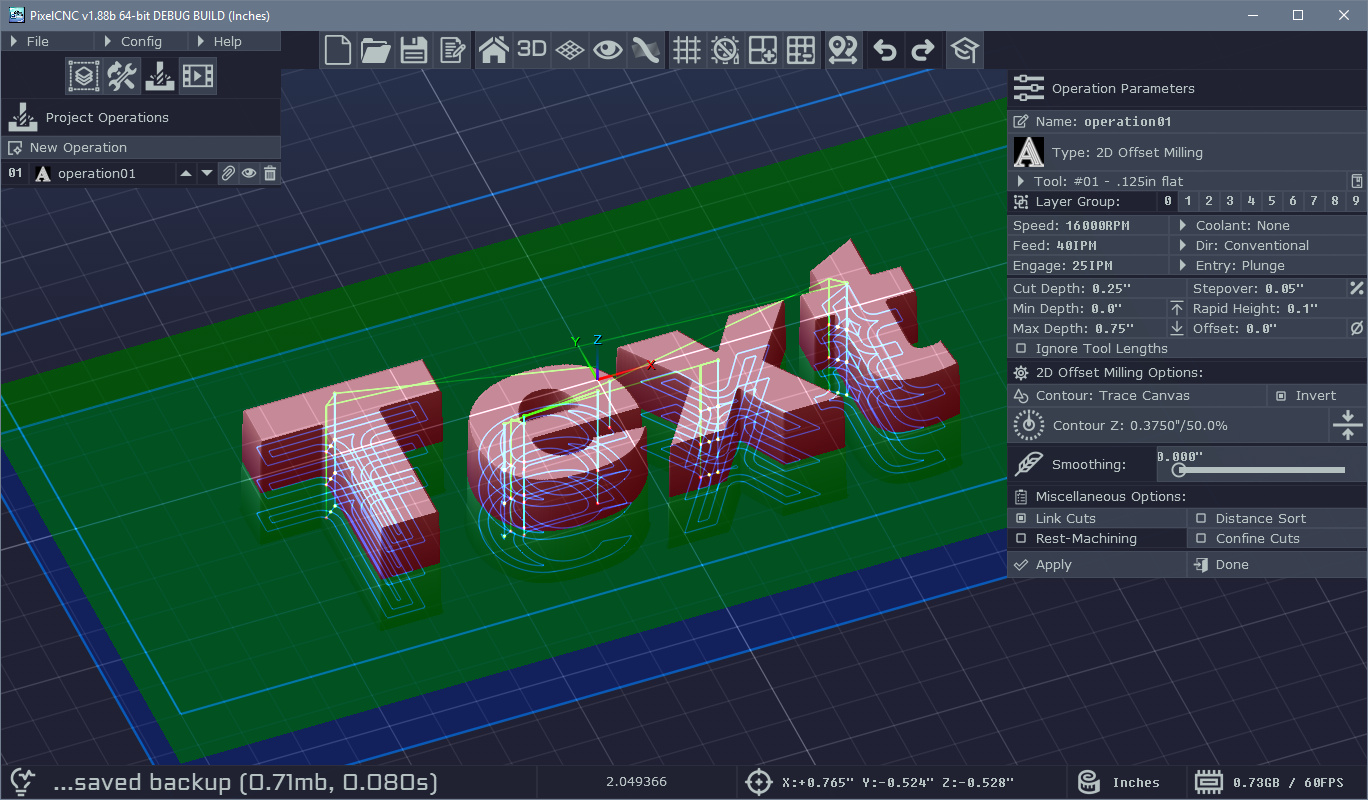
Both of the 2D Milling operations mentioned include an Invert option on their input contour parameters that allows you to switch between cutting inside of a contour and outside of a contour, so if you just have text on the canvas that you want to mill out the inside of then you'll enable this option, assuming your canvas is at the default with zero Z-Fill and a default text-layer on there, like this:
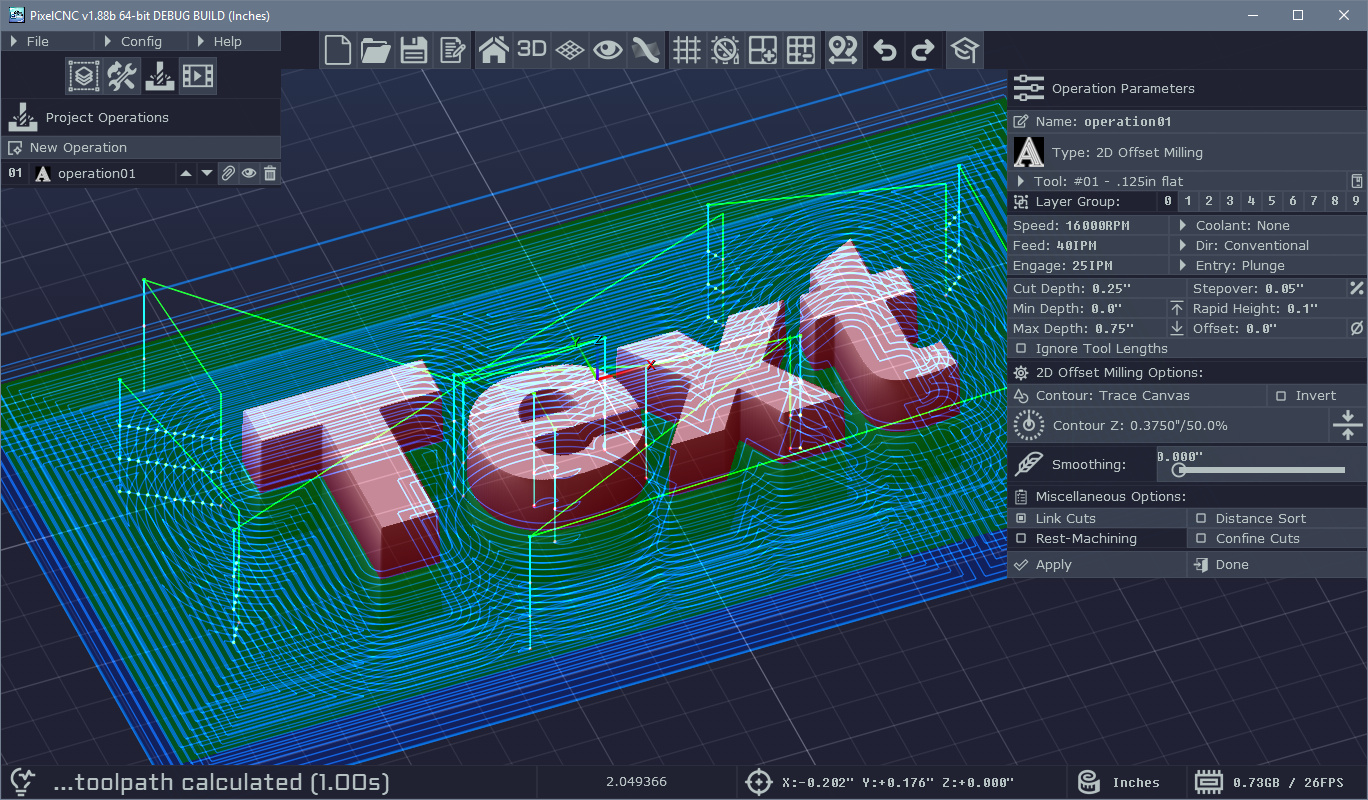
With the Invert option disabled, contouring the canvas with just a text-layer as shown will mill out the outside of the text:
If you're completely new to everything there are going to be a lot of CNC/CAM things to learn that aren't specific to PixelCNC, such as what cut depths and stepovers and what feed rates and spindle speeds to use for different cutters and materials. There are some general rules of thumb, and they vary depending on what machine you're using and what its capabilities actually are. If your machine is rigid enough you can get away with using trochoidal (or sometimes called 'adaptive') toolpaths with a large depth of cut and a smaller cut stepover, at higher feed rates, allowing more of the cutter's flute length to be employed in material removal. Flimsier less rigid machines will only be able to handle small cut depths, but generally allow for a larger cut stepover, but this means that you'll be doing most of the material removal using just the tip of your cutter - wearing it out faster.
You'll want to become familiar with your machine - how to zero out the machine's coordinate system (i.e. set the machine origin) and jog it around, how best to hold down material without your work holding getting in the way when the machine is rapiding between cutpaths, or being in the way of any dust collection, etcetera.
If you have anything specific you'd like to do you can always send an email to support@deftware.org and I can give you more detailed help there.
Hope this helps! Apologies for the New Year's delay in replying, response times are generally within a few hours during non-holiday times. Cheers! :]
- Charlie