

SO. first off. please please please do simply disregard me if you don't wanna deal with this, since it concerns someone else's extension/a weird implementation of your thing. 😎✨ i'm still a baby coder so i'm not sure how easy or laborious this may or may not be but it FEELS like im just having a syntax problem. ....potentially with an obvious answer right in my face (that's often the case with me lmfao)
i've been trying to figure out how to use this in conjunction with Auto Highlight by Wattson. For some scenes, I want to mask the layered character sprites onto boxes, like so:
image erikabox = LayeredImageMask("erika",
    Transform(crop=(120, 170, 500, 500),zoom=0.7),
    mask="masks/blankbox_ghost.png",
    foreground="transparent.png",
    background="masks/blankbox_ghost.png",
)
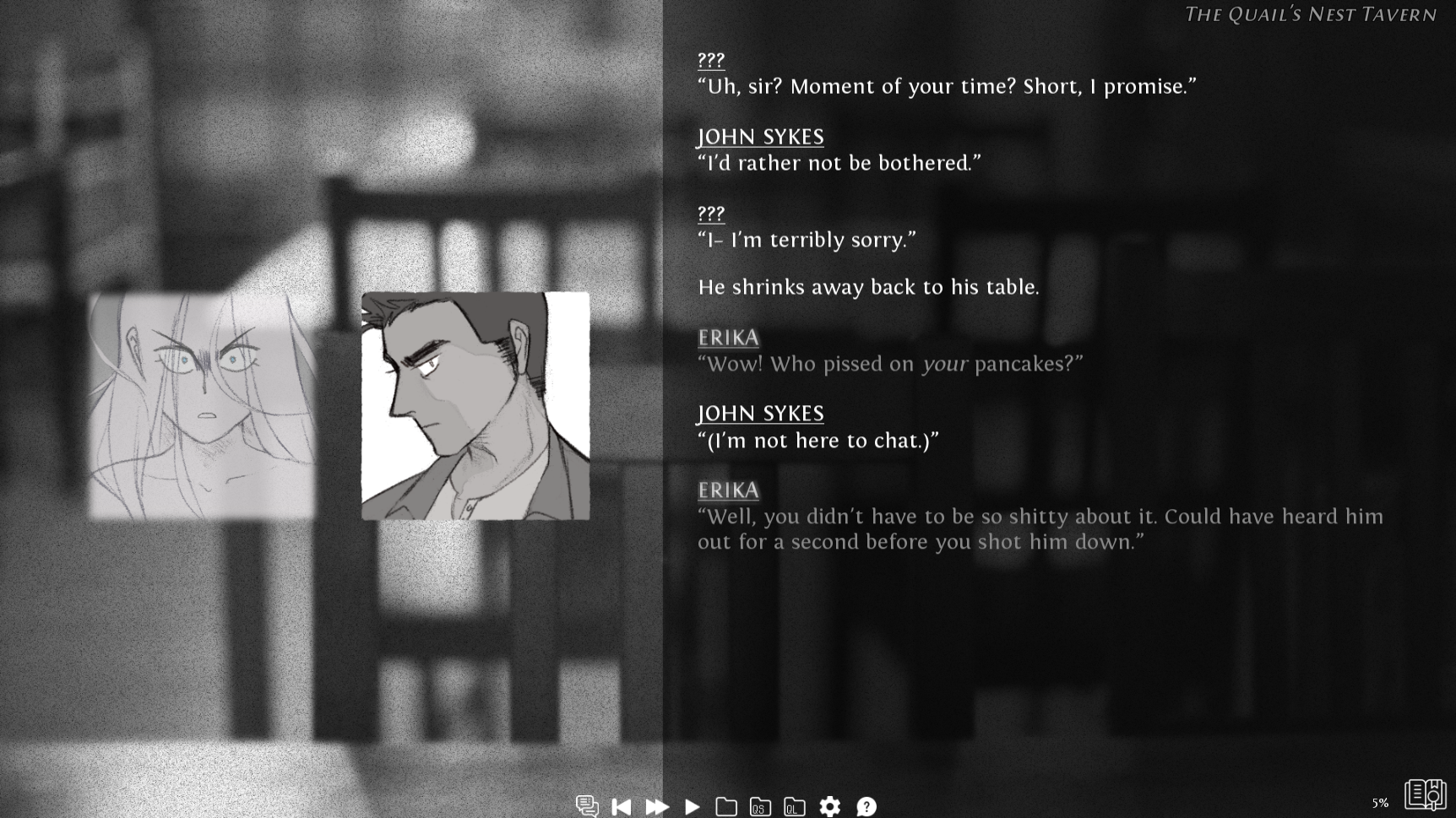
the boxes look like this ingame. when a character is speaking, their box brightens and zooms in; when another character speaks, it dims and zooms out. it works great on regular masked images. mr. suspicious on the right there is just a placeholder image masked with the torn-paper-looking box, and it works on him. but it's been a conundrum trying to figure out how to get it to work on a masked layered image (ms. ghost on the left)
here's part of the instructions from the auto highlight script:
# - Second, you'll need to apply the sprite_highlight transform to all images you want this
#   applied to. For people using layeredimages, this is very easy. As an example:
# layeredimage eileen:
#     at sprite_highlight('eileen')
#     ...
# - However, if you're using individual sprites, you'll have to be sure this is applied to every one.
# image eileen happy = At('eileen_happy', sprite_highlight('eileen'))
# image eileen sad = At('eileen_sad', sprite_highlight('eileen'))
#   Or, if you'd prefer an ATL example
# image eileen happy:
#     'eileen_happy'
#     function SpriteFocus('eileen')
if i try putting it into the layeredimage, it won't highlight the whole box correctly... but when i try to cram function SpriteFocus('erikabox') anywhere into the LayeredImageMask statement, i get nothing but errors. neither of these work and i don't really know what else to try.
#nope
image erikabox = LayeredImageMask("erika",
    Transform(crop=(120, 170, 500, 500),zoom=0.7),
    mask="masks/blankbox_ghost.png",
    foreground="transparent.png",
    background="masks/blankbox_ghost.png",
    function SpriteFocus('erikabox')
)
# yeah i didn't expect this to work lol
image erikabox = LayeredImageMask("erika",
    Transform(crop=(120, 170, 500, 500),zoom=0.7),
    mask="masks/blankbox_ghost.png",
    foreground="transparent.png",
    background="masks/blankbox_ghost.png"

)
    function SpriteFocus('erikabox')
ANYWAY... tl;dr do you think there's any way to sneak that function into the LayeredImageMask??? also regardless of anything THANK YOU for my life, your ren'py extensions and tutorials are THE BEE'S KNEES