

Hi! The export feature is implemented, but there could be a few issues with your folder permissions. In that case, we suggest running the app as administrator (right-click on the executable and select "run as administrator" on Windows). From there, we recommend creating a character just to test things (you can hit random, for example, the dice button), then click the following icon in the top right bar:

Clicking that button should open the following window:
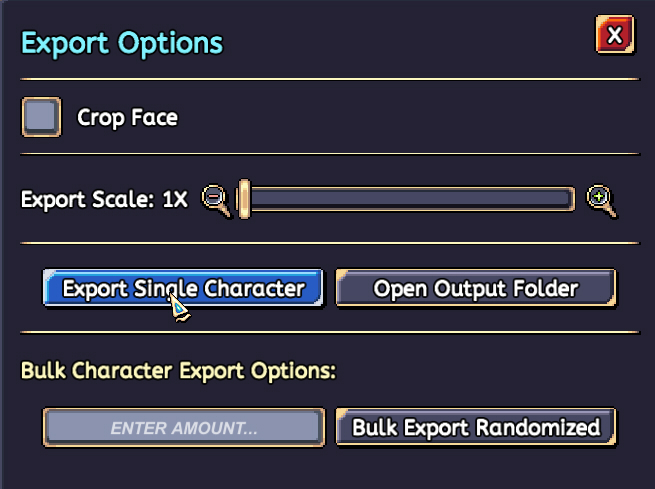
Click on "Export Single Character". Once the button is green, it means that the operation is a success. Next up, click on "Open Output Folder", right next to it. It'll default to the root folder where the software is located.
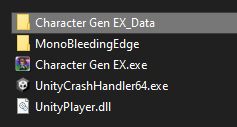
Inside the folder "Character Gen EX_Data", you'll find the following folders (highlighted in the picture):
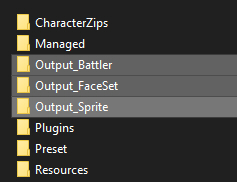
"Output_Battler", "Output_FaceSet" and "Output_Sprite" are the export locations. You should find the exported sprites there. We hope this helps somehow! And please let us know if you find any other issues.