
On Sale: GamesAssetsToolsTabletopComics
Indie game storeFree gamesFun gamesHorror games
Game developmentAssetsComics
SalesBundles
Jobs
TagsGame Engines

First Person Exploration Kit UE4

First Person Exploration Kit is a complete package to create a First Person Environmental Exploration or Adventure game · By Kai

Unable to add this kit to my project in Unreal Engine 5.4

A topic by headlesscentaur created 26 days ago Views: 28 Replies: 3
Viewing posts 1 to 2

Hey there,

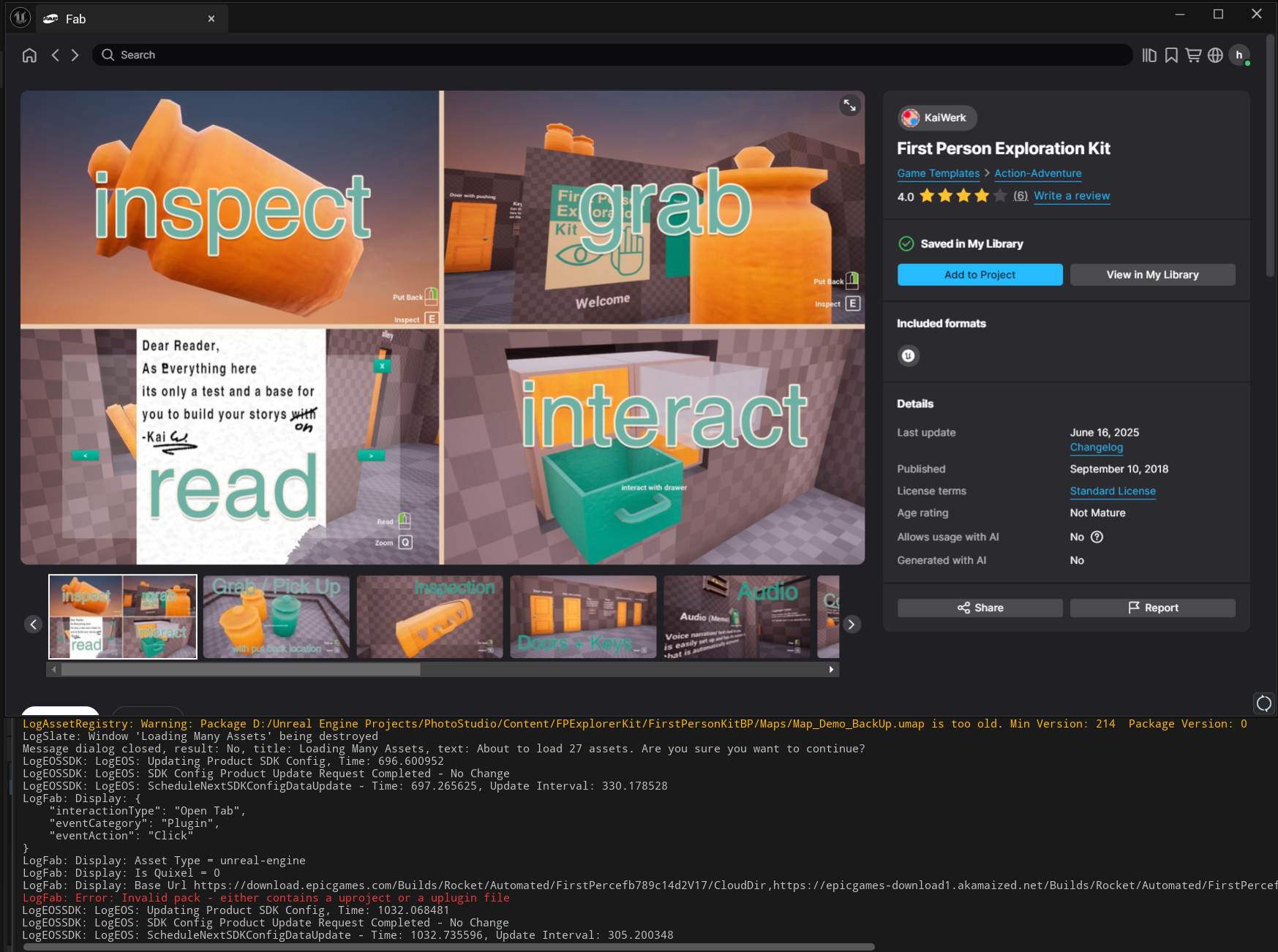
I'm trying to add this kit to my Unreal Engine project, however, upon hitting "Add to Project", I get an error message and nothing appears in my content browser. I am using Unreal Engine 5.4 and I did not see anything in the Notion documentation regarding whether or not importing the package required any additional steps. 

I also attempted to create the kit as its own Unreal Engine 5.4 project and migrate the entire folder into my project. This did not work however, as the folders and hierarchy was created and the uassets appeared in my folder explorer, but the blueprints and assets did not physically appear in the content browser in engine. 

Is there a simple work around for this?

Otherwise, I unfortunately will have to formally request a refund. I can provide my order if necessary.

Thank you for your time!
Developer

Hey there, 

I am sorry to hear it not working as intended. The files should be able to be a new project. It does not work (in my experience to add it to an existing project). This is why in the documentation I think I wrote a few lines about migration of some blueprints. I never tried to migrate the entire folder. It should work with you going through  and migrating each asset(or subfolder) individually Asset Actions > Migrate

You bought this on FAB right? It is sadly In epics hands for migration to work. If you are unable to get it working within epics with the asset action feel free to refund it. But I hope I was able to help :)

I appreciate the swift response! 

Yes! I bought it with Fab. Just to make sure I'm understanding: for my case, the files were able to be created into a new project but were not able to be added to an existing project (with the "Add to Project" feature. When I attempted to do so, it resulted in the screenshot). Is this the intended behavior? In addition, maybe I missed it but I didn't see anything regarding migrating blueprints in the documentation?

Developer

Yes this is mostly an engine limitation I chose because of my knowledge of ue5 (starting a new project instead of migrating later). I thought I wrote it in the documentation but I also wrote it a long time ago so sorry if you couldn’t find anything about it. 

But since the migration features seem more plentiful in ue5 than in ue4 it seems to worked out okay. You should be able to migrate single files with right click and asset actions or maybe with this tutorial https://dev.epicgames.com/community/learning/tutorials/zBe0/unreal-engine-how-to-move-assets-to-another-project-

I wish you luck and feel free to tell me if you chose to migrate the files from a new project or if it was too much of a hassle.