

Use the Yeet Patcher in the latest version to change to the Vulkan API.
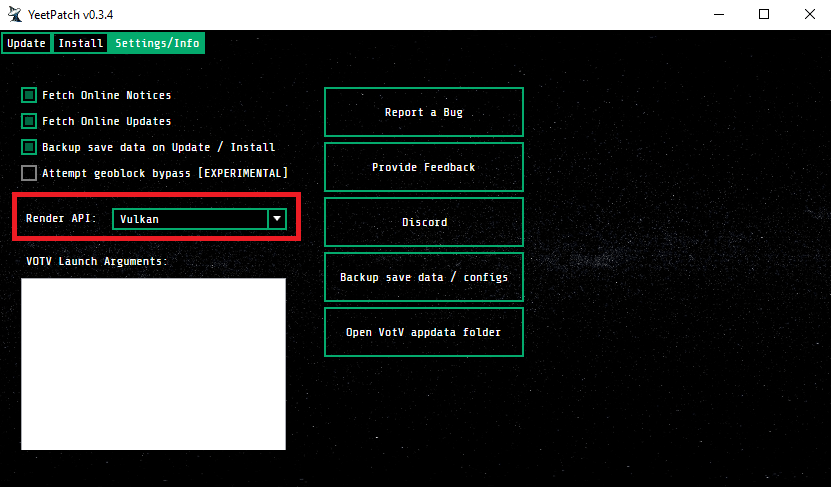
For it to work the votv.exe has to be in ".../WindowsNoEditor/votv.exe"
If you don't have the WindowsNoEditor folder or renamed it, it won't work.
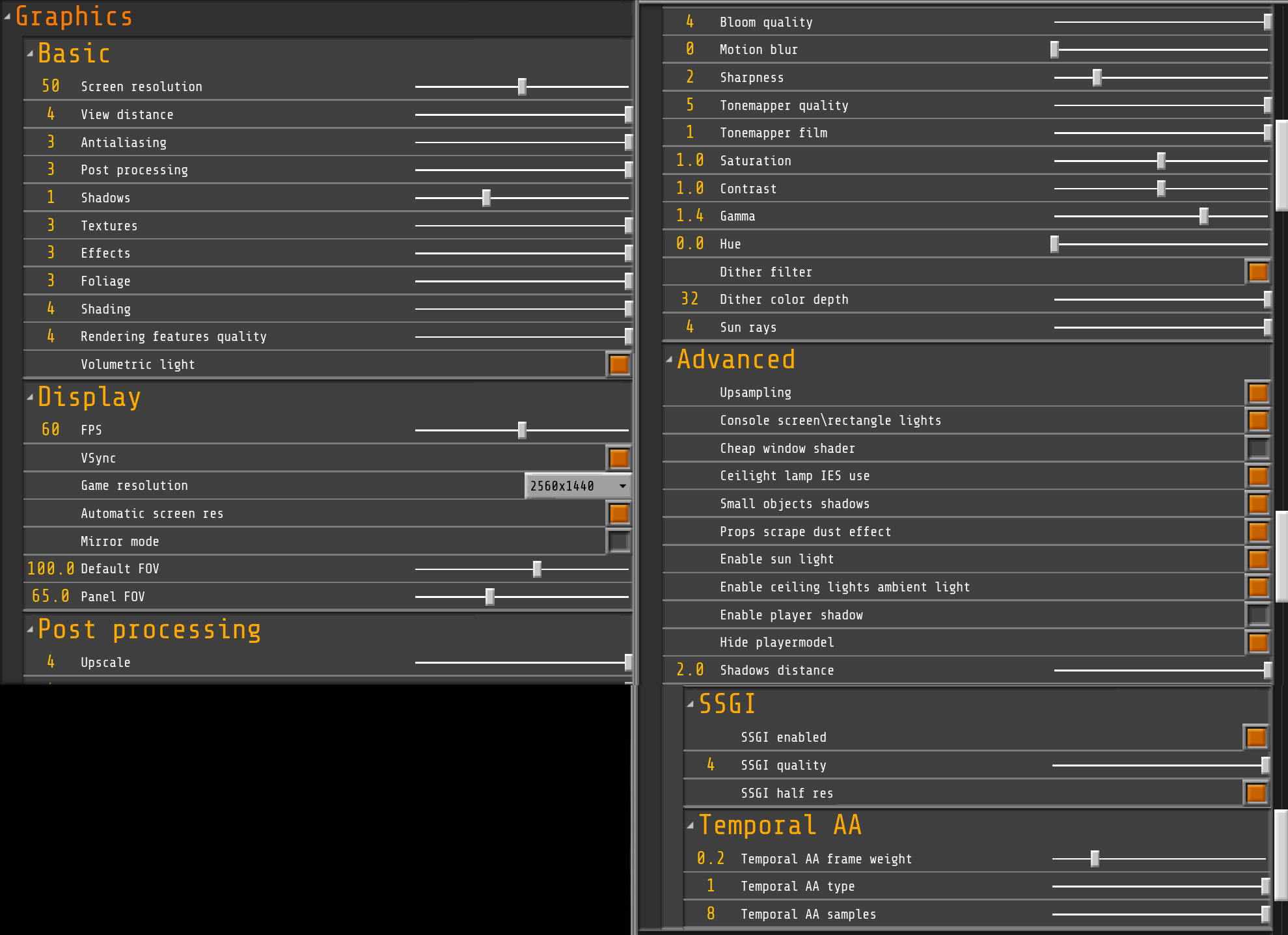
Also Shadows are the biggest performance eaters in the game. Turn Shadows to 1 or 0.
These are my settings with an RTX 3060 12GB, with this I get constant 60 FPS inside the base (with all lights on) and outside, no problem.
I usually play with "Screen Resolution" on "80" though, as I can live with the FPS inside the base falling to 45-55.
This is on a screen resolution of 2560x1440.
Though I think it should look just as fine on 1920x1080 with Screen Resolution set to 50:
EDIT:
Ofcourse the RX 550 4GB is super slow nowadays, you can't even play Fallout4 with it and maintain 60 FPS.
I'd suggest, if you can, to upgrade your graphics card to an RTX 3000 series or higher, they currently seem affordable.