
On Sale: GamesAssetsToolsTabletopComics
Indie game storeFree gamesFun gamesHorror games
Game developmentAssetsComics
SalesBundles
Jobs
TagsGame Engines

Setting for fullscreen and Windowed

A topic by hopelessdecoy created 38 days ago Views: 114 Replies: 7
Viewing posts 1 to 4
(3 edits)

Found in your docs that it is alt+enter but that doesn't seem to work on Linux, this should definitely be a setting in your settings window vs a keyboard shortcut! 

This program is pretty awesome btw!!! I want to buy the full version but I need that Windowed mode working, please :)

I am on Linux Mint 22.2 on X11 Cinnamon desktop for reference
Developer

Good idea, I'll add it with the next version.

looking forward to it, thanks! 

Developer

Version 1.0.4 is out now, adding the windowed/fullscreen toggle to the Settings window. Please try it out, as I don't have my Linux laptop to test it right now.

(2 edits)

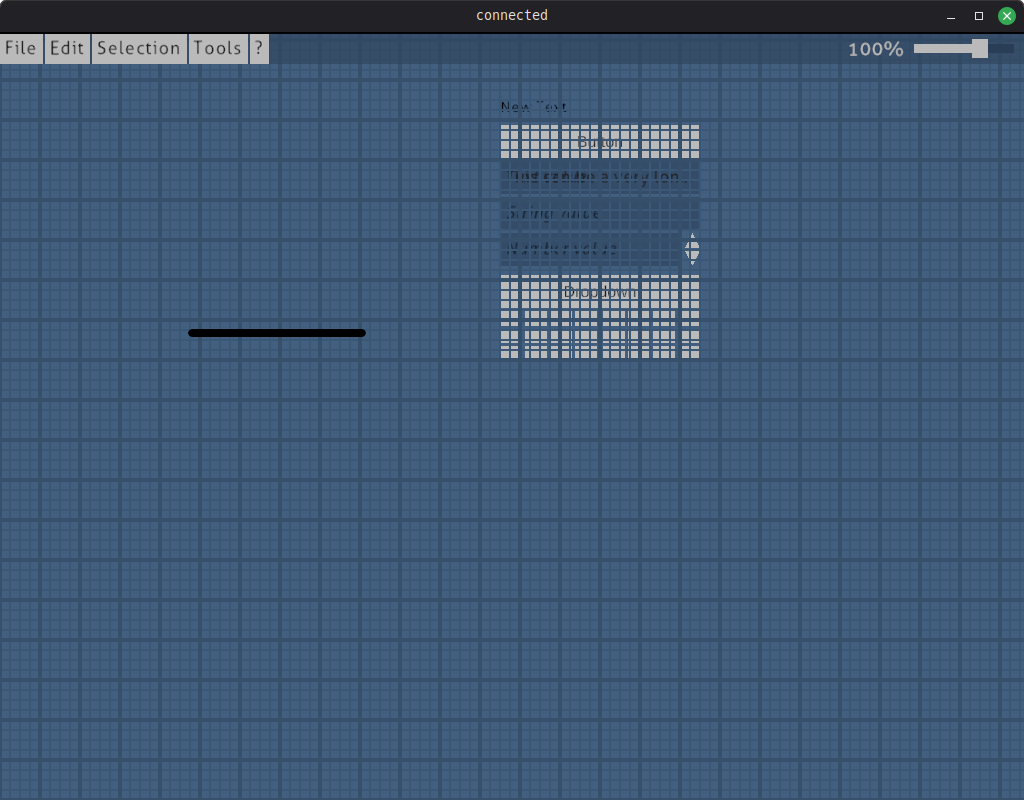
Well the full screen setting works perfect but unfortunately the rest of the application is now broken :(  
The UI button elements are there from start up. 
The black bar there is the right click menu


Tried this on my Linux Mint desktop and LMDE laptop.

Developer (1 edit)

Oops! No idea what happened during building the app, but I just exported the lite version again and uploaded it. No version number change. Can you please try it again?

(+1)

It works now, you got yourself a purchase! Yeah that build was definitely off lol

This application is nice for designing systems flows, user stories and game dialog. I hope you continue working on it and thank you for implementing the setting.

Developer

Thank you! I work on connected whenever I see the need (and have the time), as we use the tool for dialogs in our current game project. So feedback from the outside is always valuable.