

Sure thing! Also another beginner question but how do I move the position of the inventory box? I want to move it a bit lower and I cannot find it for the life of me.
258 days ago(+1)
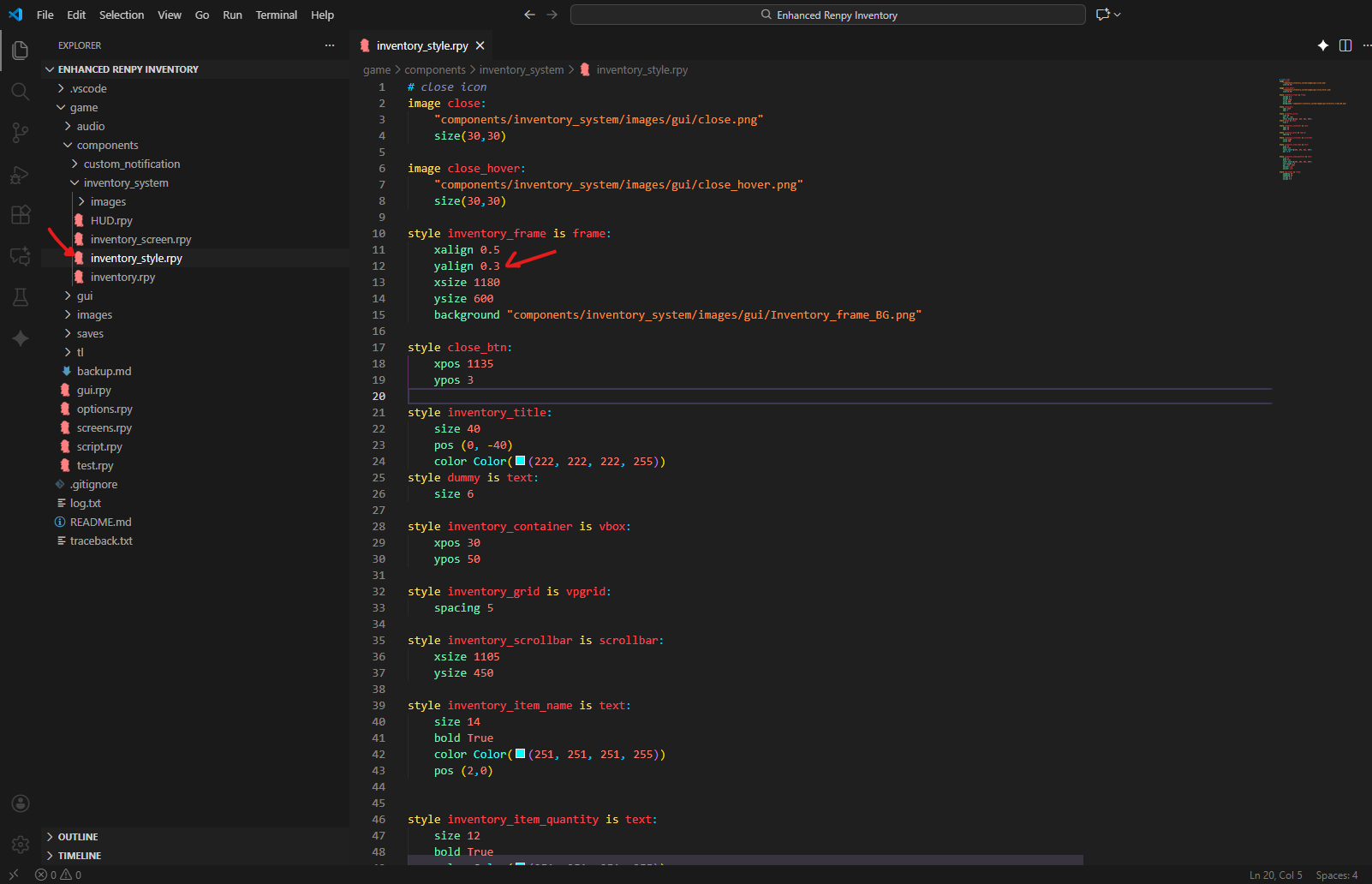
It's super simple just go to components > inInventory_system> inventory_style.rpy Find the code block name:
style inventory_frame is frame:
To change the Y Position, you will see something like this: yalign 0.3. Change its value to 0.4 or 0.5 based on your need. The position should go up and down based on incrementing or decrementing the value. If you want to go try left and right, then change the X position.
258 days ago(+1)
You're welcome! Yes, style customization is fully supported the "style" file has everything you need to create a custom inventory to match your game's UI. Just change the source images or adjust the slot size as you like. Everything's accessible, so modify away! Check out the docs (especially "Ren'py Official") to get familiar with the style code. Have fun customizing!
257 days ago(+1)
I was able to customize the style of the box and its looking really good so far! I have another question (sorry) but how do I make the items inside the inventory slots clickable? Is that even possible?
Anything is possible if you have a clear goal! There’s more than one way to make inventory slots clickable in Ren’Py. Every developer has their own approach so you’re not limited to just buttons. For now, just know it’s achievable with a bit of Python and UI work.
Also, I’ve seen other people request this feature, so there’s a good chance I’ll include clickable inventory in a future update. Stay tuned and keep experimenting don’t hesitate to share your ideas or suggestions! These suggestion will shape the new version of the inventory system.