

Monster collection and controls
I've been tiding up and finishing up the monster collection menus. Small, but very important part of the game.
All captured monsters are sorted into categories and displayed in the hub area like so:
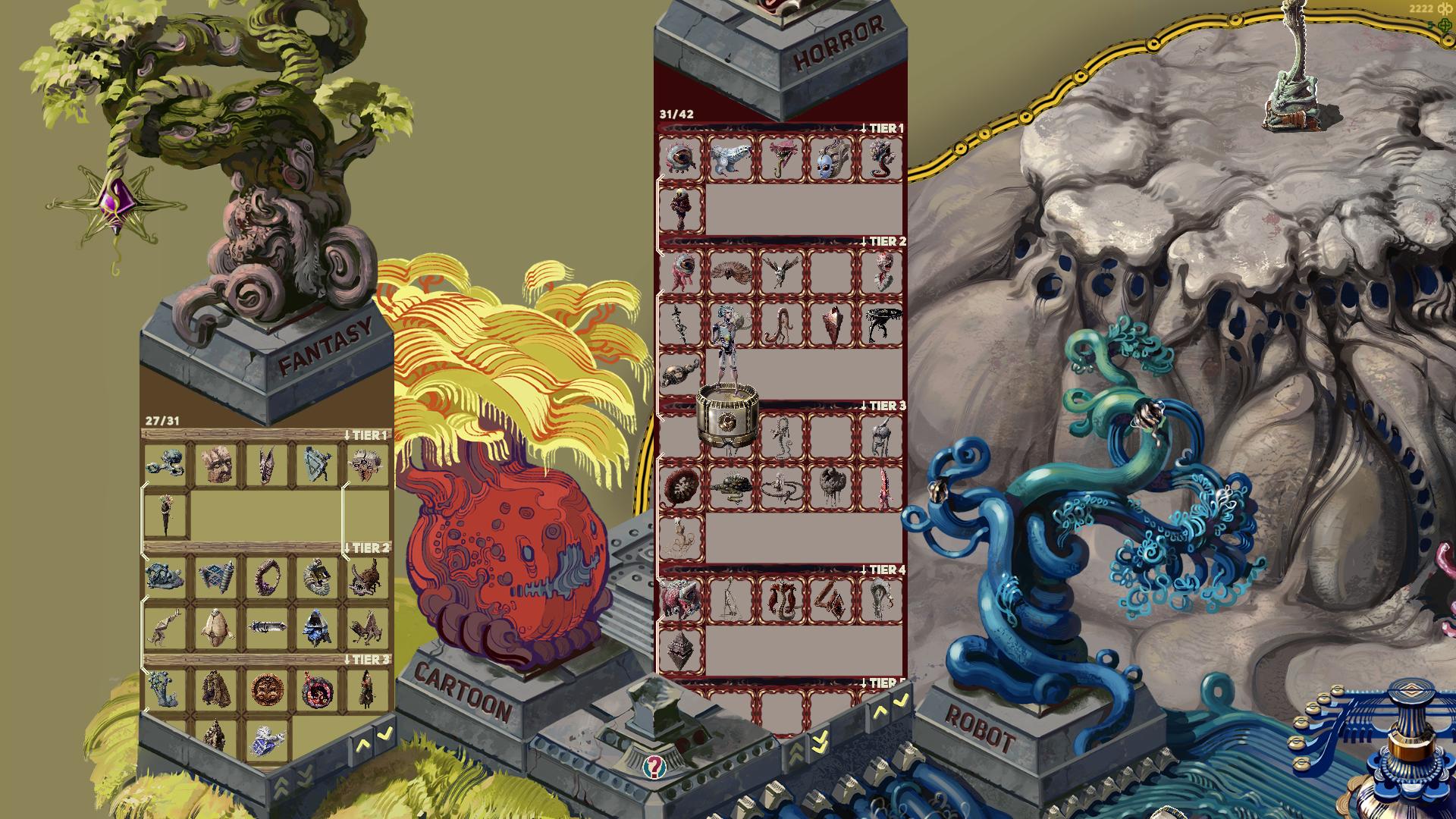
The collection shows the type of monster, so in this case Fantasy monsters in the left pillar and Horror monsters in the right. You can also scroll to see how many and what tier monsters are still not captured. Some of the monsters have white lines connecting them, those mark the evolution lines for the monsters that have those.
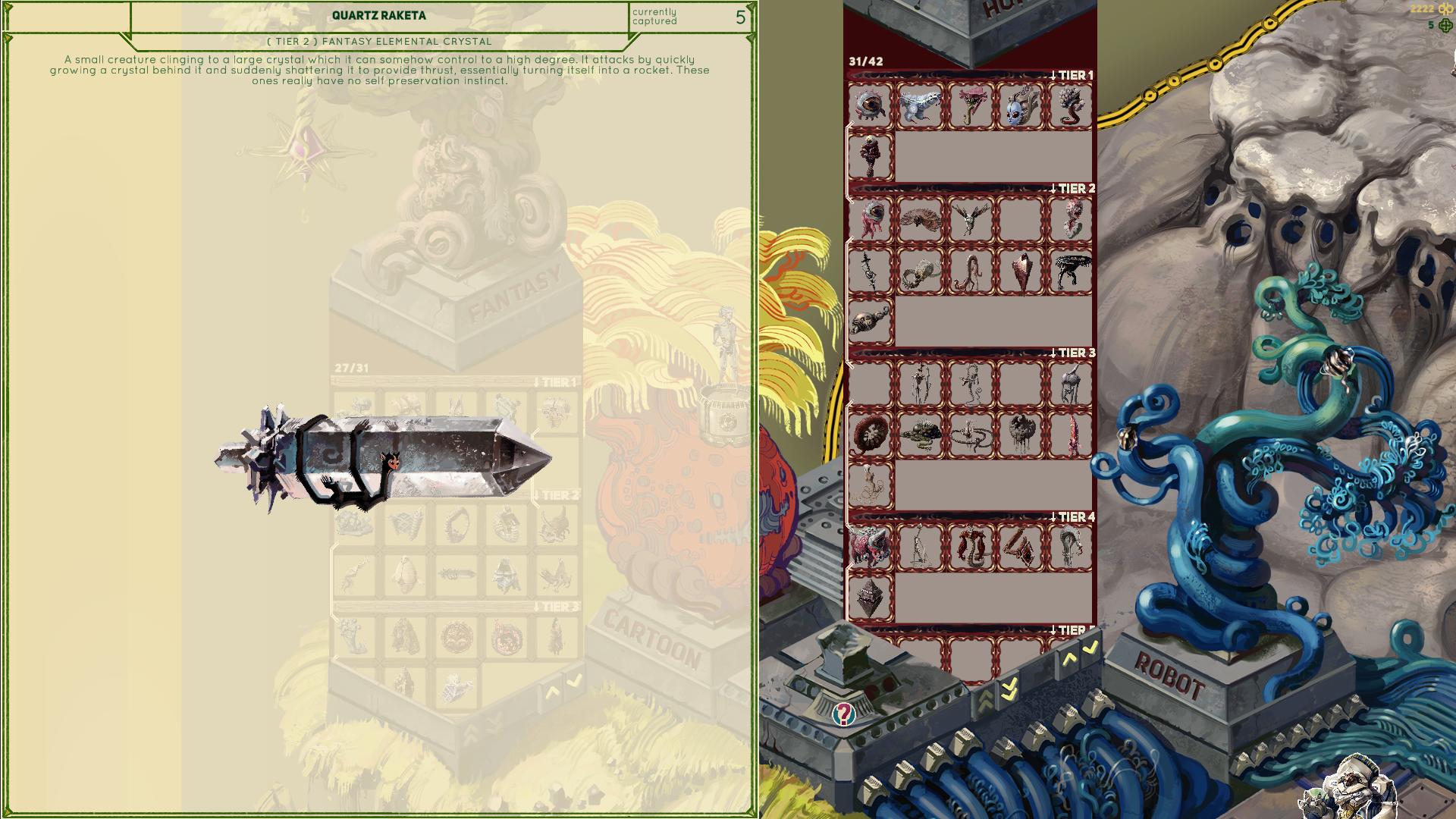
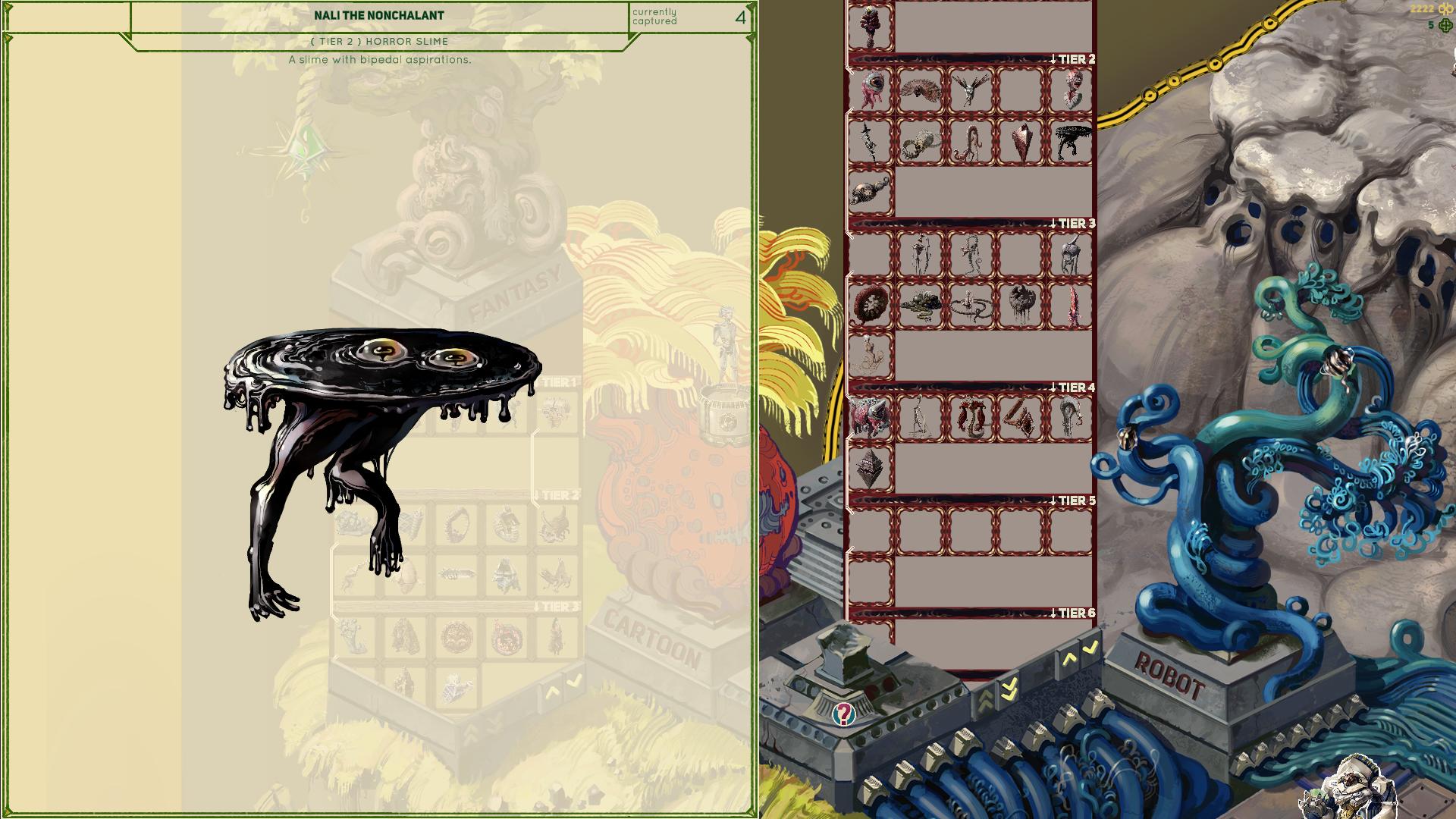
Also I added short descriptions to each monster together with other info, which you can see if you mouse over them. Some explain a bit about mechanics of a specific monster, some are purely for flavor text:
The controls are getting slightly complicated at this point, so I finally got to adding an explanation about those. These are shown every time you want to enter a cave, and can also be checked any time in the pause menu while in the cave:
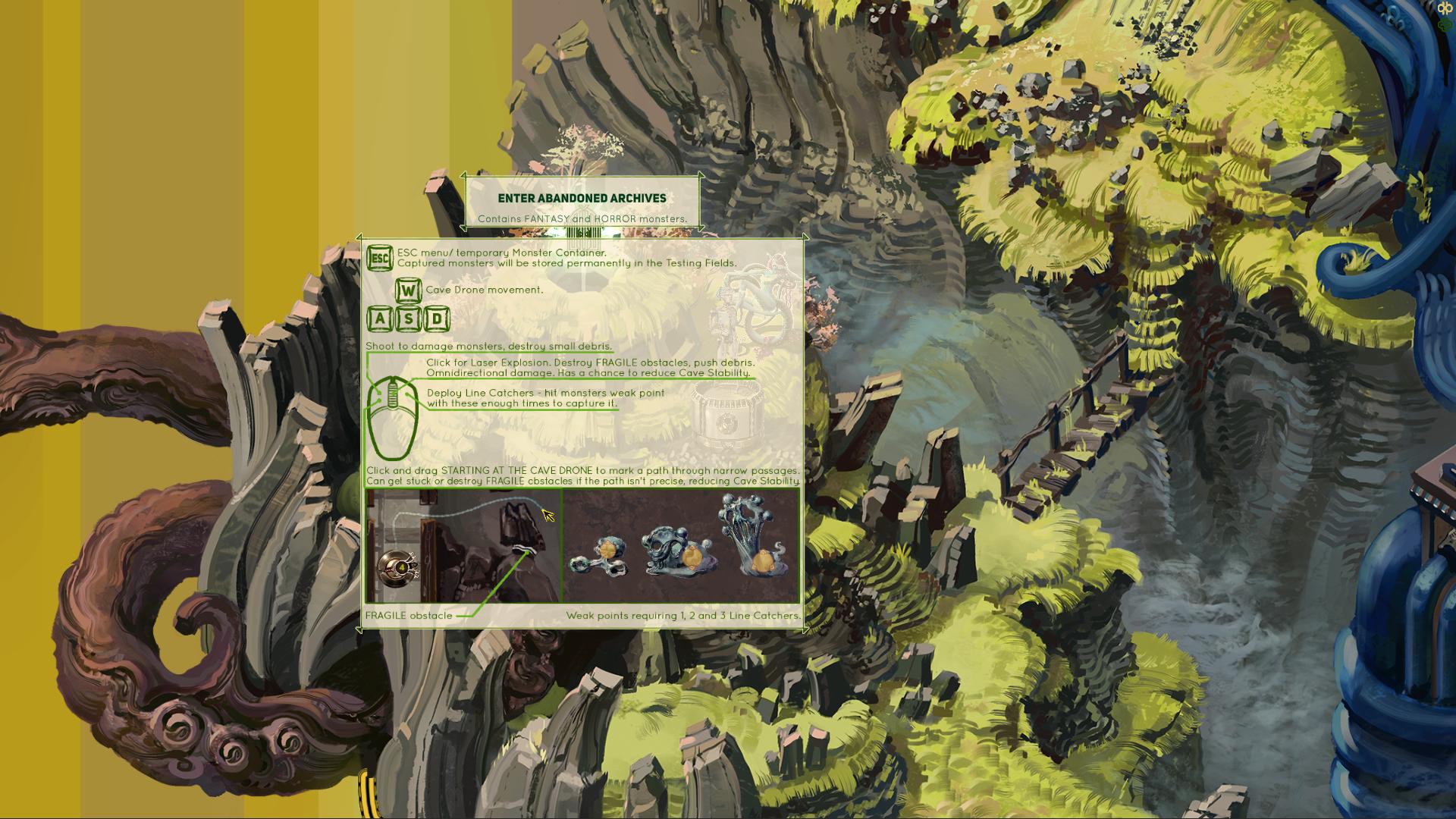
It's quite possible I will be adding a couple more buttons for various Cave Drone upgrades I have planned, but I want to display only the base controls until that is unlocked, so as to not overwhelm a new player with too much info at once. I don't know about you, but I usually skim any rules explanation if it's too long and pretend I will be able to figure it out as I go.