

Dialog System
I’m not making a story focused game, but I still need some sort of dialog system to explain a few things about the game and to make it a bit more immersive. I noticed two games back that even a very simple dialog is much better in that regard than a tutorial bubble. At least to me.
I have coded dialog systems before, but I’m not exactly a pro programmer so spaghetti code is wild and I tend to forget what the hell I coded months ago and how to modify it to begin with. I found some simple tutorials for dialogs, no need to reinvent the bicycle after all. I tried copying a specific very simple dialog system that seamed promising, but it just refused to work in the game engine, it showed multiple errors. Could have been a number of things, but the problem is that the tutorial used some code a bit above my knowledge level so it was hard for me to tell that the hell was going on. And the whole idea is to use code that’s easy to modify later so what the hell?
So I decided to reinvent the bicycle anyway and rewrote most of it, just kept a couple things that seemed to make more sense compared to my previous attempts and it works now. Took me less time than trying to debug the tutorial and I know how everything works in it now. Haven’t found any issues with it so far, but of course that remains to be fully tested. Basically, build your own bicycle, I guess.
Also I wanted to blur out the background when entering the dialog to make the dialog window and the characters stand out more. It’s easy theoretically, there are just some image post processing functionality in the engine, but that ended up being a lie. The thing is, the menus and the official documentation for all this in unity says that you can blur out any layers you choose, so you could blur out the background, but not the characters, but that turns out to be nonsense. In the set up I have it either blurs out everything except UI layer, or nothing at all, while showing in the menus that it’s blurring out just the background. Took me like two hours to figure that whole nonsense out and it seems a lot of people were confused by that. Oh well, it’s not worth trying all sorts of workarounds for just that, it’s not a huge issue in my case. I just wish the documentation was a little less ass.
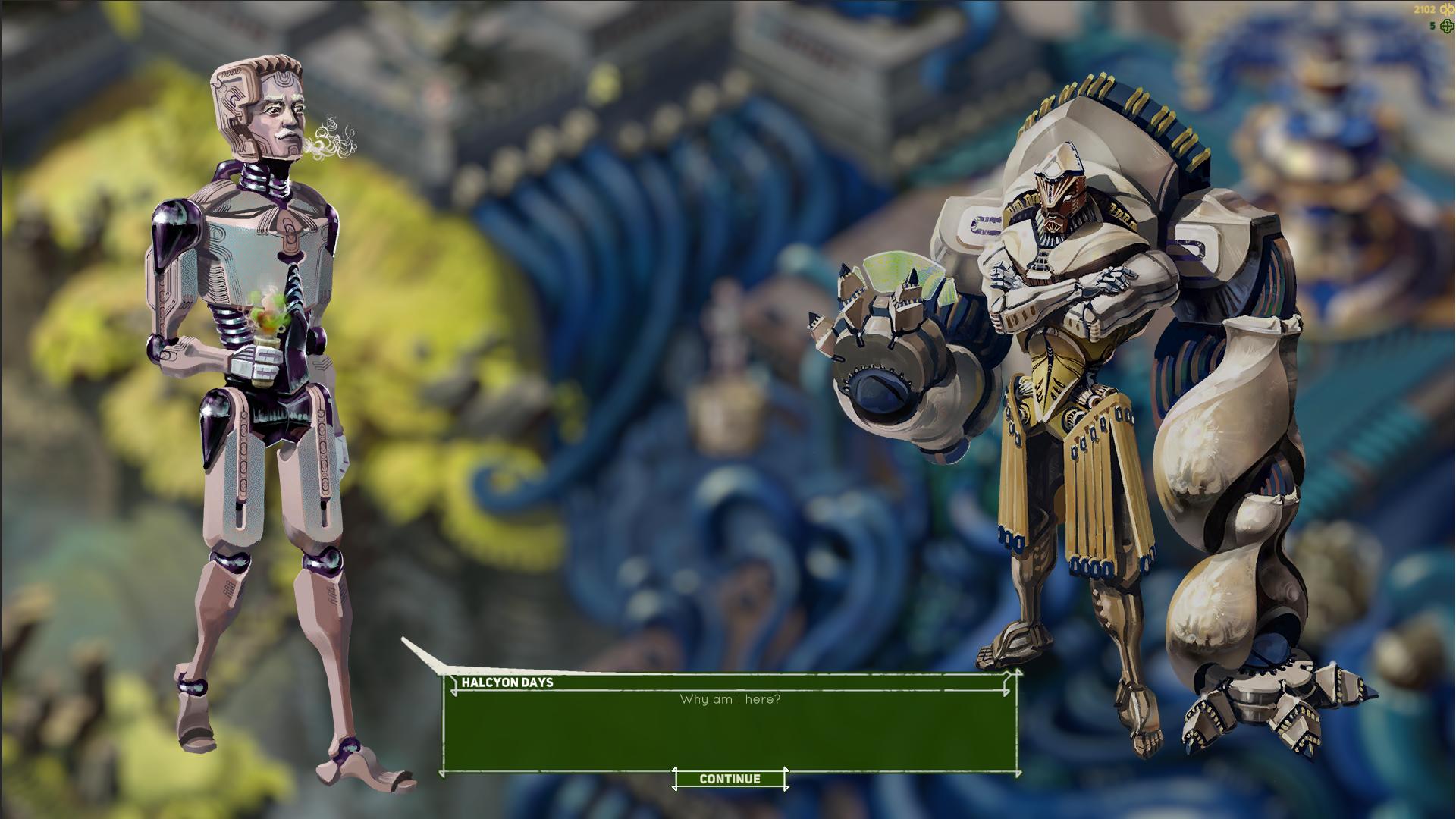
The gif showing how this works is a bit too large to work on this site, but take a look at this same devlog post on my DA page if you want to see that: https://www.deviantart.com/augustinasraginskis/journal/Devlog-33-Dialog-System-1...