

I am getting an unspecified error when trying to extract the zip for some reason. OS is Windows 11
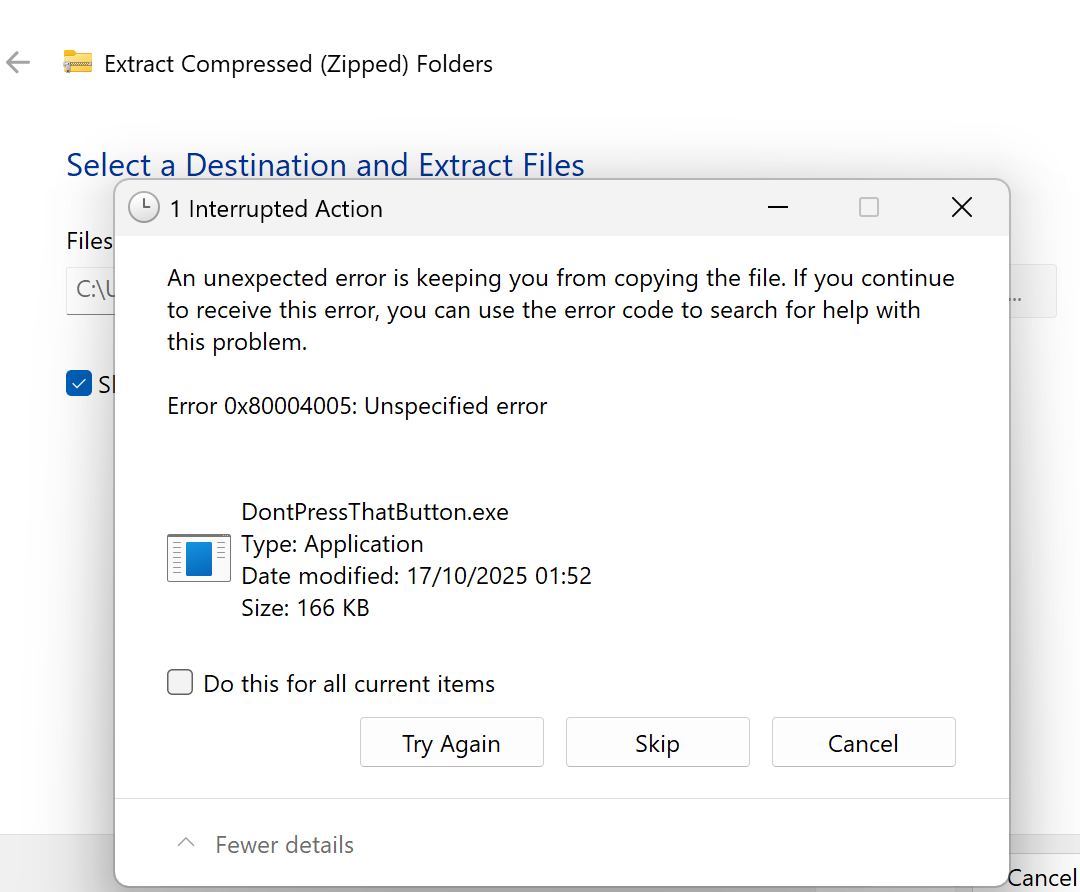
Looking at this error, it looks like a Windows extraction issue. I think the .exe inside the ZIP is being blocked or flagged during extraction. I could come up with some possible solutions for you to try and if none of them work then let me know and I will try to get to the bottom of this. Here are some possible causes and solutions:
Windows may flag .exe files in ZIPs downloaded from the internet as unsafe.
Fix:
Right-click the ZIP file → Properties → at the bottom, check “Unblock” (if it’s there) → Apply.
Then try extracting again.
If still blocked, extract using 7-Zip or WinRAR instead of the default Windows extractor.
The download may have been incomplete or corrupted. Fix:
Re-upload or re-download the ZIP file.
Try extracting it on another computer to confirm whether the issue persists.
Use a different compression tool (like 7-Zip) to re-compress your build before sharing.
Windows can fail if the ZIP is in a restricted or long path directory. Fix:
Move the ZIP to a simple location like C:\Games\ or your Desktop.
Right-click → “Extract All…” again.
Make sure you’re not extracting into a protected folder (like C:\Program Files).
Antivirus programs (especially Windows Defender or BitDefender) can block .exe extraction silently.
Fix:
Temporarily disable real-time protection (if safe).
Or add the ZIP/extraction folder to the “Allowed” list in Windows Security → Virus & threat protection → Ransomware protection → Allow an app through Controlled folder access.
Occasionally, Windows has permission issues with the default temp folder. Fix:
Try running File Explorer as Administrator before extracting.
Or manually extract using PowerShell:
Expand-Archive -Path "C:\Path\To\Your.zip" -DestinationPath "C:\Games\YourGame"