

fyi, white screen error (on steam also) cant see anything. ( i have good pc btw :D )
306 days ago(+2)
+1, white screen, music, buttons sound, when I press a button I can't see, black text appears for a moment, but that's it.
Thanks for the reports! I think I’ve fixed the white-screen init issue in the latest build—could you update and give it another try? If it still happens, please let me know whether the screen is stuck on a bright cyan color or pure white. That detail helps me pinpoint which render path is failing.
Appreciate the help!
Same, the screen remains completely white. When you move the mouse, you can hear the clicks and background music. The exact same thing happens in the Steam demo running the EXE manually from the folder, as Steam gives an error because it can't find AstroNova_Demo.exe, even though the executable is in the correct path. Verifying the integrity results in the redownload of 186 files, but it still gives the same error, and repeating the process always downloads the same 186 files.
(In game) If I press a button (which I can't see), a black text "Inicializando Base..." appears (in Spanish) with a cyan effect, on both web browser and Steam, then disappears and everything goes white again, with a sound indicating that there is a dialog box from someone talking, but nothing is visible.
I don't know if it will help, but I'm adding my hardware specs:
- i5 11400
- RTX 4060 (Driver 566.03)
- 32GB DDR4 3200
- Windows 10 (latest version)
- Firefox (latest version, although it does the same in Edge and Chrome).
304 days ago(+1)
Tested, unfortunately, still the same on both. I can't say about the Steam path, but the white screen might be a problem on my end, since I see very few persons having that problem.
303 days ago(+1)
It should be fixed now—when you have a moment, please try the demo again!
If it still doesn’t work, you can press F10 to disable post-processing entirely.
(On the web version, go fullscreen first, then press F10.)
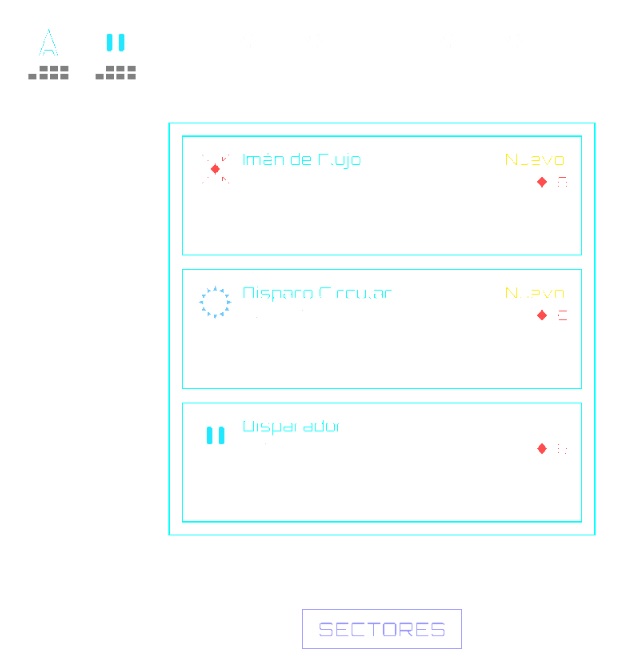
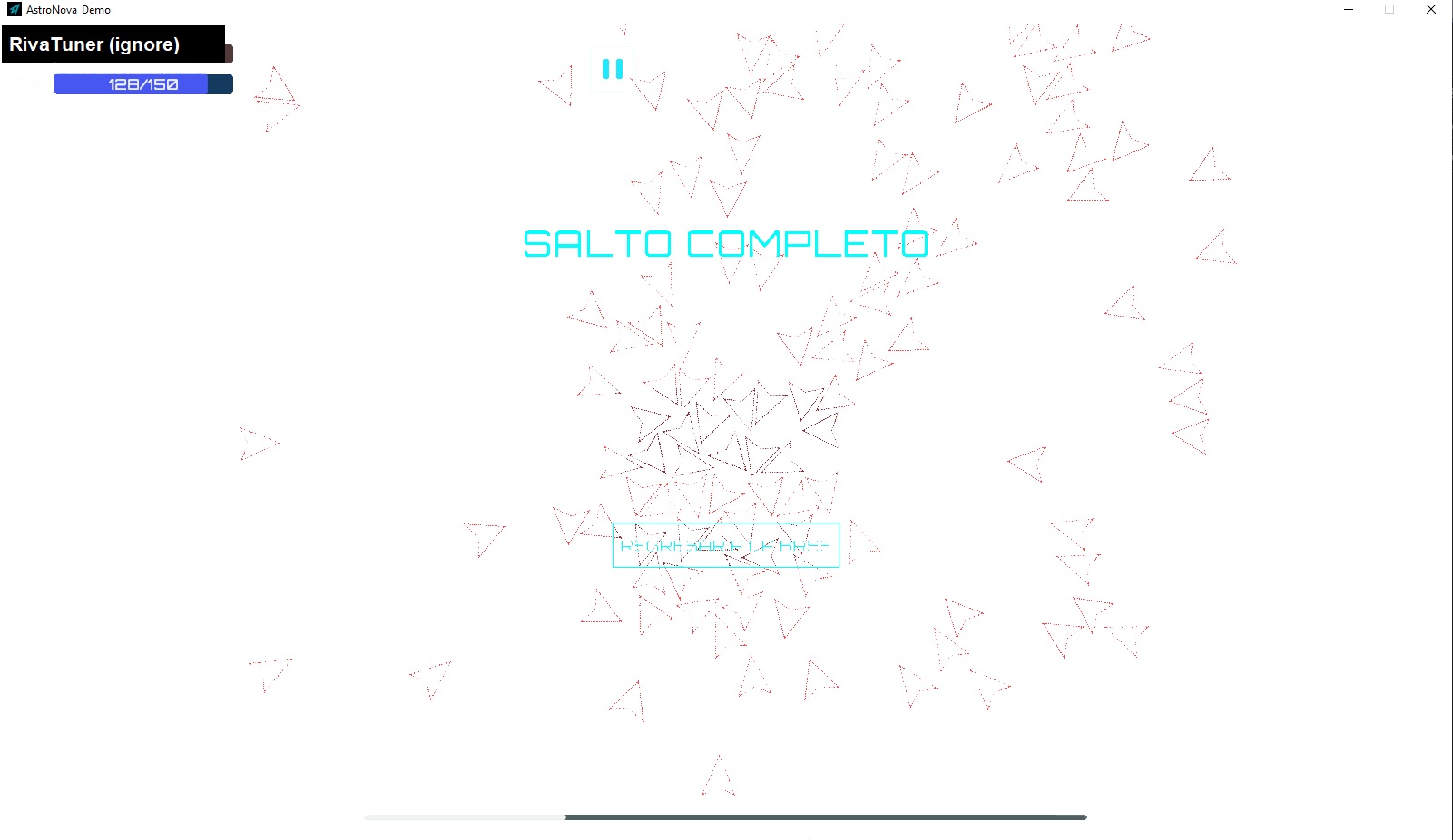
Okay, both versions now works with F10, but with some issues.
- The background is completely white, making it quite difficult to see anything.
- When you start sector 1, the entire image freezes. Pressing the buttons above (which you can't see) unfreezes and you can play, although there are many enemies.
SCREENSHOTS!
302 days ago(+1)
Thank you for the detailed bug reports over multiple rounds. It really looks like we’ve finally fixed it this time! When you have a moment, please give it another try—thanks again!