

How can I import saves into the game so I dont lose my progress?
189 days ago (+2)
First of all, you need to have the downloaded version of the game - the web version will always be limited. In the downloaded version, select the Import Saves button and choose your save file (that you exported earlier) in the file manager that appears. After that, restart the application.
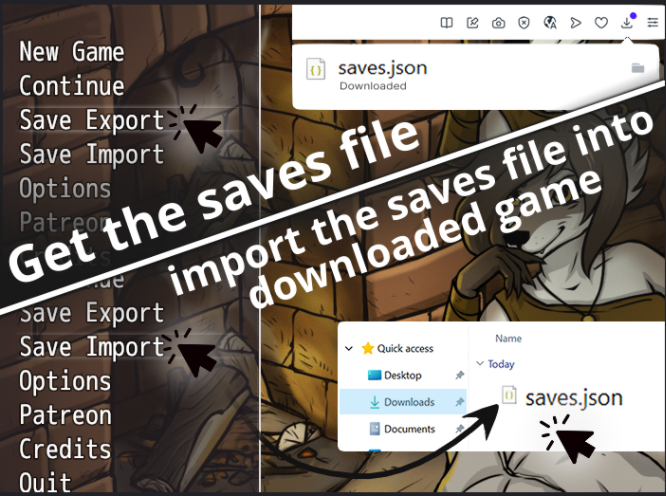
Also on PC (if you're switching from one PC version to another) there's an option to simply replace the save folder in the new unpacked version with the save folder from the old unpacked version.
On Android when switching from one version to another, you just need to install one version over the other, i.e. simply install the new version and your old saves should be there.