Hey!
In general, for Minifantasy asset packs used in Unity, you will need to use the tileset sliced into 8×8. If you want to autotile, you will need to set a rule tile for the tileset that fits your personal needs.
For Fae Depths, it differs a little bit from the rest of the biome asset packs in the collection. The reason is that, for creating the vibes of a deep magical forest with huge trees, I couldn't stick to the usual 8×8 for the "forest walls" and "forest perimeter" assets.
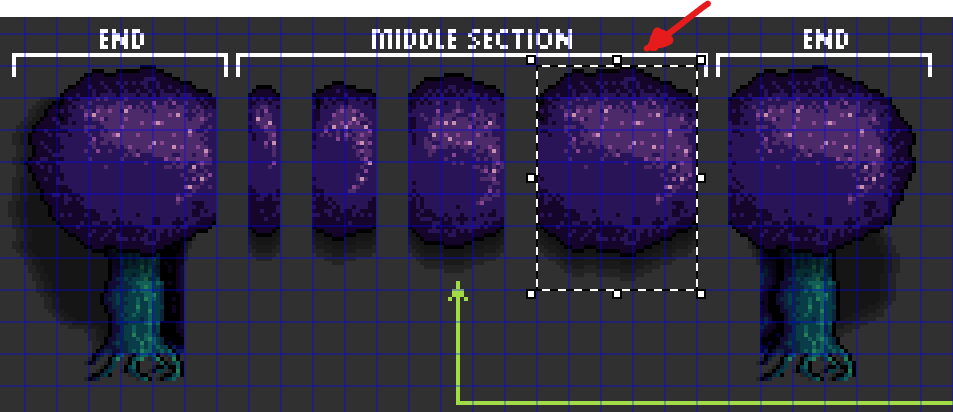
The "terrain" tiles are the standard 8×8 tiles found in the rest of the collection. However, for the aforementioned "forest walls" and "forest perimeter," you will need to use them as they are provided. They come already cut to a size that fits, and the "use guideline" lets you know how to connect one to another. To "cut them out" from the sprite set, you can have the spriteset sliced into 8×8, and then you can select the different sections (you won't be using those parts as an 8×8 tileset, just using the 8×8 cells to cut them from the spriteset, so the section connects with other sections properly. I attached an image).
Remember that treetops should be on a layer above tree trunks (or rendered after the trunks). The "forest wall" ends and corners come already with the trunk embedded to serve as a reference; the rest do not come with the trunk embedded to give you more flexibility for creating varied forest wall designs.