

Hi Bert
I could not see the account button to enter a key for services like MapBox. I have the plugin installed on ArcGIS Pro 3.5.3
Thank you and kind regards.
David
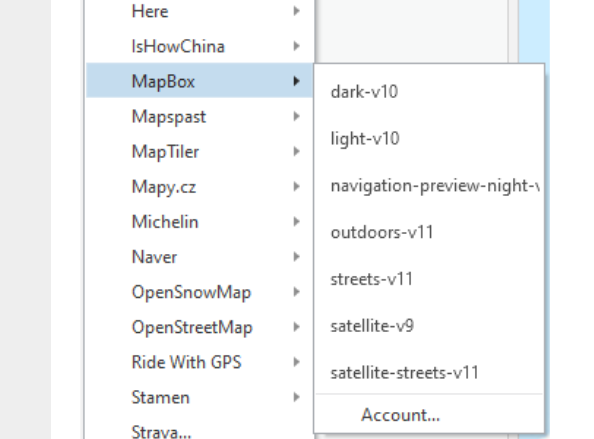
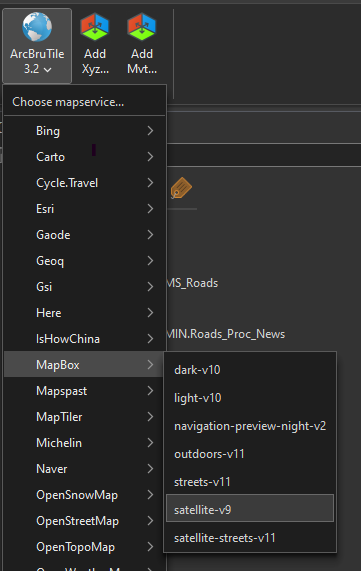
Ah I see strange, will take a look at it.
As a workaround you can try to create a file ‘arcbrutile_pro_settings.xml’ in the AppData directory (like C:\Users\your_profile_profile_name\AppData\Local\arcbrutile_pro\arcbrutile_pro_settings.xml) with following content:
<?xml version="1.0" encoding="utf-8"?>
<AppSettings xmlns:xsi="http://www.w3.org/2001/XMLSchema-instance" xmlns:xsd="http://www.w3.org/2001/XMLSchema" >
<MapBoxKey>your_map_box_key</MapBoxKey>
</AppSettings>
Replace ‘your_profile_profile_name’ and ‘your_map_box_key’ with the correct values.
Thanks Bert
I will give that a go.
If it helps with the diagnosis, I saw the file was present:
Its contents are:
<?xml version="1.0" encoding="utf-8"?>
<appsettings xmlns:xsi="http://www.w3.org/2001/XMLSchema-instance" xmlns:xsd="http://www.w3.org/2001/XMLSchema"></appsettings>
