
On Sale: GamesAssetsToolsTabletopComics
Indie game storeFree gamesFun gamesHorror games
Game developmentAssetsComics
SalesBundles
Jobs
TagsGame Engines
(1 edit)

This seems to have helped some of my users, but there's still a missing MSVCP120.dll error for certain Win 11 users. 

Is there any way to add the missing files to the installer? I've been working with someone with this issue and we've been trying everything to no avail. If this installer could fix this critical issue it would be a tremendous help.
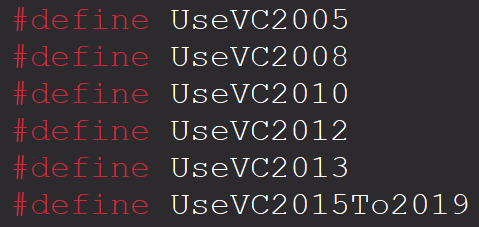
So MSVCP120.dll is referring to the 2013 VC++, however it is included in this installer:

I'll try reaching out to Casgadom. He is the one who developed it, I just offered to host it and he agreed. 

Until then I would ask the user to delete all current VC++ in the Window Apps and then use the all-in-one installer: Visual C++ Redistributable Runtimes All-in-One Jul 2025 Download

(+1)

We got it fixed. He installed both vcredist_x86 and vcredist_x64 Visual C++ redistributable packages for Visual Studio 2013, and enabling .NET Framework 3.5 in  Windows features if that didn't work.