

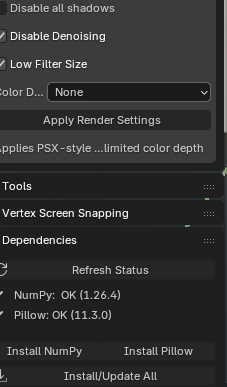
Restart Blender after installing Pillow
-
Pillow may be installed, but the add-on was loaded before installation.
-
Either completely restart Blender, or in
Edit → Preferences → Add-ons, uncheck the add-on and check it again to reload it.
-
-
Verify Pillow in Blender’s Python Console In Blender:
Scripting → Python Console, run:import sys, importlib print(sys.executable) print(sys.path) import PIL; print(PIL.__file__, PIL.__version__) from PIL import Image; print(Image)
-
The last line should print something like
<module 'PIL.Image' ...>. -
If it errors here, Pillow is still not available to Blender’s Python.
-
-
Possible reasons it still fails
-
Pillow is installed into the wrong Python (system Python, not Blender’s built-in).
-
Pillow was installed into another Blender version.
-
The add-on’s code didn’t import
Image(from PIL import Image) before using it.
-
-
If Pillow shows as installed in step 2 but the add-on still fails
-
This means the add-on module is still using the “old state” from before Pillow was available.
-
Reload the add-on (disable/enable it) or restart Blender so it imports
Imageproperly.
-