

This might be human error, but I don't know how to save it at the correct size for the sprite themselves. In the Pokemon Leaf/Red games it's 32x48 for each individual sprite so the sprite sheet should be 128x192. It keeps saving the sprites half that size and much smaller. Am I doing something wrong?
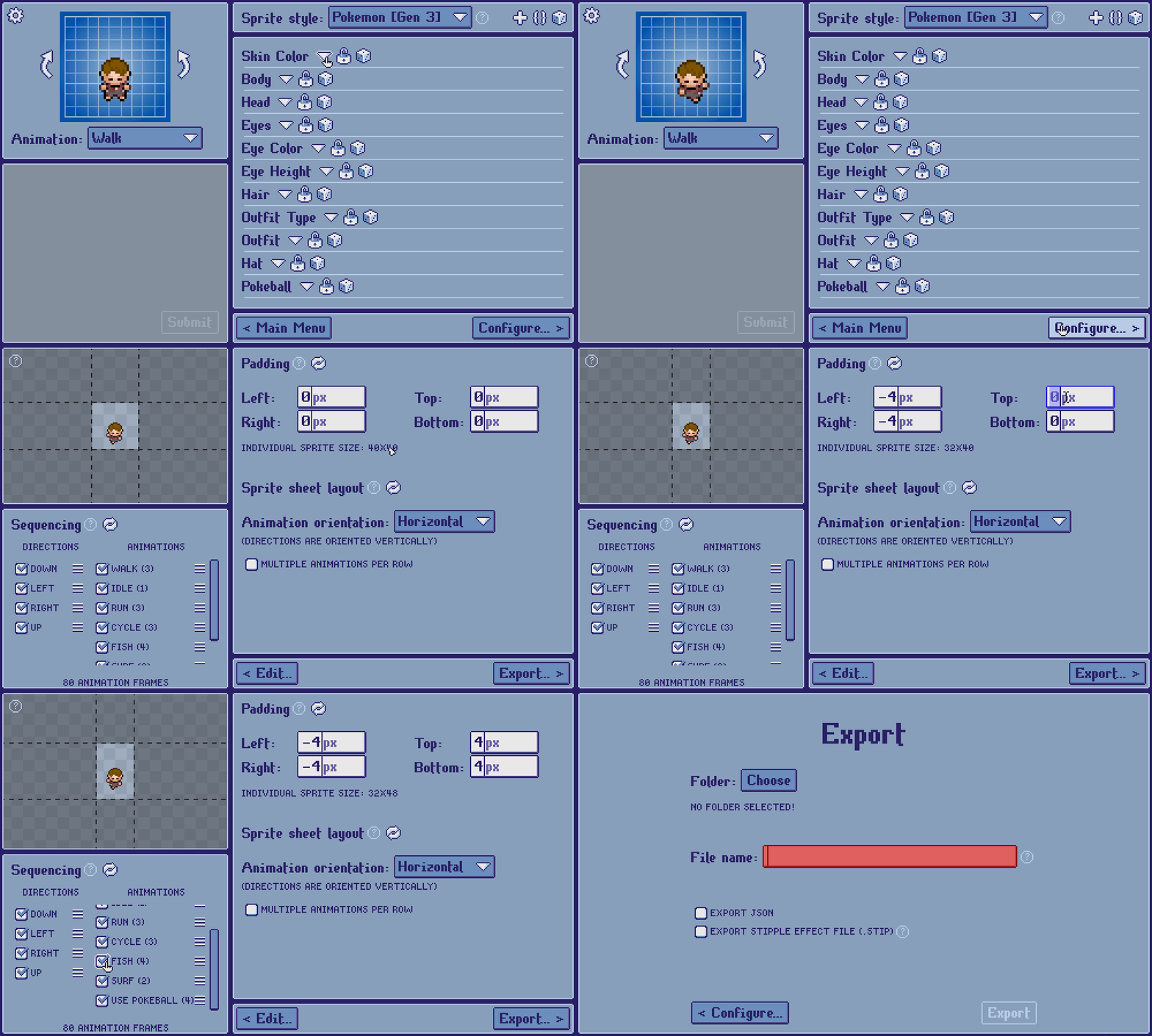
You have to crop/pad the sprite according to your desired dimensions on the configuration screen. I’ve attached a GIF as an example.
By default, the Gen. 3 (FireRed/LeafGreen) sprite style is set to 40x40 pixel dimensions per frame. When you adjust the values in the padding section, the “Individual sprite size” section under the textboxes tells you how big your individual sprites now are, and the preview in the top left shows you how an example frame from your sprite sheet is sliced.
Let me know if this helps you achieve your desired result, and let me know if you have any follow-up questions!