
Indie game storeFree gamesFun gamesHorror games
Game developmentAssetsComics
SalesBundles
Jobs
TagsGame Engines

Asset Forge

Create your own 3D models and 2D sprites! 路 By Kenney

Default isometric export has wrong rotation

A topic by sadovsf created Apr 12, 2020 Views: 239 Replies: 2
Viewing posts 1 to 3
(1 edit)

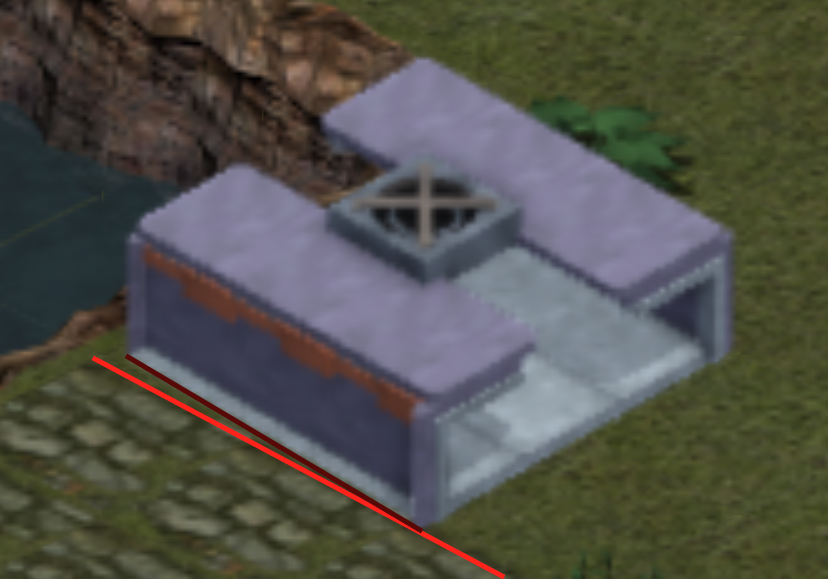
Hello, recently i did buy your sw (nice piece of work there) but when i exported isometric geometry from there to try it out in godot engine i found out that due to rotation angle of export render does not keep paralel straight lines. Angle cant be exactly 45 degrees it should be rougly 54. There is few pages with explanation:

https://www.blender3darchitect.com/architectural-visualization/create-true-isome...

Good explanation with visual draw is here: https://blender.stackexchange.com/questions/135306/setting-up-an-isometric-view

Here is also screenshot from engine when current isometric square footprint is used next to other isometric graphics where angles are kept properly.


Isometric is a form of axonometric projection but there's no default camera angle, there's just a lack of perspective. You can set your own camera angle at the 2D exporting panel, the new version of Asset Forge that'll release soon has more pre-made isometric angles.

I get your point. I was mainly talking about angle which keeps proper right angle from math point of view. I run osx version which has just few preset angles. In every case great! Thank you for your reply and I will be looking forward for an update 馃槉