Indie game storeFree gamesFun gamesHorror games
Game developmentAssetsComics
SalesBundles
Jobs
TagsGame Engines

Hi friend.

Answered you on the forums too. Here are my latest version of all my MV plugins. I changed the version  number a time ago. But here are the latest updated.

Did that error also happens on that sample project here? If yes, can you show me how you put the plugin parameters to set the face window to go outside the screen?
Hi

Sorry for writing to you everywhere. I wanted to make sure you'll respond since I've seen that you're not that active on forums.

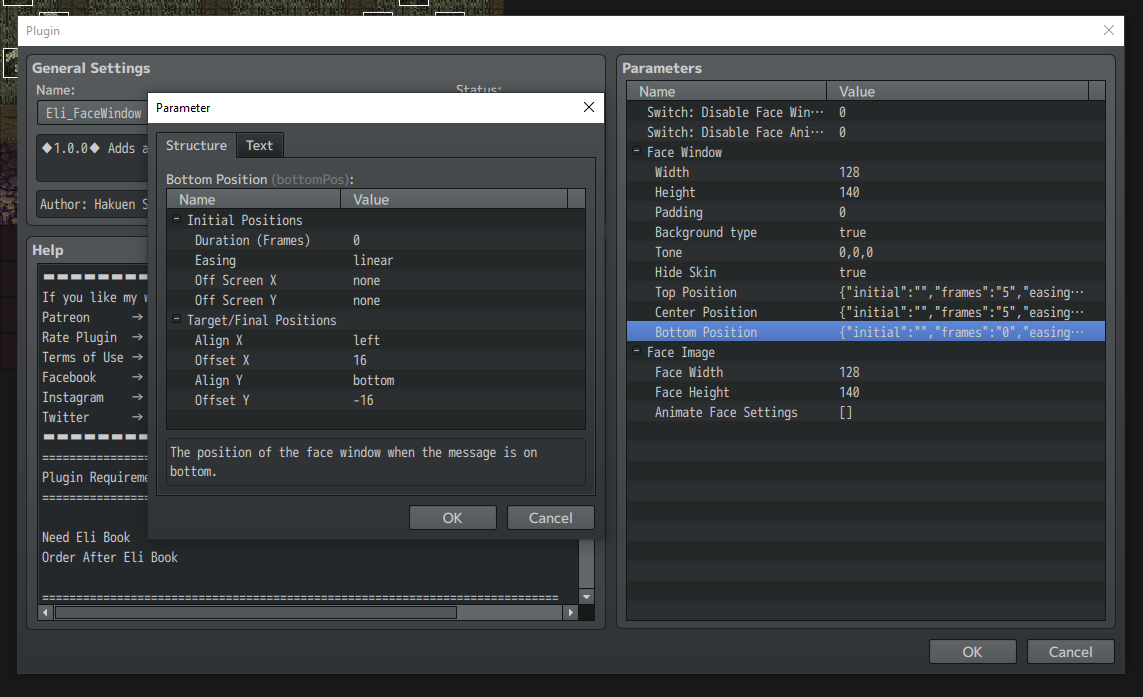
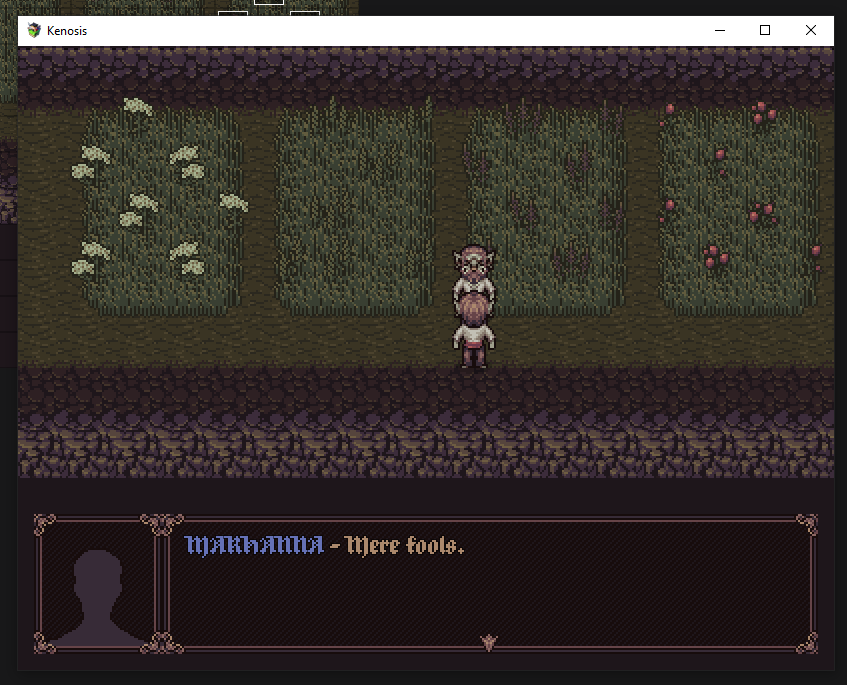
To the merit: I wanted to make so my face window appears without the ease in animation - just like any other window in rpg maker (with the default opening and closing animations). So I changed the parameters in the plugin to have no off screen positions and to have no duriation of ease in. And it worked but then the said bug of the window staying open after the message started to occur. It wasn't like this with ease in turned on and in the sample project all the events have the ease in animation on so it works normally. Below the setup and screenshots showing how the face stays after the next message appears.


Thanks for the explanation!

I will see what I can do about that. But, I'm not supporting the MV plugins anymore. So, I will only be able to take a look at this when I have some time free. It can take a little bit.

For now, try to put the Duration to 1 or 2 instead of 0. If that not work, I believe I will have to take a look like I said above. And it may take time.

(+1)

Thanks for the help. Changing the duration sadly doesn't fix the problem. For now I can use the ease in as a placeholder and I'm not rushing with the game so I'll wait.