Indie game storeFree gamesFun gamesHorror games
Game developmentAssetsComics
SalesBundles
Jobs
TagsGame Engines

PixelCNC Has Moved: deftware.org

CAM software developed by artists for artists to create unique and original works on a 3-axis CNC router or mill. · By Deftware

Advice on improving relief carving

A topic by tumbling_leaves created Jun 10, 2025 Views: 392 Replies: 1
Viewing posts 1 to 2
(+1)

Hi,


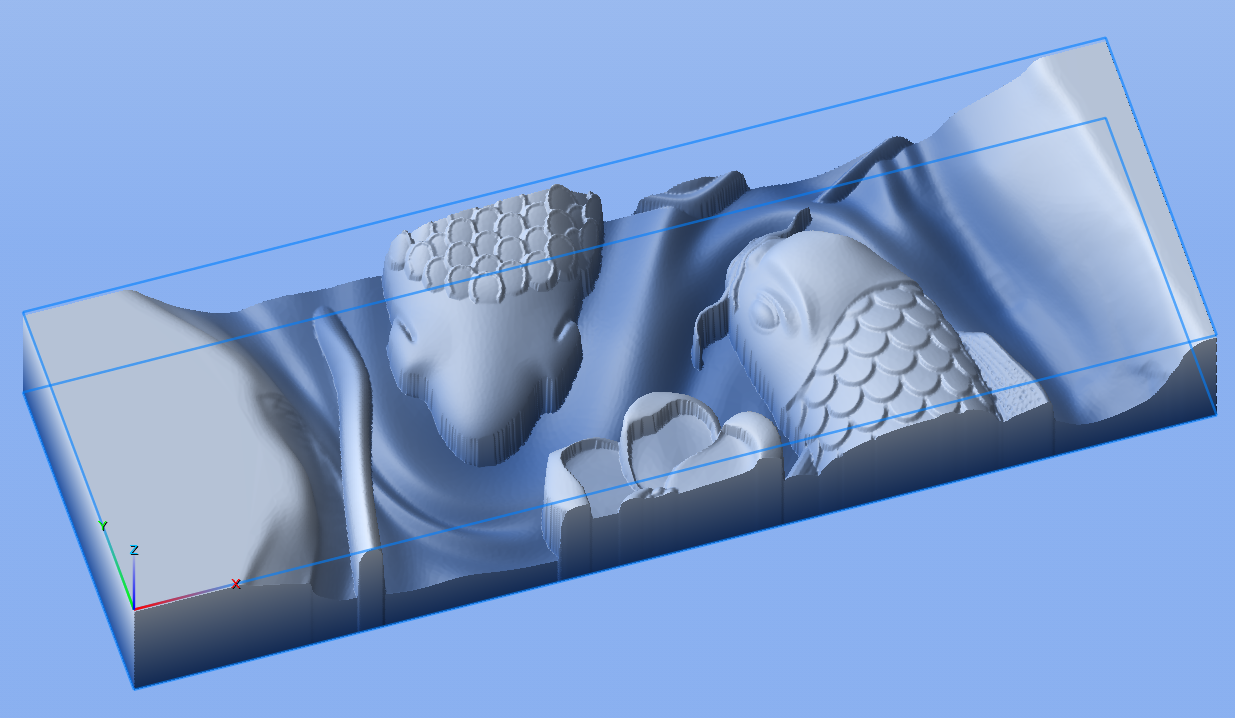
I'm new to CNC, and am trying to cut a relief.  Here is an image of part of the model I'm trying to cut:

Here is a picture of the final result, with some issues highlighted:
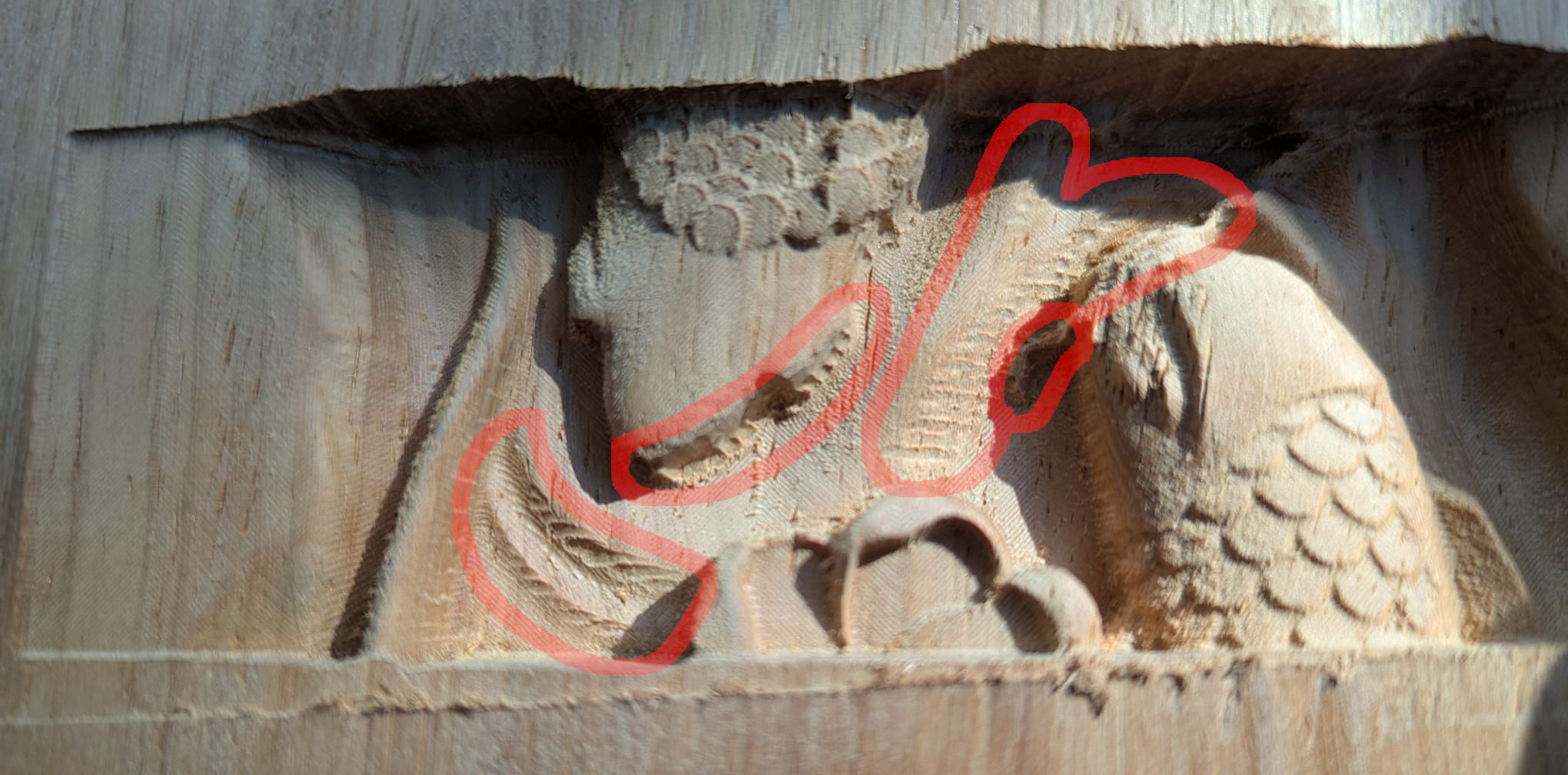

The cut is done in 3 passes.  First pass is a rough cut with 1mm material left over.  Second is left-right parallel with a 1mm ball nose and 0.2mm left over.  Final is a chevron cut with a 0.5mm ball nose.  In most of the highlighted areas, you can see where the 3rd pass did not remove the leftover marks from the 2nd pass.  The small highlighted area is where the "whisker" of the fish was completely cut away by the third pass.  All of these areas are on the same side of the profile: toward the front of the cut (so, -Y on the machine), with a slight bias toward the right (+X on the machine).  This is worrying me, because it's like the whole 3rd pass is offset slightly toward the front of the machine.

I homed the machine after each tool change (there is no automatic tool changer on the machine) and re-probed the depth.  Is this sort of artifact normal, or does it mean there's a problem somewhere?  Any advice would be appreciated.

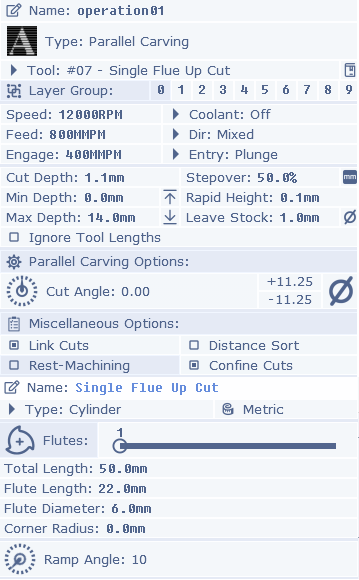
I can't redistribute the model I'm using, so instead here are screenshots of the tools and operations used.  Hope that is sufficient for any information you need.  If it helps, the machine is a TwoTrees TTC450 Pro with the 500W spindle.  Gcode is exported from PixelCNC and run directly on the machine.


Thank you for your time.

Developer

Hi tumbling_leaves,

This is a situation that can occur for different reasons. If you're using a tapered ballnose for finishing, it won't be able to reach everywhere that a flat endmill or ballnose endmill can reach, due to the taper angle. That could be the situation you're experiencing here, and you should be able to tell by looking at the operations simulated in PixelCNC. The remedy is to include a draft angle, typically that's at least a few degrees larger than the taper of your cutter.

There can also be machine-specific issues that arise, such as the machine flexing while cutting, throwing off where the cutter is from where it's supposed to be, or losing steps while cutting (which is a problem that stepper motor machines have) where the motors can't go where they are trying to because material isn't being removed quickly enough but the controller itself just assumes the steppers are always where it tells them to go - causing your machine's origin to shift. If the simulation looks good then I would wager that you're losing steps by working the machine too hard - or feeding too fast for your spindle RPM and the cutter you're using. The way you can find out if you're losing steps is by moving the machine to a known position after a cut to see if it thinks it is where it should be.

If you're losing steps you can try dialing back your feed rate, or increasing your RPM, or use a 2.5D milling operation for hogging material out first instead of a 3D contouring operation.

Hope that helps. Let me know how she goes and have a good week! :]

 - Charlie