Tentacle Attack
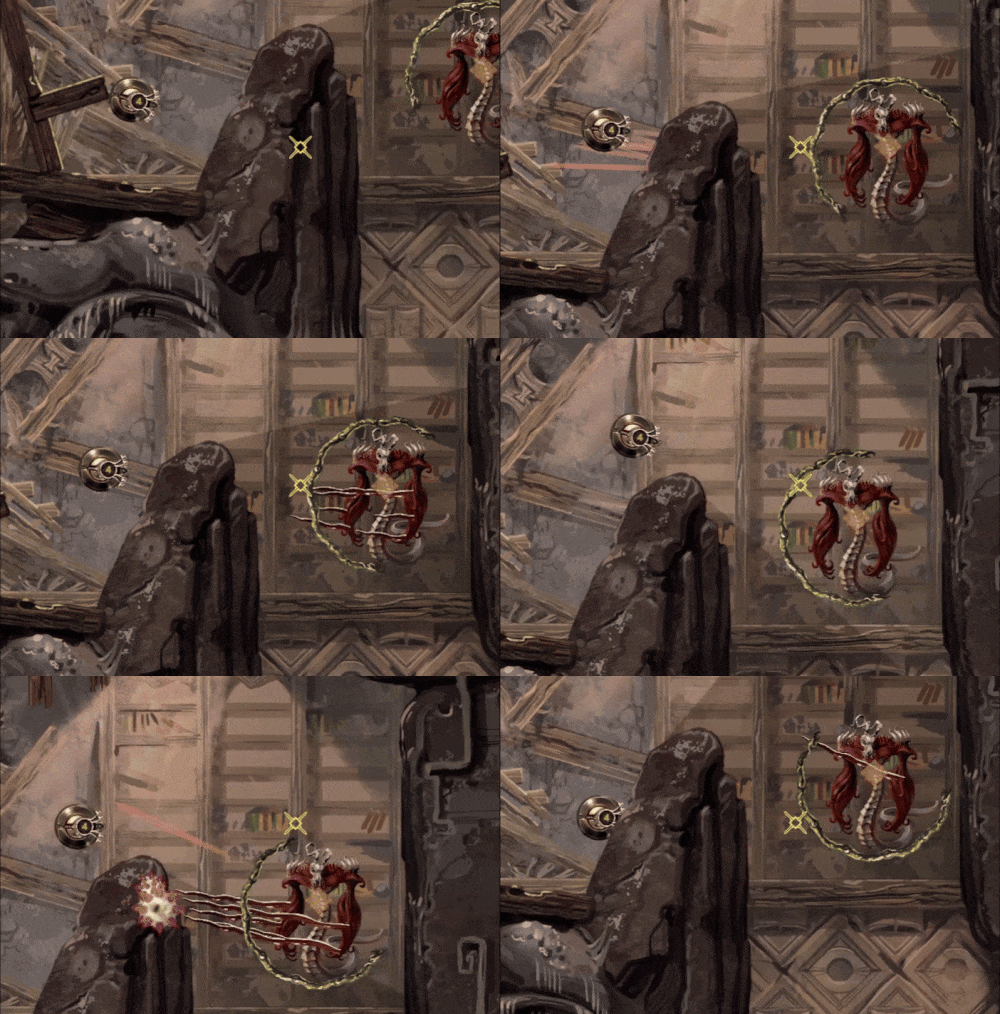
I’ve been adding quite a few monster behaviors and attacks into the game, so it’s time to talk about some of them. Here is a tentacle attack with some variations:

The way it works is like this:
1. Monster stops moving around when you enter range, higher tier monsters have larger range.
2. The attack aims and the a red indicator is briefly shown. You’d better get out of the way now. If monster has multiple tentacles then they will start at a slightly randomized delay instead of all at once.
3. The tentacle or tentacles quickly snap to indicated spot and retract slower.
4. Repeat cycle or stop it once you exit range.
I also made sure to code it in a way that makes it easy to add different tentacle sprites to make sense with whatever monster has this attack and to be able to add any amount of tentacles to a monster easily without extra code. That was a bit of a mess with my limited coding finesse, but it works and I saved myself some future headache, I’m sure. This adorable monster has 6 tentacles for example:

Each tentacle only deals 1 damage by default, but I added an override I can adjust if I want to add a beefier tentacle to deal extra damage, and I can easily mix and match these if I want, by simply slotting in different tentacle prefabs, so I’m pretty happy with how that works.
There was some headache involved, because some unexpected mistakes and interaction always come up. Mainly I wanted the tentacle to stop if it hits a wall and to slowly retract from there but if kept not registering collisions and going through walls! This should be a fairly easy and standard thing so what the hell. After way too much time and going through some gameplay a frame at a time I figured out I made a mistake in the corroutine that controls the quick tentacle snap and it would start properly, but then move immediately to it’s end location. The collider would effectively teleport through the wall and only register when coming back slowly. Luckily I only needed to tweak a single variable to fix that. This is how it looks after: