

Thanks for taking the time to play my game! It isn't possible to remove blocks, but that would be a good quality of life feature! Also, I tried to explain the controls in the tutorial part of the game, so maybe you missed that? If not, then I might have just explained the controls wrong! Thanks for your feedback!
1 year ago(+1)
When I go to the tutorial, I only have an explanation of the controls at the top left of the screen - nothing about how to place blocks, and no clear way to advance to another page of tutorial (if that's where the information is).
Yes, there is another tutorial page where the controls for placing blocks are listed! Furthermore, it also has information on what the blocks do! To get there, you had to simply get the Cube to the Gem in the first tutorial level to go to the next one! For reference, this is what the next page of the level looks like!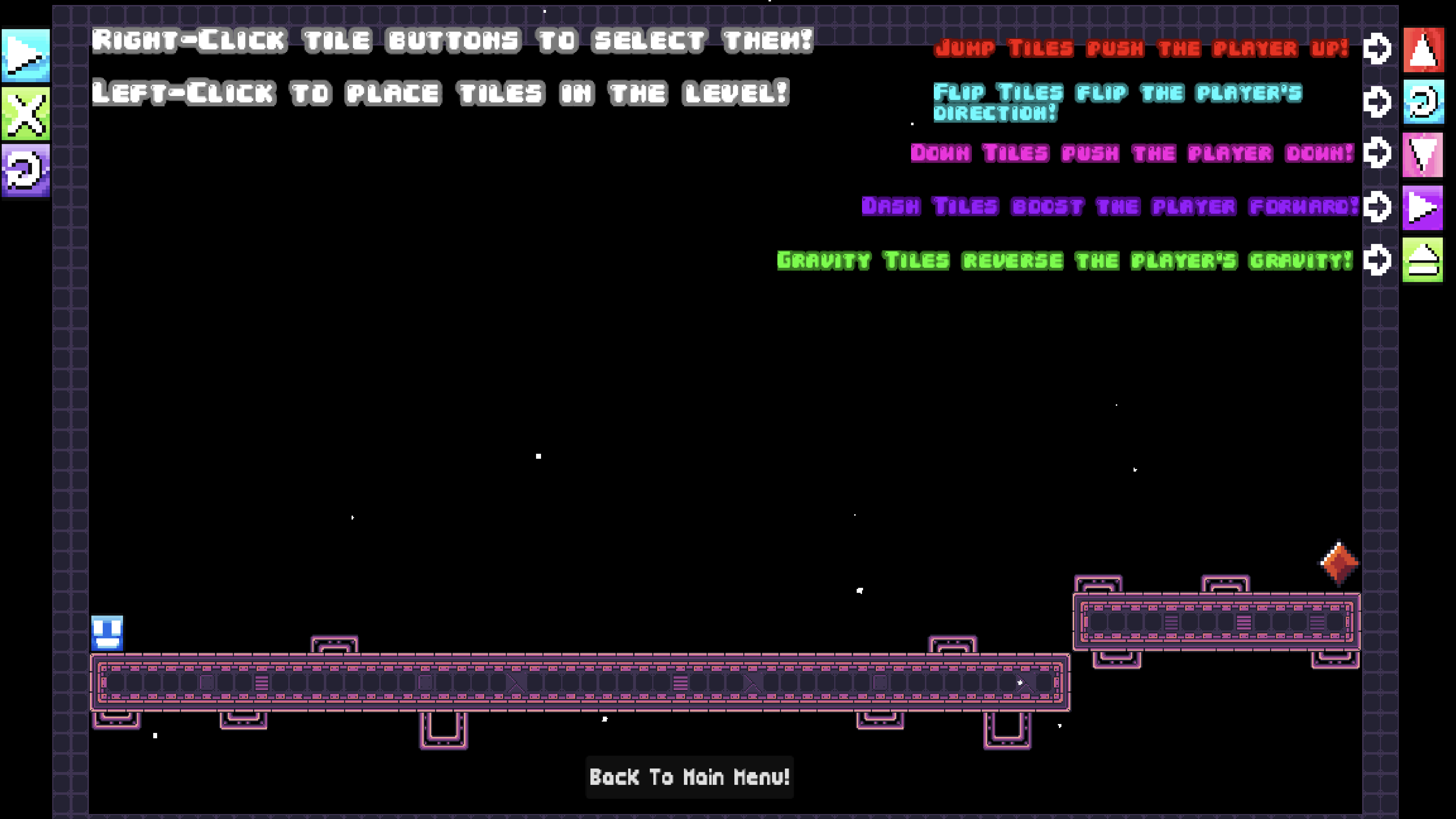
1 year ago(+1)
So... in order to get to the second page of the tutorial, the player needs to know how to place blocks, which is explained in the second page of the tutorial?
Not necessarily! The first "tutorial" level is really straightforward, as the player only needs to press the play button to advance to the Gem, since the Cube moves in a straight line!
For reference, this is the first tutorial level (the one you see after pressing the tutorial button for the first time):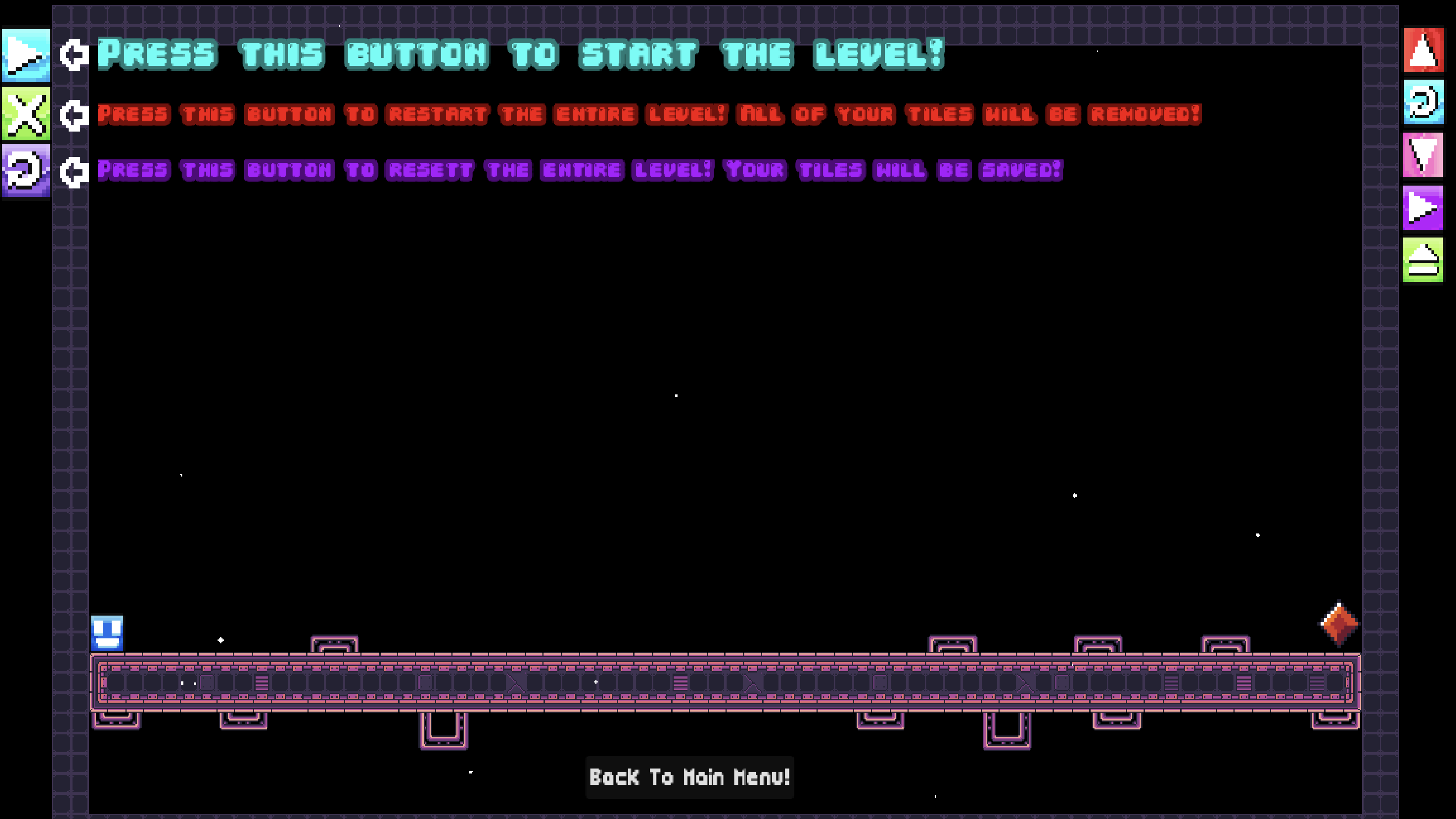
The second tutorial level (as shown in my previous reply to your post) appears after the Cube makes it to the Gem in the first level!
I'm curious as to how you interacted with the first tutorial level. Did you try to press the play button, or did you simply press the "Back to Main Menu Button"?
1 year ago(+1)
I clicked around the screen trying to 'advance the slide', clicked on the placeable blocks but didnt' see how to place them, and eventually went back to the previous screen. I don't know why I didn't try pressing the 'Press This Button' button... but on onscreen instruction to finish the level for the next tutorial probably would have encouraged me. If you really want to go all in, you could even hide the placement blocks for the first tutorial level, so that there's not the feeling that the player might need to engage with something they don't yet understand.
All that being said - I don't think I said this before, but once I figured out the game, I had fun and it was hard to put down.