

Oh no! I'm so sorry to hear that! Could you tell me specifically what causes it to crash for you?
INFO NOT RELATED TO CRASH: (included for context on what I’m doing?) Earlier today I downloaded the game through the itch.io app, then right now I tried just downloading it from the browser.
Earlier, in the app, I wasn’t able to use the skip function, I just repeatedly pressed the space bar through the dialogue since I read through it once before, to make a backup save right before the moment that causes the game to crash.
Right now, I tried it and the skip function worked, so ???dunno what happened earlier. I made a backup save to load in before the moment.
INFO RELATED TO CRASH:
Both the earlier (in itch.io app) and right now (from-browser download) has the same crash at the same moment of the VN.
I’ll upload the last image I can see before it immediately crashes: 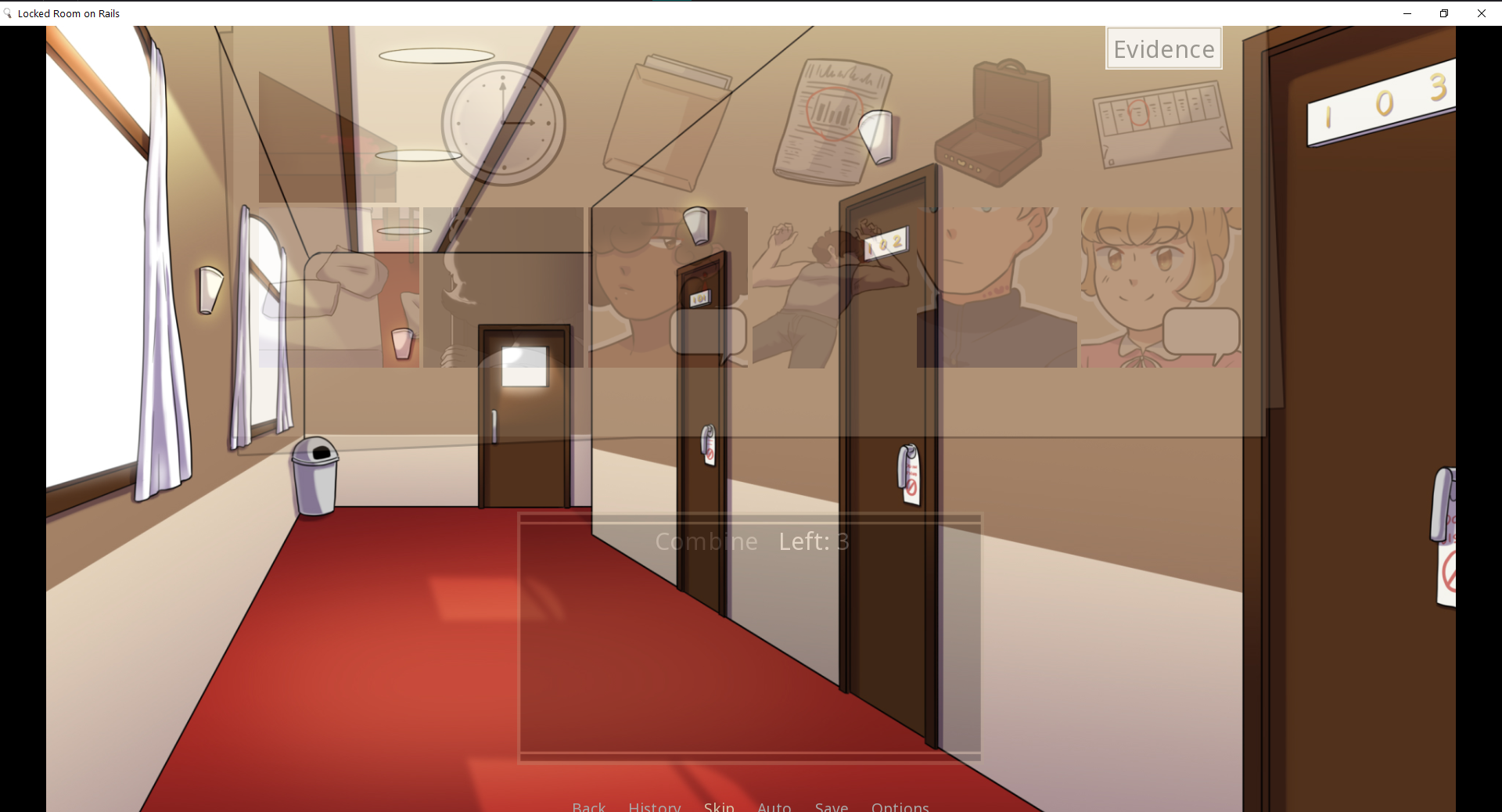
Hi there, thanks for the reply. If you look in the folder where the game's exe file is there should be an error report text file there that renpy generated. Could you find that and tell me what it says?
Also, did you try to play the itchio app download outside of the app because anything downloaded from the app must be played in the app.
THE TEXT FROM THE log.txt FILE: 2025-06-04 21:15:08 UTC Windows-10-10.0.19045 Ren’Py 8.2.3.24061702
Locked Room on Rails
1.2
Built at 2024-08-21 01:15:04 UTC
Early init took 0.16s
Loading error handling took 0.13s
Loading script took 1.42s
Loading save slot metadata took 0.10s
Loading persistent took 0.00s
Set script version to: (8, 2, 3)
Running init code took 0.29s
Loading analysis data took 0.02s
Analyze and compile ATL took 0.02s
Reloading save slot metadata took 0.04s
Index archives took 0.00s
Dump and make backups took 0.00s
Cleaning cache took 0.00s
Making clean stores took 0.00s
Initial gc took 0.03s
DPI scale factor: 1.052083
nvdrs: Loaded, about to disable thread optimizations.
nvdrs: b”Couldn’t load nvlib.” (can be ignored)
Creating interface object took 0.05s
Cleaning stores took 0.00s
Init translation took 0.04s
Build styles took 0.00s
Load screen analysis took 0.03s
Analyze screens took 0.00s
Save screen analysis took 0.00s
Prepare screens took 0.08s
Save pyanalysis. took 0.00s
Save bytecode. took 0.00s
Running _start took 0.00s
Interface start took 0.23s
Initializing gl2 renderer:
primary display bounds: (0, 0, 1920, 1080)
swap interval: 1 frames
Windowed mode.
Vendor: “b’ATI Technologies Inc.’”
Renderer: b’Radeon(TM) RX 480’
Version: b’4.6.13596 Compatibility Profile Context 20.10.40 27.20.11040.11’
Display Info: None
Screen sizes: virtual=(1920, 1080) physical=(1920, 1014) drawable=(1920, 1014)
Maximum texture size: 4096x4096
controller: ‘030000005e0400008e02000000007200’ ‘Xbox 360 Controller’ 1
Screen sizes: virtual=(1920, 1080) physical=(1920, 1014) drawable=(1920, 1014)
Maximum texture size: 4096x4096
Screen sizes: virtual=(1920, 1080) physical=(958, 1005) drawable=(958, 1005)
Maximum texture size: 4096x4096
as an answer to the second question, yes, I did try to play the VN outside of downloading it through the itch.io app The first time I played, it was through/inside the itch.io app, I didn’t move the VN’s game folder or anything. When it crashed, I then tried moving the game folder out of the itch.io app folder and into my downloads to see if anything would change when I ran the .exe itself (didn’t change anything). Then at night I re-downloaded the game a second time, but through the itch.io website on my browser.
IMPORTANT NOTE: While searching around the internet (trying to make sense of a bit of the log.txt file) I came across a discussion on steam: https://steamcommunity.com/app/1895350/discussions/0/4417549985251785680/ I pressed shift+g and set the Renderer to “Force ANGLE2 Renderer” and I can play the evidence combining portion without it crashing at the beginning.
Looking this up in the docs and it looks like this was originally a problem originating from your own display drivers, so I'd recommend fixing those for the future https://renpy.org/doc/html/display_problems.html
1 year ago(+2)
MMMMMMMAUGH I finished the story and OUGH THE DRAMA THE INTRIGUE :D
The ending was really good too oh my goodness
It’s a nice short murder mystery and I enjoyed it very much :)