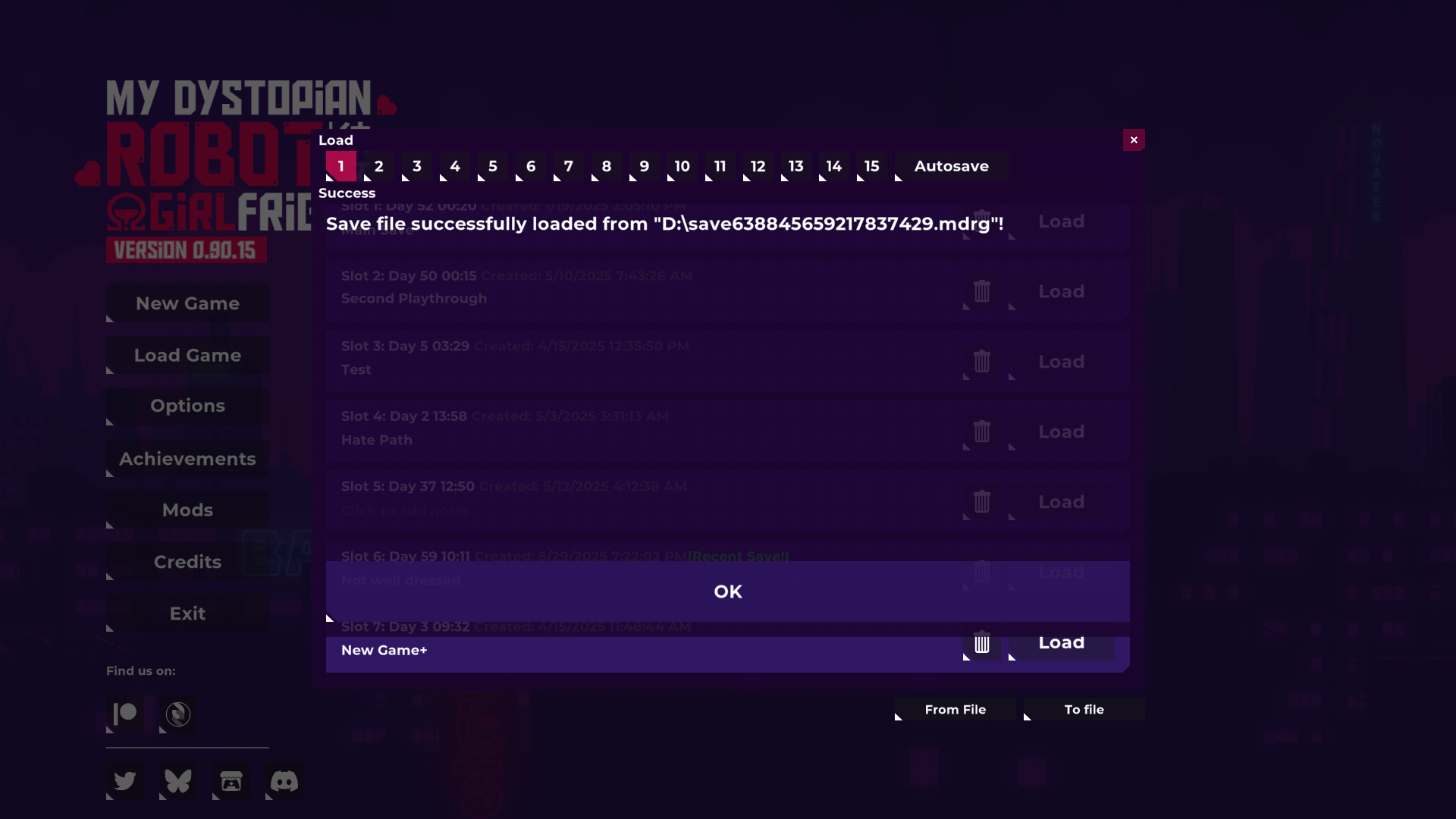
You can export your save and then upload the exported save file anywhere you want, then download that save file and import it onto another device.
......
How to Export Your Save Files :
1. Open the Game.
2. Click "Load Game".

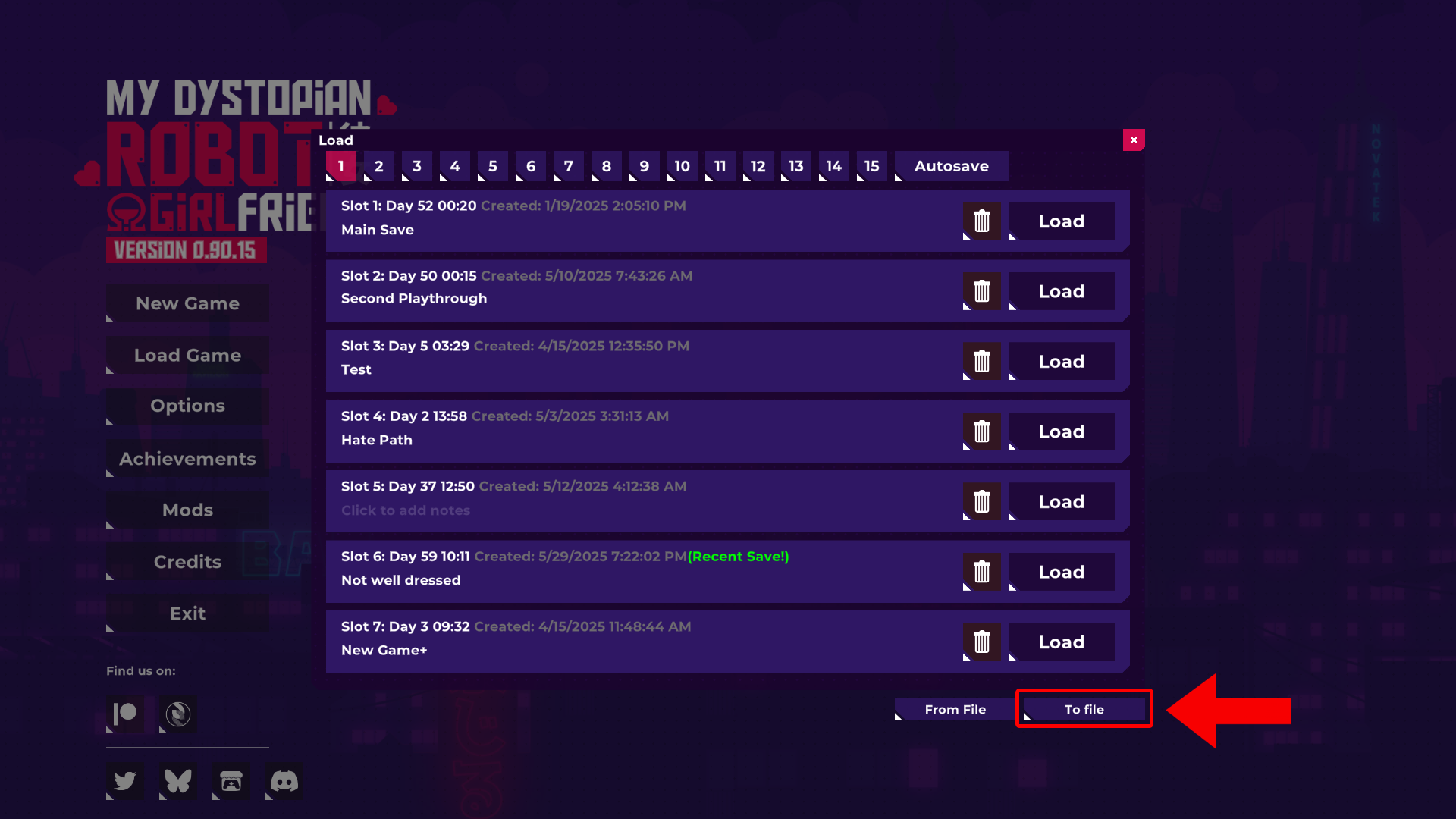
3. Click "To file"
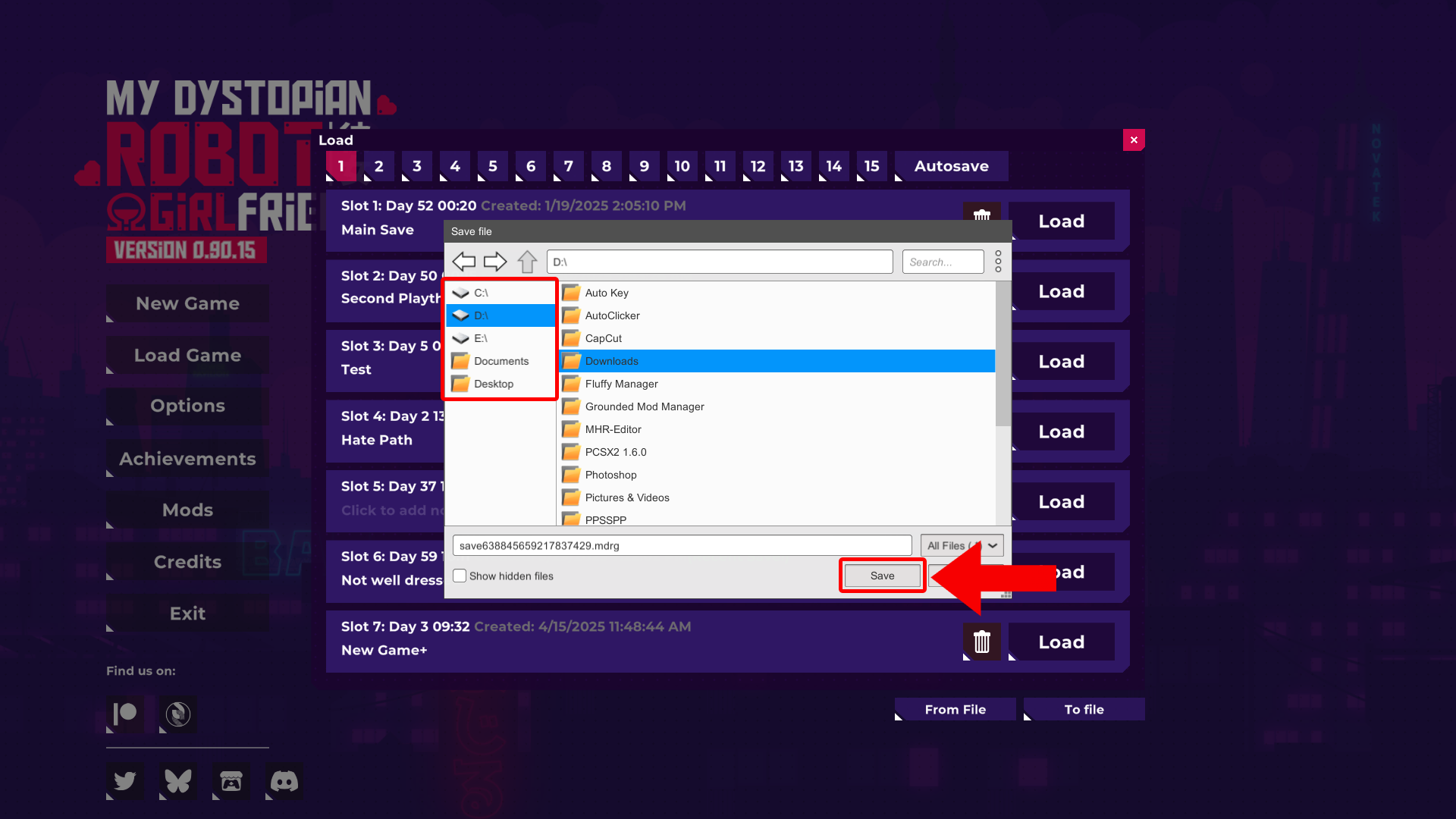
4. Choose any location for your Export Save File.
5. Click "Save".
- On Android, if this window doesn't show any files, you need to give game file permissions : https://support.google.com/googleplay/answer/9431959?hl=en
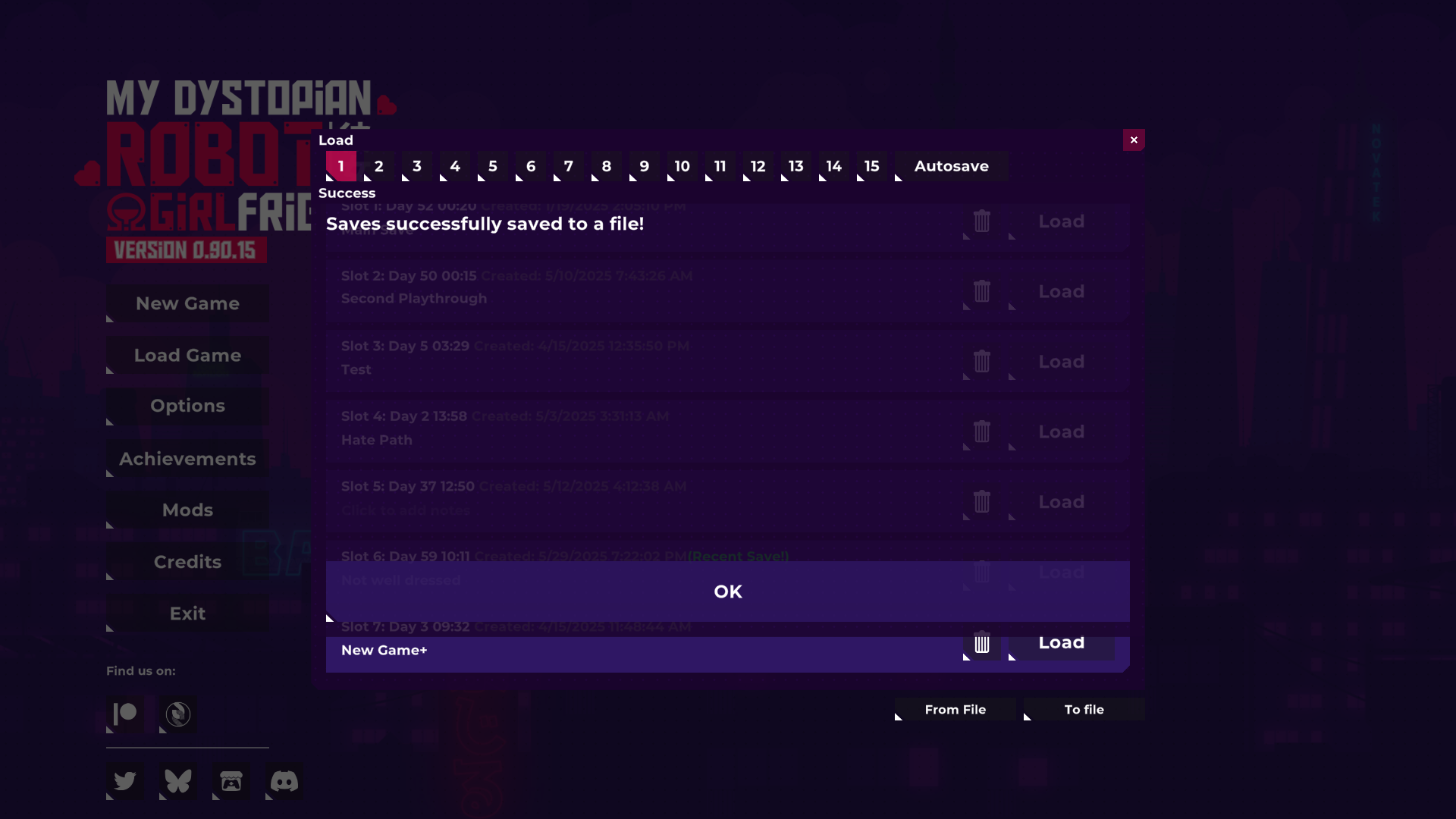
6. Now your Save Files have been Exported. You can use it as a Backup Save when you updating your game. Or change playing platform from "PC to Mobile" or "Mobile to PC". (Or share your save files with anyone.)

......
How to Import Your Save Files :
1. Open the Game.
2. Click "Load Game".

3. Click "From File"
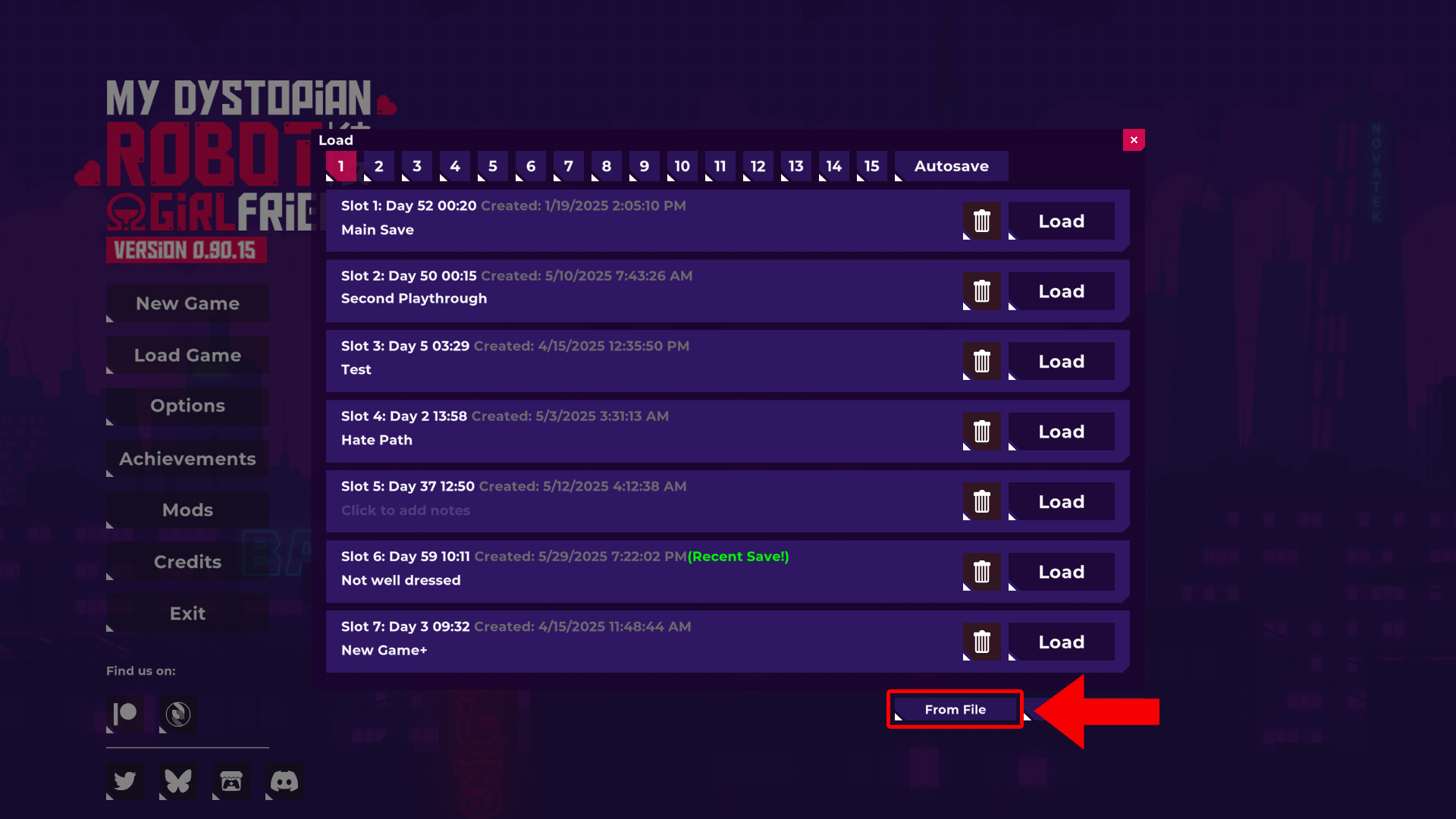
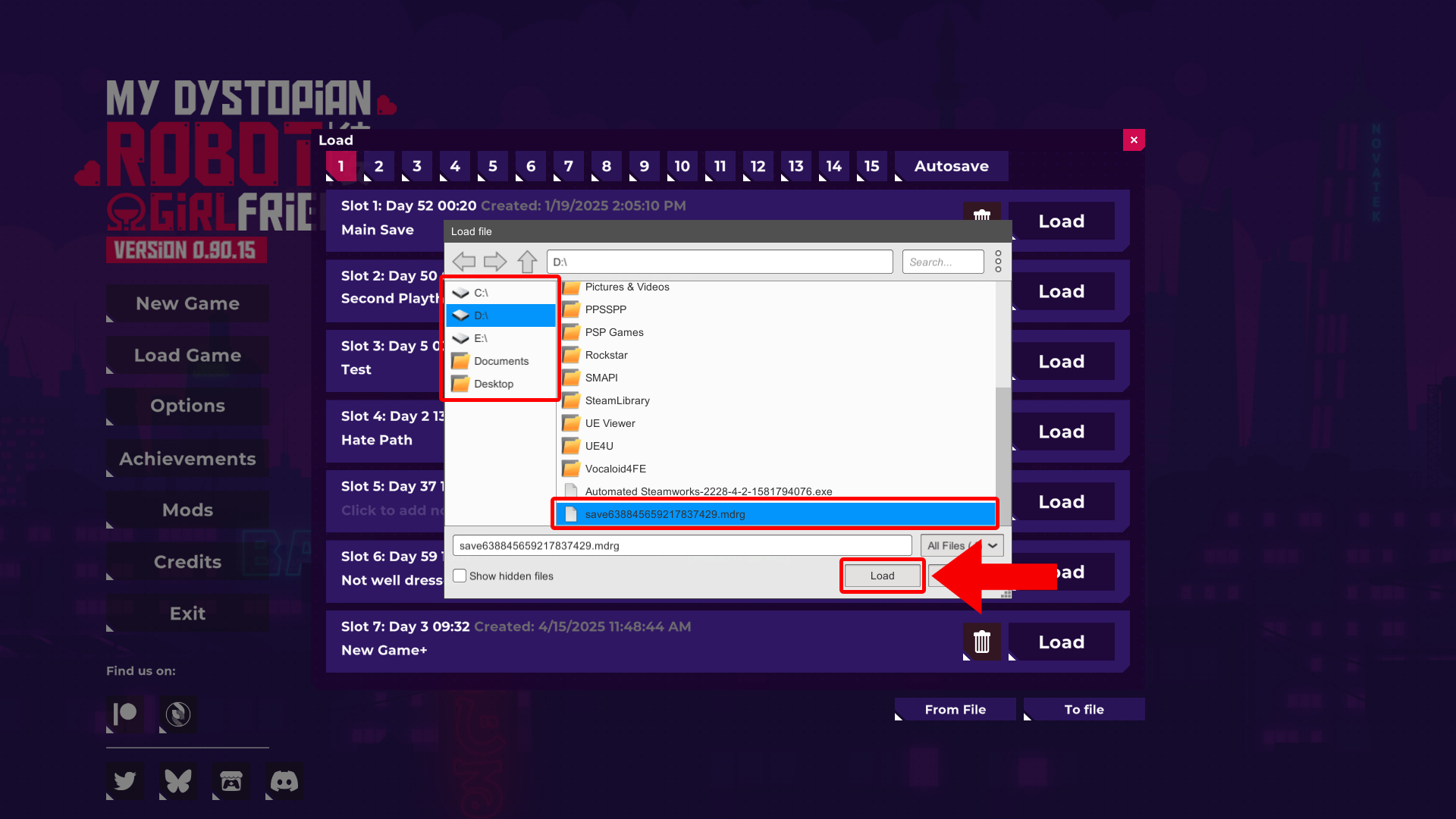
4. Locate your Exported Save File.
5. Click "Load".
- On Android, if this window doesn't show any files, you need to give game file permissions : https://support.google.com/googleplay/answer/9431959?hl=en
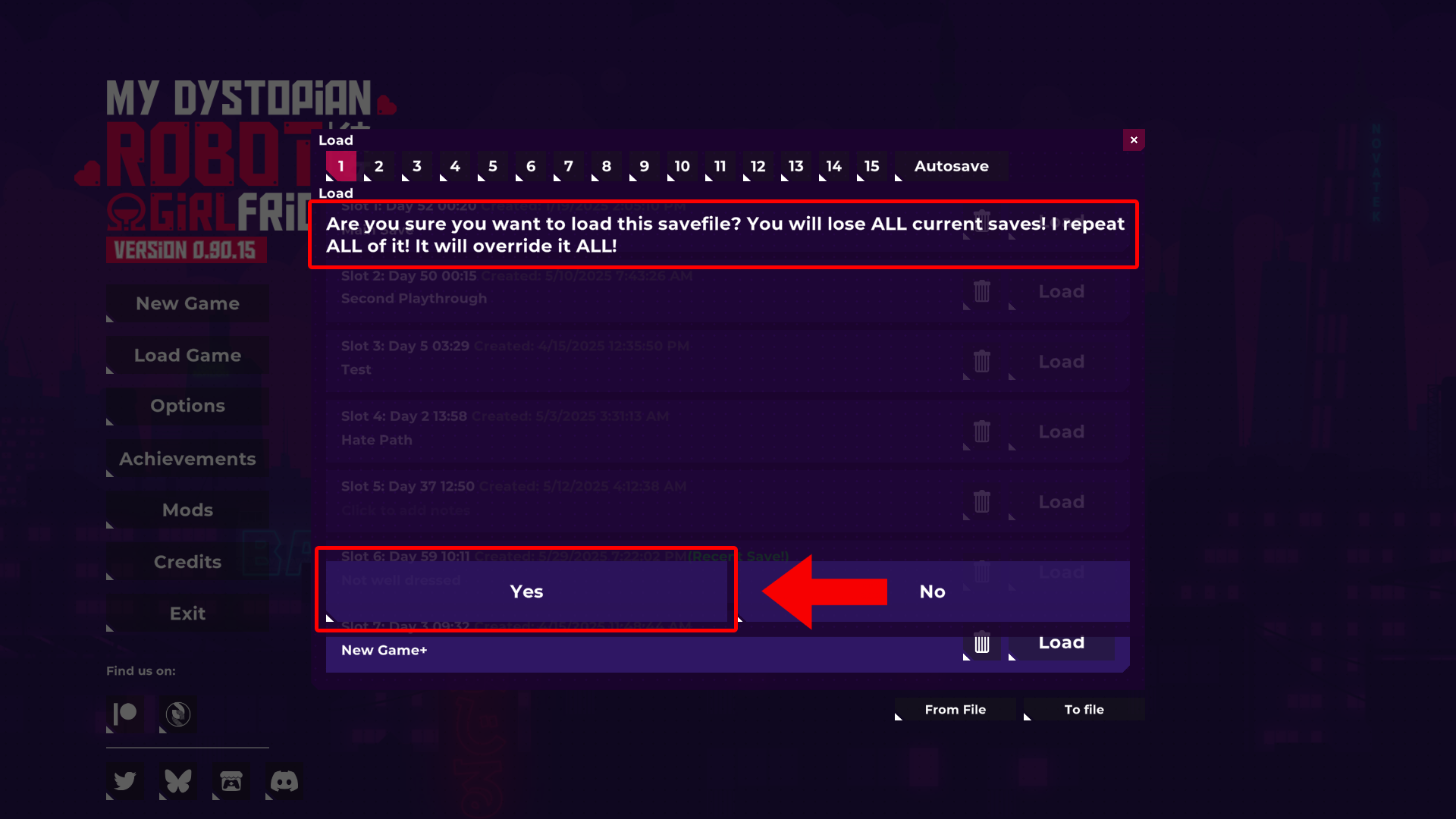
6. The Game will give you a warning. Importing Save Files will replace your current one.
7. Click "Yes".
8. The Game will give you a second warning, click "Yes" again.
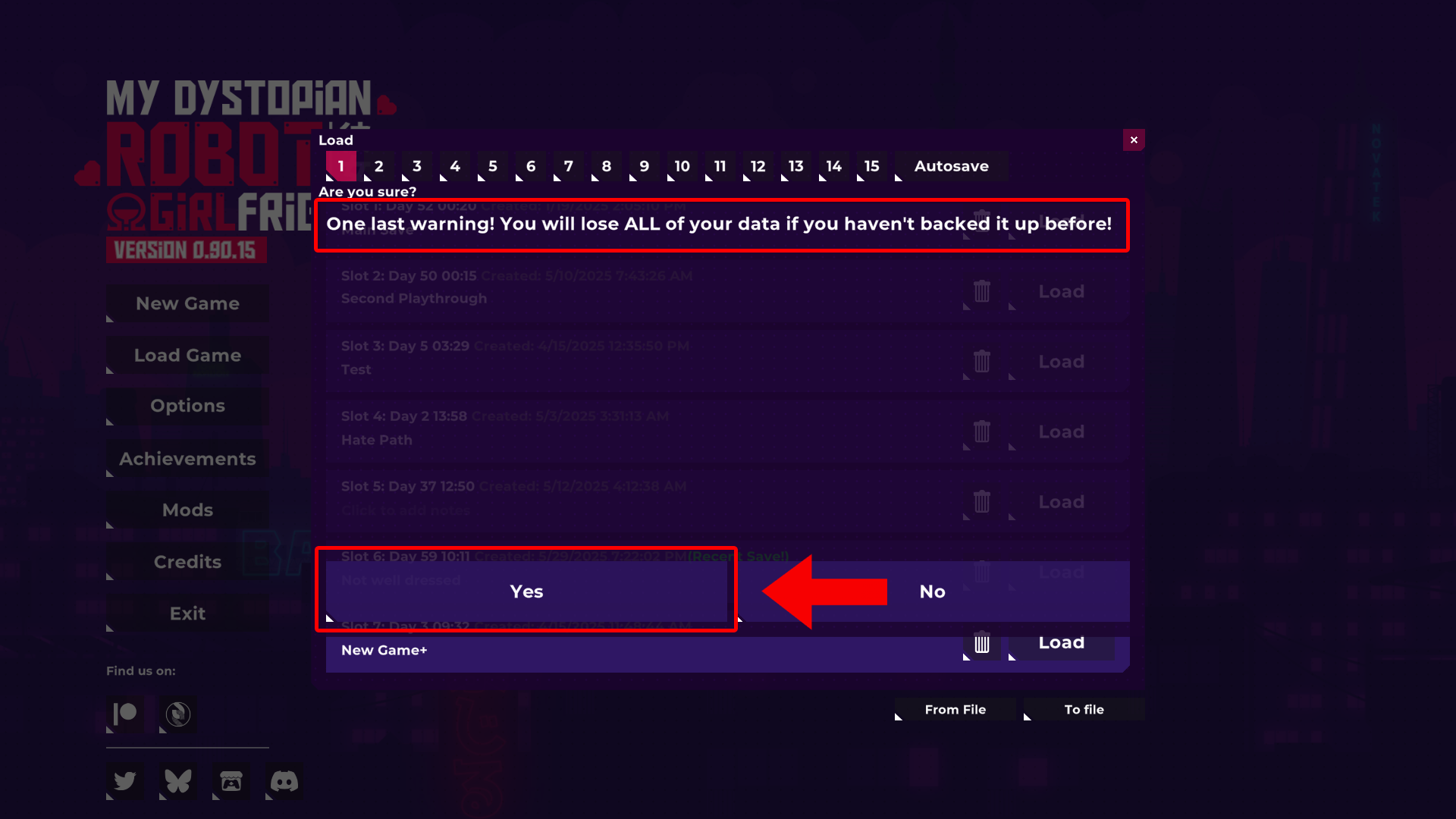
9. You have now completed Importing your Save Files.