
On Sale: GamesAssetsToolsTabletopComics
Indie game storeFree gamesFun gamesHorror games
Game developmentAssetsComics
SalesBundles
Jobs
TagsGame Engines

G'day, I purchased these tiles because they are crisp and perfect for my Hex Kit campaign map. 

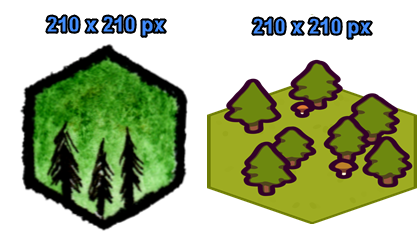
I've tried using the Hex kit import facility and also manually resize the images from 512 x 853 to hex kits 210 x 210. However, the hexes don't seem to be true top-down.

Could I get some advice on how to add these tiles to Hex Kit please?


Thanks in advance

Tony

Hi Tony

If you are rescaling the assets to be 210px wide, they should be a bit taller. They should be 210x350 px in that case. This is in order to allow for some tiles to be taller, if they e.g. have trees (like to one in your photo). The trees will overlap tiles in the row behind, creating a bit of a 3D effect. There are also exports of the tiles with no trees, and trees, bushes, etc. as seperate items if you prefer to set them up differently. Place the pivot point at the bottom middle of all tiles, and you'll be good to go!
I hope this helps, let me know if you have any other questions, or if you feel something should be added to the pack

Thank you very much for the reply Penzilla!

I will foll up your advice, and let you know if anything else can be added to the pack :-)

Any luck with this.  I was hopoing to use them for the same thing but I'm having some issues with sizing as well.