

Hi,
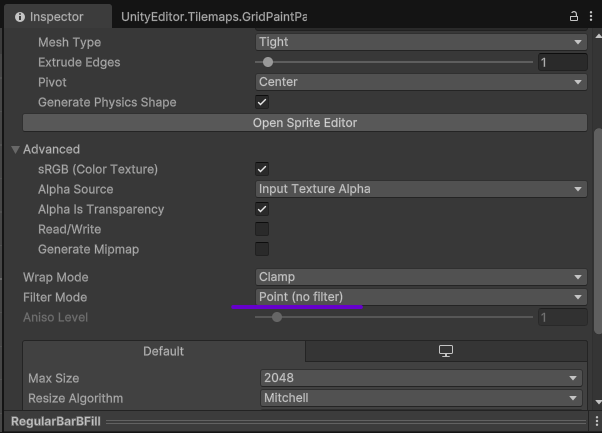
For pixel art, select the sprites and make sure to set the “Filter Mode” to “Point (no filter)” and click “Apply”. This will fix the blurriness and make it appear crisp.
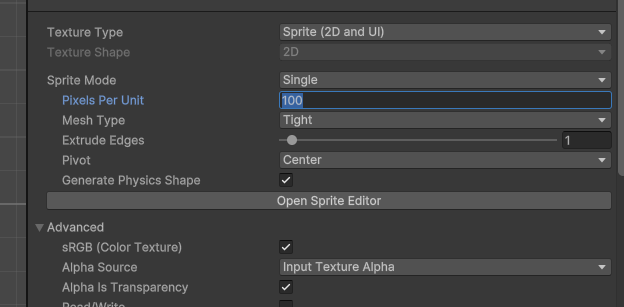
For the sizing, to keep everything consistent, make sure to have the “Pixels Per Unit” consistent across all your sprites. The actual value will depend on your game, but keeping it the same for pixel art is important to get the scaling right:
Please let me know if this helps.