
On Sale: GamesAssetsToolsTabletopComics
Indie game storeFree gamesFun gamesHorror games
Game developmentAssetsComics
SalesBundles
Jobs
TagsGame Engines
(1 edit)

Heya! I'm having some trouble with retexturing the model I'm using Gainerfox_FireFade_Body_basecolor_2k PSD file and I'm exporting it as an PNG when I replace the texture file with the one I've made it turns out like this
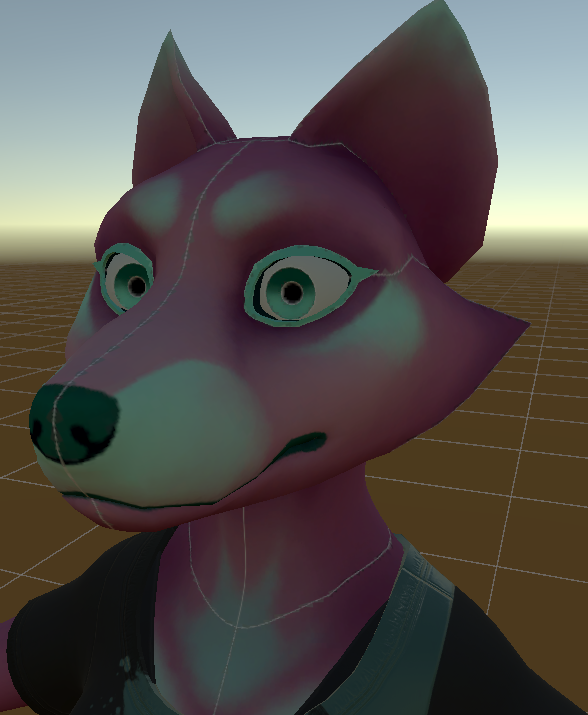
  

The material I'm using is the FoxBody_FireFade_NSFW I'm not sure if I'm missing anything I've tried the same thing in blender 4.3.2 with the same result
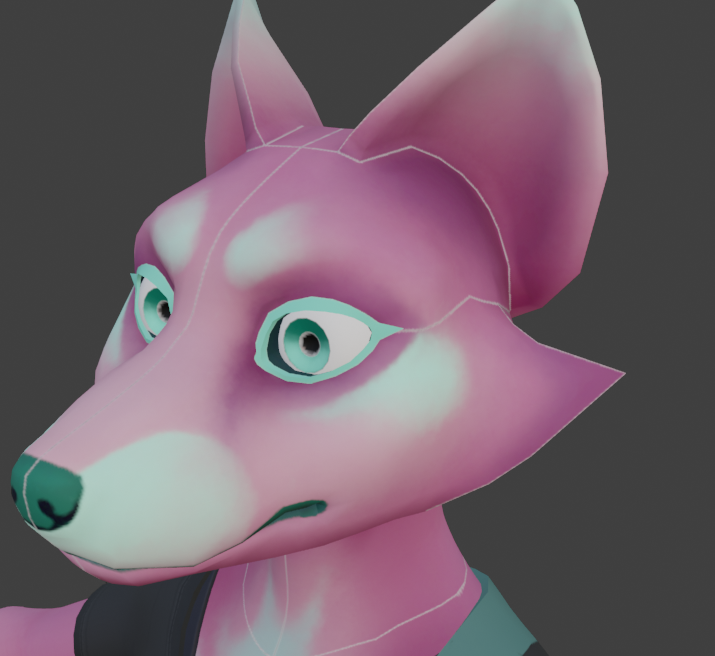

Edit: Sorry if I put this in the wrong  place, I just saw some other retexturing comments here and I thought this would be a good spot. If you  want I can delete this and move it I will.

This looks like an issue with a lack of bleed edge- basically if the background color on the texture is white, it will show through at the seams around the texture patches.
Substance painter fixes this by extending the texture islands to fill the empty space upon export, but unfortunately doesn't do the same thing when it exports to photoshop files.

To fix this, I'd recommend filling the texture background with a solid fill, usually the base color of the fur. If you're still getting visible seams, it can help to paint the new texture colors a bit outside the boundaries, and you might need to clean up the edges a bit.

Sorry for the trouble here, I hope this helps with resolving it.