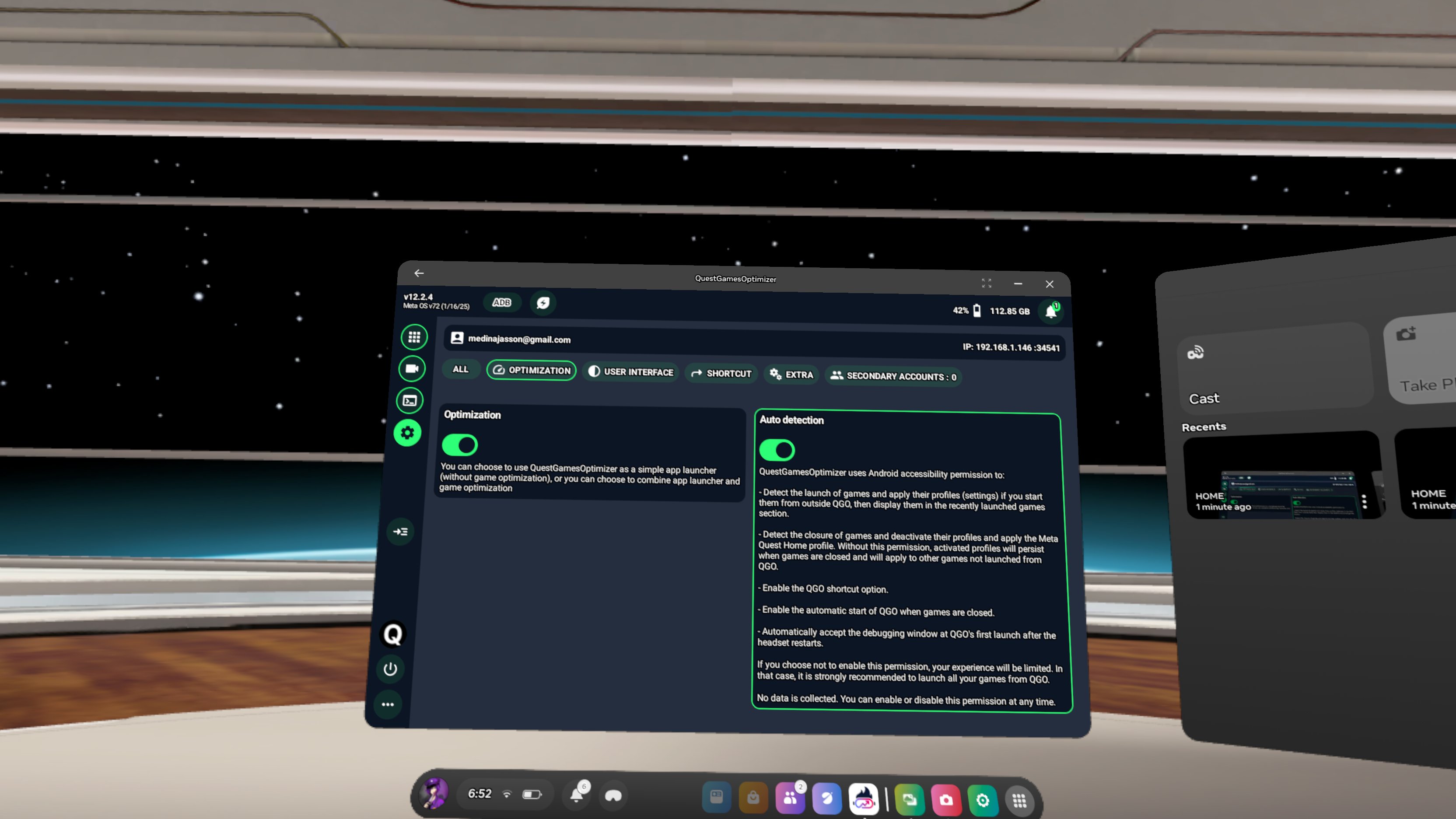
Hello, using old QGO version or old Meta Quest firmware version isn't a good idea. I develop QGO to run with the latest firmware available. SO if you are using a v65 or 69 for example, I can't assure you QGO is still working on these old firmware version.
Many of the previous QGO version doesn't work anymore.
Not using your headset for very long can also cause ADB to deactivate.
I removed the hourglass next to the ADB icon since a long time now. So the ADB icon must be either green or red, but can't be gray. If the color is grey it could be because you changed some things in color settings in the headset. If this is the case, can you screenshot me that ?
When ADB is enabled, you can start a game with a profile and if you receive the applied profile notification this means ADB is working, or you can run a command in the ADB Shell terminal or change the proximity sensor or guardian option to see if it works. Also if you don't have the banner that tells you ADB isn't enabled this means ADB is enabled. For me, you just changed something about colors.
In recent QGO versions, QGO ca bypass the ADB wireless debug prompt, so that people don't have to see it anymore (if auto detect mode is enabled).
Anyway, you should uninstall QGO, then restart your device and install QGO v12.2.4 on a v72 on your Quest 2.
Then come back to me.
You can share screenshots and videos if needed to help me to understand better
 Ok, I followed your advise about uninstalling, restarting, and reinstalling QGO v12.2.4 on my Quest 2 which is still on v72. I want to clarify that I don't understand about the color part since I haven't changed anything about the colors. Anyway it still doesn't show the ADB as green but I do think that it is working as I did select the option to set the profiles to have the best setting HD. I can verify that I did launch a couple of my games through QGO with the best setting and it did work. Still though here are 2 image of my ADB not showing green. As for my Quest 1 headset, I haven't able to get the ADB to be green at all. Obviously the last firmware version is v50, so there isn't much to do about it. I did try to reinstall QGO v12.2.4 on it again but no luck. So here is a video of my Quest 1 to show you what I'm encountering after I did the "Enable wireless" solution and click on the "Always" option for the first time and then restart my headset. Btw I'm not concern if I have to factory reset my Quest 1 as I got all my apps backed up with sidequest but I like to get it to work before I have to do that.