

I’m so sorry, can someone explain how to restart the game? When I try to import my save it says to restart the game to load my save, but I don’t see a Restart anywhere, just a Start. Please help!
1 year ago(+2)(-4)
Hi! I've never heard of your problem, if you can share screenshots, maybe I can help you better?
Now, if I were to guess: maybe "restart" means you have to close the game and open it again?
Otherwise, I think a solution would be to click "start" on the main menu to play the game from the beginning and use the skip feature to skip the parts you've already read.
whoa I didn’t expect a reply so fast! I tried reloading the webpage (since I can’t download, I’m on an iPad using the browser Safari, perhaps that’s an issue?) but then it straight up closed everything and nothing happened afterwards when I pressed “Start”.
I’ll put a screenshot of the message: 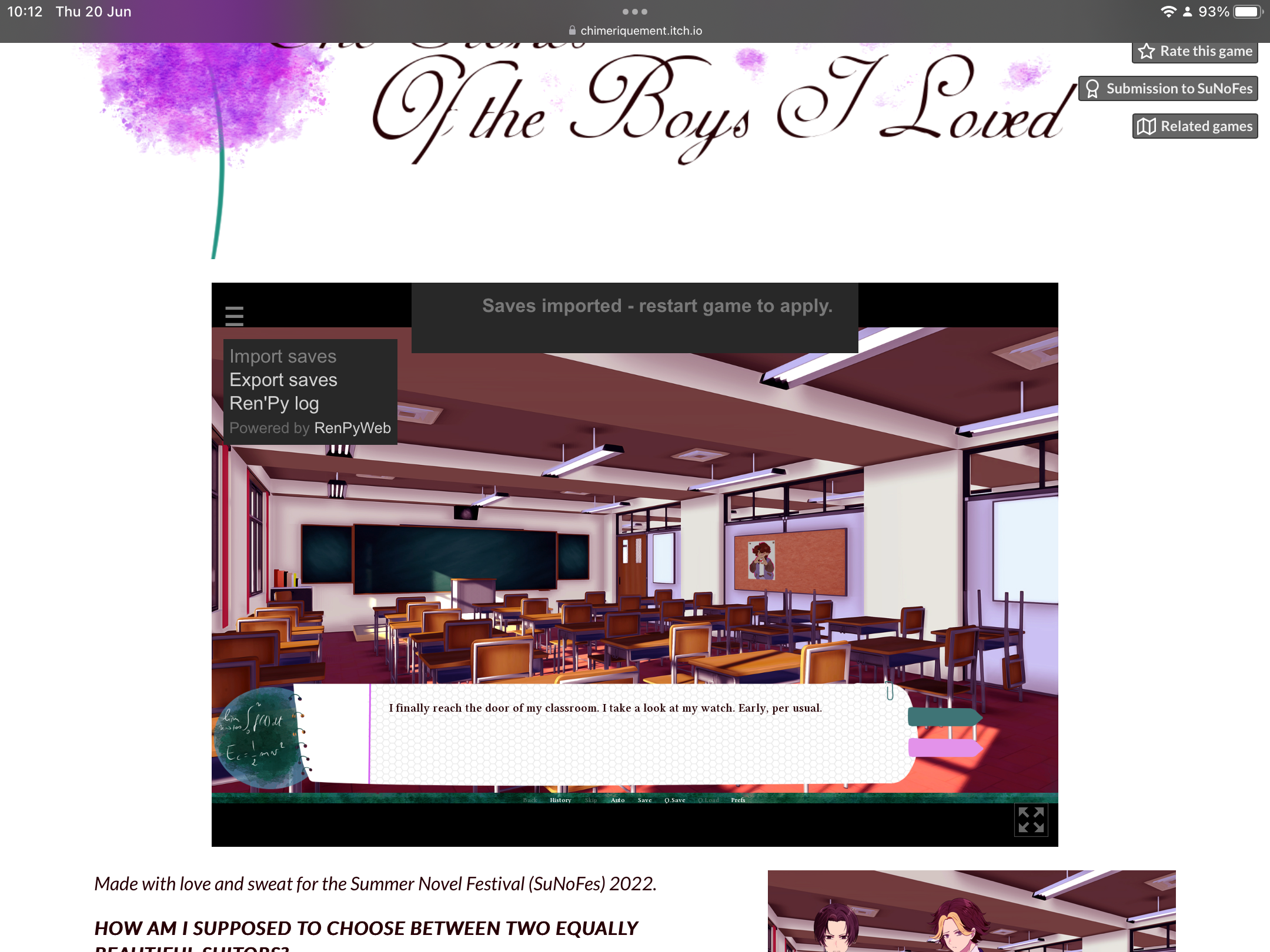
“Saves imported- Restart game to apply.” I tried doing this before pressing start too, just on the main menu, with the same results. Please help! After reading the comments, I really wanna play this lovely game <3
1 year ago (+2)(-4)
Well, I tried to reproduce the issue on my iPad and I'll admit I couldn't. And admittedly, I tried to look it up, and I couldn't find any cause for it. I'm a bit confused with the "I tried doing this." Is "this" importing the saves? So, it will be my question: do you click the "import saves" text on the left when you launch the game? Because if so, it might be the reason (especially if you don't have saves to import).
Also, if you can tell me, it might be helpful: can't you just ignore it? When I make the window on the left appear, I don't have to import saves, which allows me to play the game normally? Thanks for your collaboration!
1 year ago(+2)(-2)
mayhaps! well, whatever is going on, I’m not letting it keep me from enjoying your marvellous creation. thank you for all your effort!