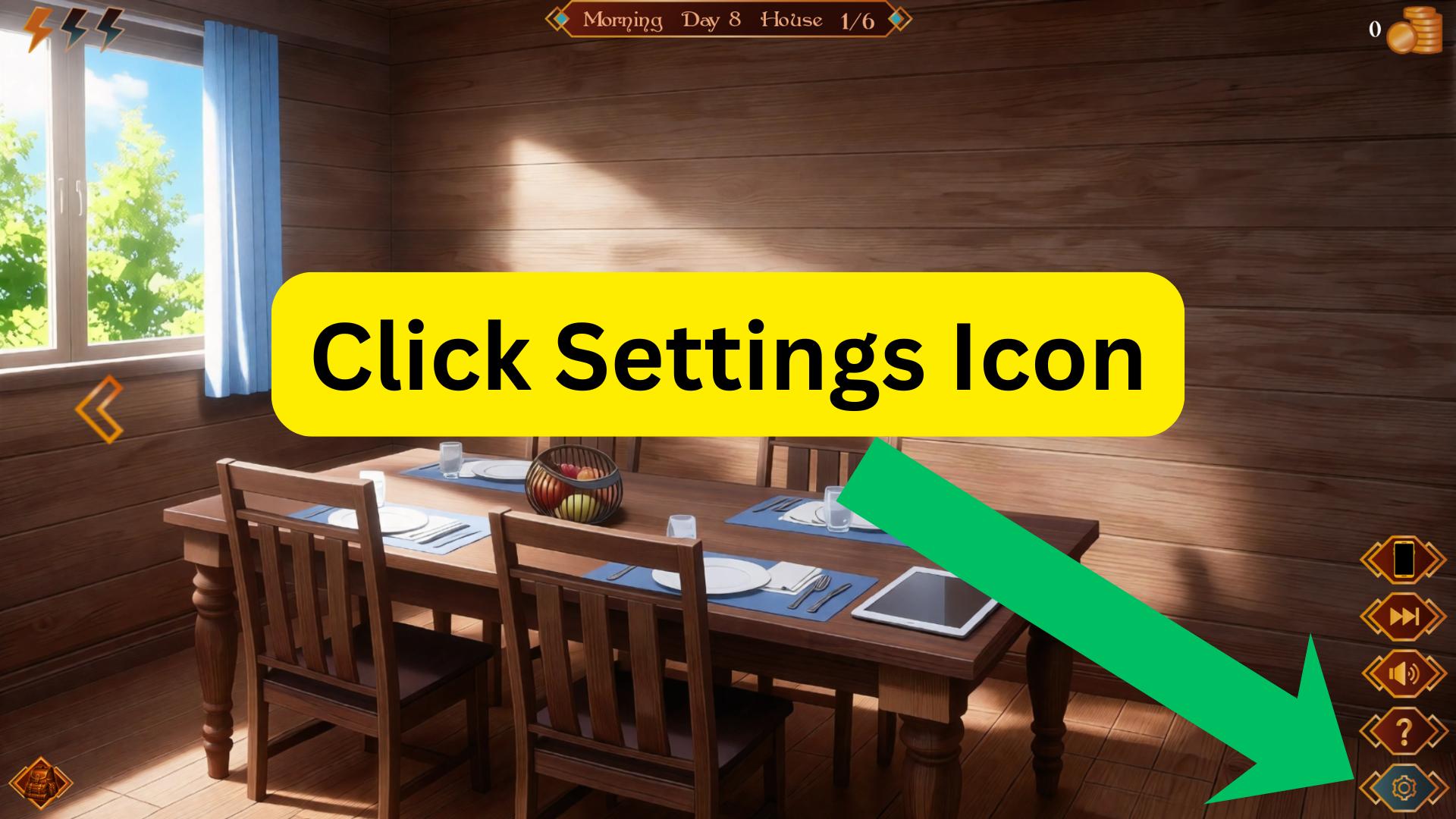
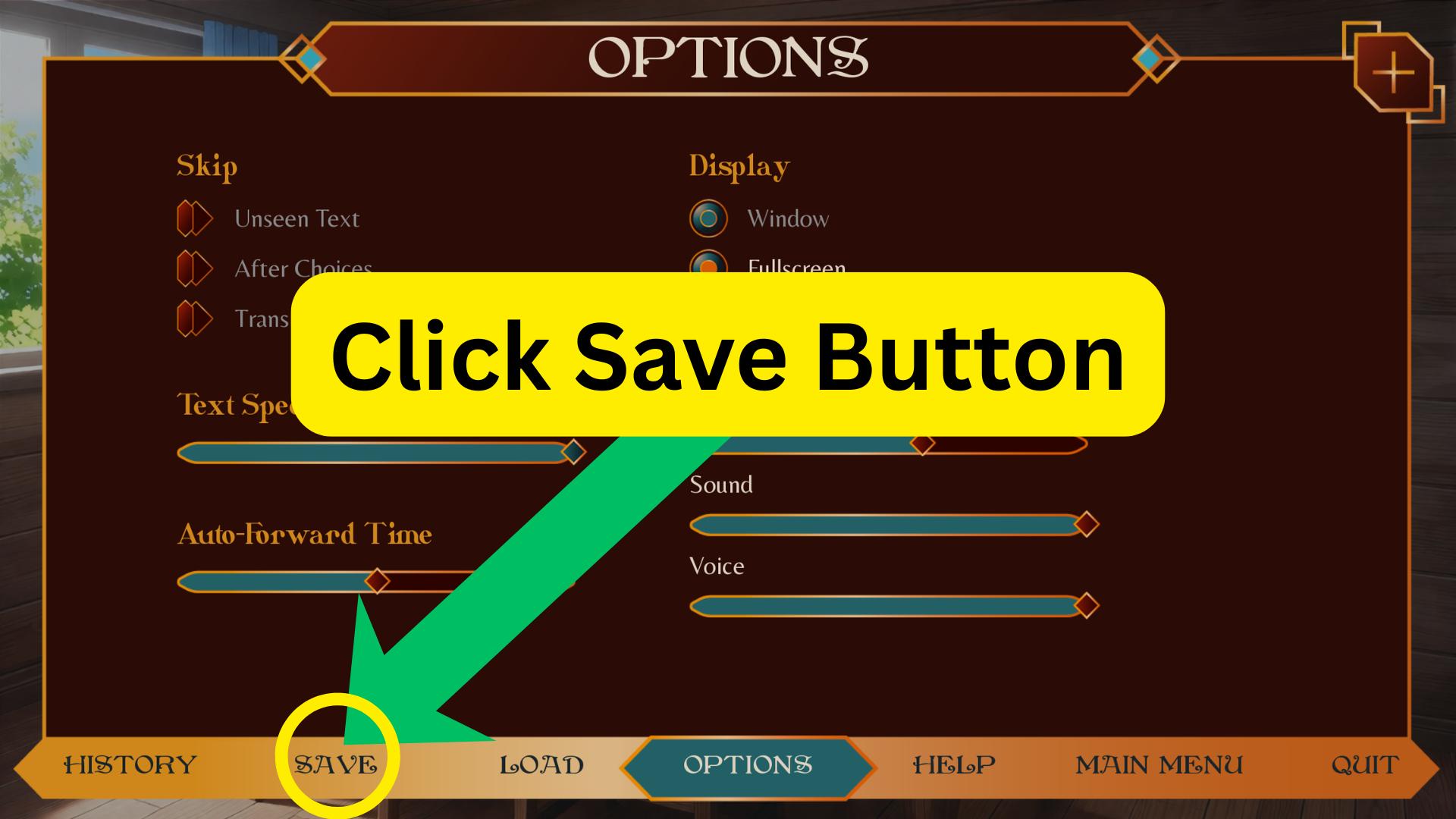
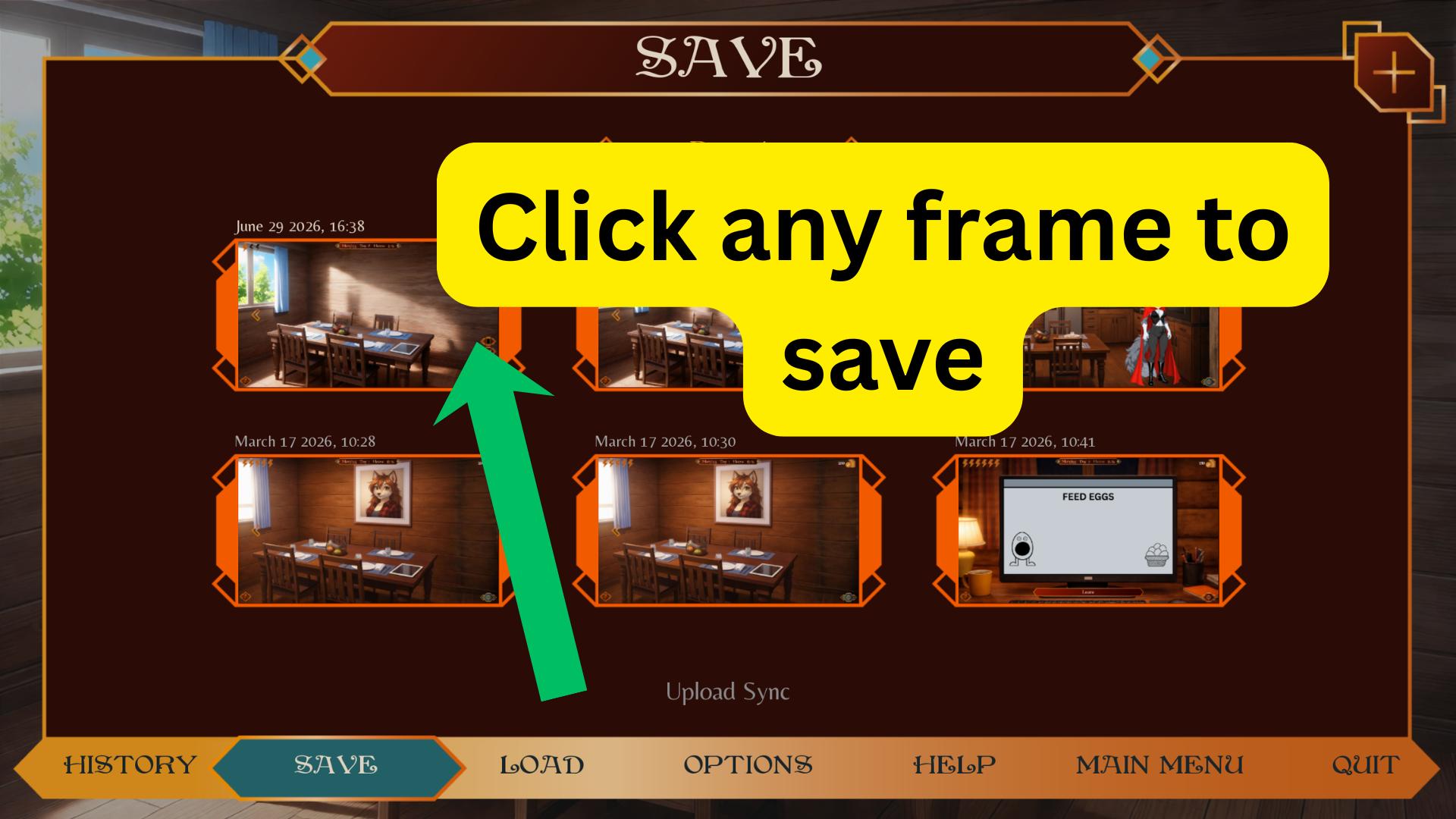
I can't find any option to save my progress. I tried the settings but that just took me to some weird code looking stuff.
Thanks for letting me know. This helps a lot!
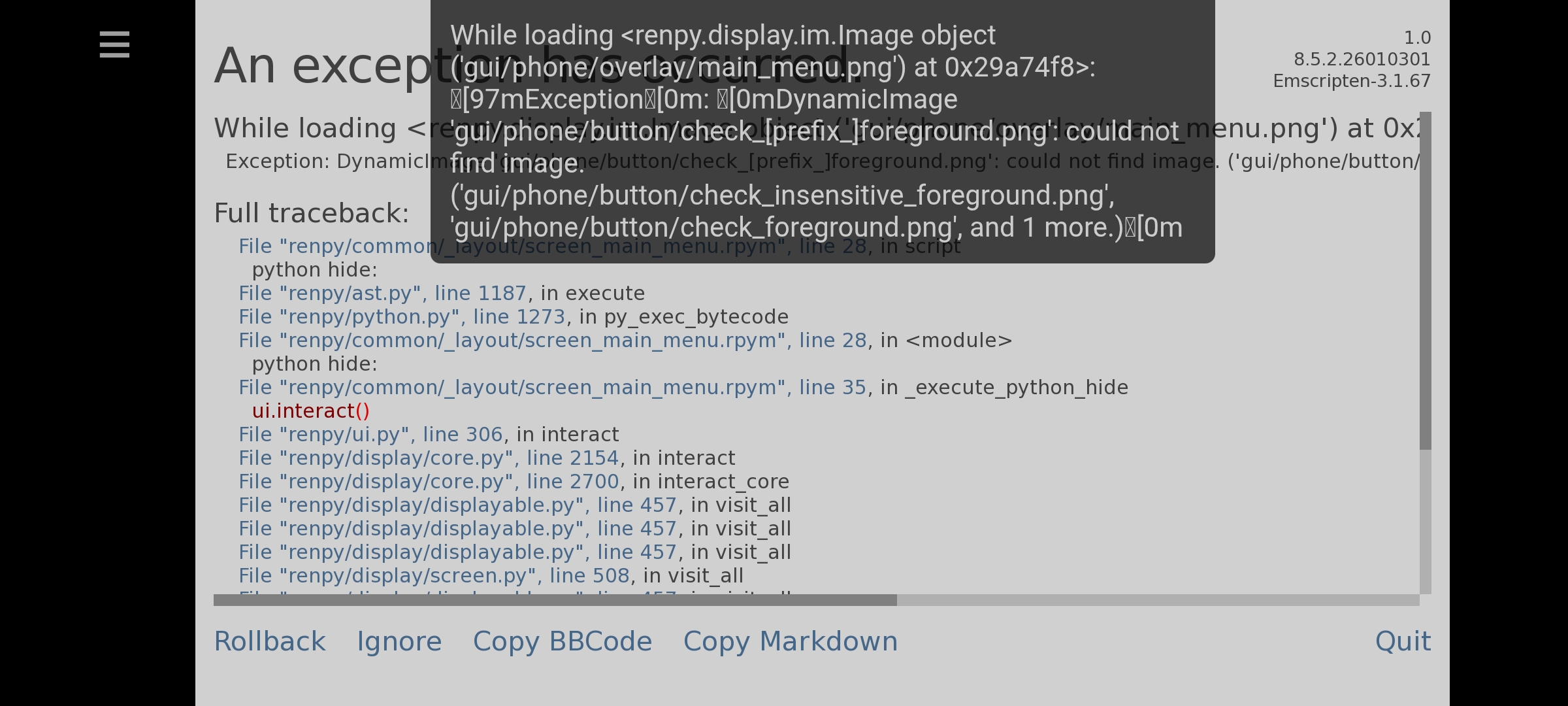
For now, just press Ignore when the message appears. It looks like it’s only a missing UI file, so the game should continue running normally. The checkbox just won’t have its custom image.
I tested the APK on the Meta Quest and didn’t run into any major issues. You should still be able to continue playing and save your progress.
I’ll be adding all the phone specific missing files in the next patch to prevent this from happening again.
In the meantime, pressing Ignore should let the game keep working normally. if not please let me know
Also, if you wouldn’t mind, could you please screenshot the main menu and the settings page if the game manages to continue after pressing Ignore? the model of android device your using would help as well.
That would help me confirm exactly how the phone layout is displaying on your device.
As a thank-you for helping me troubleshoot this, I’ll gift you a free one-month Patreon subscription so you can try out the newest build. I’ll also make sure to post a hotfix for this issue.
Thanks again for reporting it and helping me fix it!