Indie game storeFree gamesFun gamesHorror games
Game developmentAssetsComics
SalesBundles
Jobs
TagsGame Engines

Wardini

35
Posts
1
Topics
17
Followers
11
Following
A member registered Jan 22, 2023 · View creator page →

Creator of

Recent community posts

OK Thanks.  I got it all working.   I will send you a link to my updated version.  Currently I have the full screen working and the mouse lock working with both desktop and web.   There are a few details to discuss but overall I accomplished what I wanted.  Now I have another library I can develop with and achieve web deployment as well as desktop which I really want for development.

also, I'm working on the mouse capture issue.   I'll send you info on the once I am happy with it.

this is great it looks good.  One last thing.  I am having an issue with web and the font.  Is there something with pygbag you are doing to set the font for raylib?

Yeah all of my work so far is Zengl which has a path to Webgl.   I'm glad to see Raylib has a similar path.  I really want to see your source code so I can get a head start going in that direction.   Is it linked here?

There is something about the SCALED option found in pygame set_mode.  I think maybe it is also set when using the OPENGL flag.   I don't know much about Raylib yet but definitely want to try it out.   Does it have such an option?  I guess it is needed because the fullscreen option only renders to the lower left quadrant.   I will try to work with Raylib and figure this out.

Just a note.  It does seem to capture the mouse sometimes so I guess you have some code in there for that.  But it seems like in the middle of the game it won't do it.  Anyway.  It's pretty good and I noticed the shadows working.

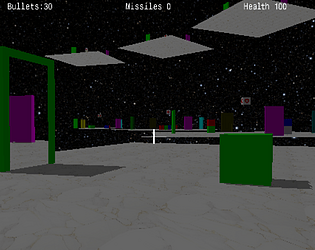
Hey FinFET.  Great project.  I'm sure you got to look at my portal game and I also did a maze but not a game, just to experiment with deferred rendering.  Anyway regarding your maze game, can you do a few things I think would be good?  First enable the full screen.  I think it works pretty good on Itch and I use it.  Just enable the full screen option.  Second, I noticed that if I unlink the mouse through Esc or some other means, it is not captured again.  I like the idea of clicking the mouse captures it but have done other ways as well.

I think it is something to do with shadow mapping.  The light position changes a little every frame and something to do with the shadow calculation.  I don't really know why it does that.

Honestly, there is almost no gameplay here.  But it proves the concept for integrating somewhat more modern 3D technology with Pygame and provides a pathway to web as well so that is a real benefit.

Did you post the source?

I used opengl which is enabled using the Python zengl library.

Yeah that's good idea.  I tried to edit that post.

(1 edit)

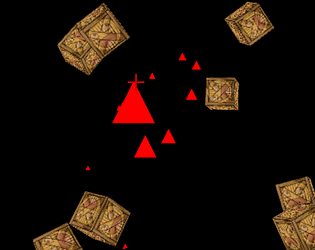
The game is Crate Blaster and I made if after completing Chapter 1 of learnopngl.  It is packaged to run in a browser.   https://wardini.itch.io/crate-blaster
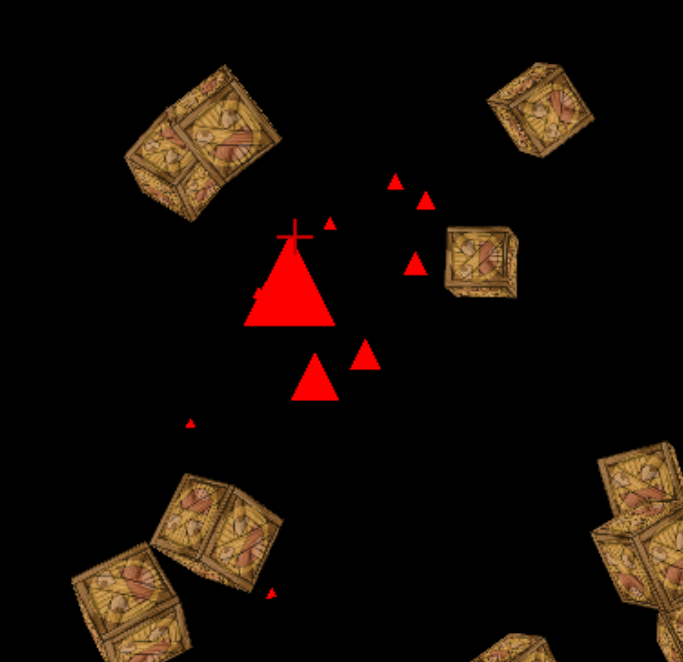

Shoot the crates to win.

The download is missing player2.py.  Can you update the zip file?  Thanks.

where is the post office?

Very well done!

(1 edit)

Just need to continue from the last level failed.  Too much work to get back to that level again.  But this development is very good and I think it is probably the best submission this game jam.

this is great!

unspecified error when I try to unzip.   I don't know why?

look up the pygbag tool.  it's very easy to use.

wasd works for moving but only arrow for some puzzles.  took me a while to figure that out

```

    if proj.rect.colliderect(enemy.rect): enemy.hp -= 1; self.projectiles.remove(proj); hit_sfx.play()

                                                         ^^^^^^^^^^^^^^^^^^^^^^^^^^^^^

ValueError: list.remove(x): x not in list

```

what version of batframework do we need to play from source?  I have 1.0.7 and it looks like it is outdated.

(1 edit)

tough to go fast

Wait a minute.   D is tilt to the right, not W.  

great

OK I got it now.  thanks.

how do you play it.  where is the game source or exe?

what version of python and pygame-ce are you running?

Source code is available on itch.io

change line 206 to this to make it run on newer versions of python:

self.fire.add(Particle(self, random.randint(int(self.fire_pos[0]),int(self.fire_pos[1])), HEIGHT + random.randint(0, 100)))

sensitivity strangely seems to go up and down.  That is, some times movements seem to have more effect than others.  I don't know why that would be.   Also, go ahead and select the full screen enable button, I think it will probably work out good that way.

I think it needs an updated batFramework library.  But I couldn't find it anywhere.

strangely I wasn't able to run this without control issues (right arrow didn't work) under python 3.11 with pygame-ce.  I tried pygame under 3.10 and it worked.

(1 edit)

For the version 1.2

in sources\escenas.py change the line  

path = "/assets/"

to

path = "assets/"

and I got it to run