Hi! I replied to your question on the cosmica chrome cursor pack page!
toumeya
Creator of
Recent community posts
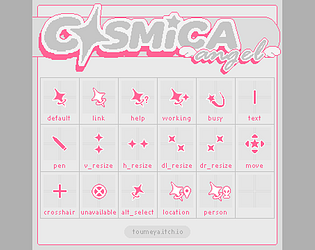
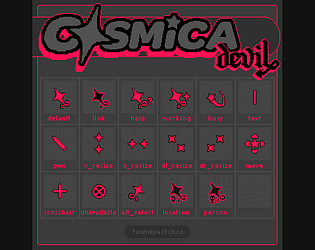
Inside the download there are the cursor files (.cur and .ani) and an auto-installer for windows only, so for mac ignore the installer. I don't have a macbook myself so I can't experiment with adding cursors. I searched for tutorials on youtube and this one is the most popular so you could try it out: www.youtube.com/watch?v=Oyv7oxrSWZ8 . It might include converting the file types which you can do online by searching for file type converters.
Macs are not very custom-cursor friendly so it's definitely not easy! When I have the opportunity I'll try it out on a friend's macbook and see what I can do to make the files as easy to intergrate as I can.
(Originally emailed out on day 1 of the jam)
Hi Everyone, thanks for joining the jam!
This is my first time running a game jam, I want it to be a relaxed period where we can have fun making and sharing cursors together. No pressure for anything super polished, edit your default cursor to be rainbow coloured in 10 minutes if you want, I want to see it!!
While the jam page focuses on how to make cursors for desktop use, cursors for web/game asset use are equally as welcome. You are also welcome to make anything cursor-related - tools, accessories, a mini zine about your childhood cursors... whatever you like!
I'm using this jam as an opportunity to finish off some cursors that I've been working on for a while, as well as experimenting with some pointer designs without worrying about making a whole polished pack.
Feel free to ask questions on the community tab, I'll do my best to answer.
I'm really looking forwards to seeing what you all make!!