No problem! I think your assessment is correct, hours of music probably won't be feasible. I think SynthEngine serves best as "single instrument" use-case rather than a full replacement for music. To accomplish that a lot of pre-rendering would be necessary, which would ultimately just be trading file size for load times (which is less than desirable).
I'm glad you've enjoyed using it so far regardless, please feel free to share any future creations you make with it, I'd love to see 👍
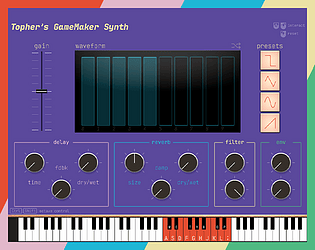
Hello! SynthEngine is pure GML and runs on the same thread that your game's logic runs, and generating audio buffer data is an expensive job. Using SynthEngine to power the music in your game is definitely something that can be done, but the music it can produce (without causing performance issues) will be limited. For example, having only one or two oscillators should not cause issues. See this example video of me playing a small tune with a single oscillator and 4 note polyphony:
If you are open to sharing your project with me (or an isolated example project) I'd be happy to take a look at it for you and see if I can help.
One avenue of exploration may be to have some parts of your music be from an audio asset and some parts (like a melody line or lead voicing) be generated by SynthEngine. Keeping them in sync represents an upfront challenge, but it should be possible.
Currently there is no way to import or convert a .wav file to an animation curve, since that isn't something that GM supports (or ever would). That being said, using a .wav file as a waveform reference should be possible. I already have a free library that allows you to read .wav files, and another free library that helps you calculate the audio "peaks", which is just a normalized value of the audio at given positions. Using these two libraries, you could definitely load a .wav file, precalculate the waveform, and use that as a lookup table with a synth processor in the pro version.
Unfortunately I currently don't have the time to add this feature to SynthEngine, but that is the basic gist of how it could be done. If you already have a wave table synth handy (and your reference .wav file is not too complex) then you could also reference the wave form when making your own animation curve as a crude (and less effective) alternative.
Yeah, it works for me so I guess it must be a time zone related difference? That is unexpected behavior from GM though, that shouldn't fail. Does it produce any kind of error?
No, this is just is just for the blurry background effect that comes with Windows 11. To make a transparent window you can use YellowAfterLife's extension found here: https://yellowafterlife.itch.io/gamemaker-window-shape
Happy you're enjoying it so far! I've actually been working on the first update and it does address this by removing the global pragma call altogether. I should be publishing the update in a day or two!
I also haven’t used it! But one thing I can say, is that GMPulse has other built in utilities (like room changing) and can also be accessed from your phone!