On Sale: GamesAssetsToolsTabletopComics
Indie game storeFree gamesFun gamesHorror games
Game developmentAssetsComics
SalesBundles
Jobs
TagsGame Engines

Tom Mulgrew

46
Posts
402
Followers
5
Following
A member registered May 01, 2017 · View creator page →

Creator of
Recent community posts

To be fair, it's one of the export options for Pico-8, so no extra work on my part :)

Hey thanks.

A red waypoint means you need to stop within 50 feet of it, which should end the mission. (Does that answer your question?)

And yeah I struggle to think of proper sounding names, so silly ones it is.

Thanks :)

Man, that's really sad. He was a good guy, from what I knew of him.

I appreciate you letting me know.

Haha, yes I was. Some 20 years ago!

I have some fond memories of those times. Met a lot of cool and creative people.

Sure. Should be there now.

Hi. Thanks.

It saves which missions you have completed and which stars you have earned.

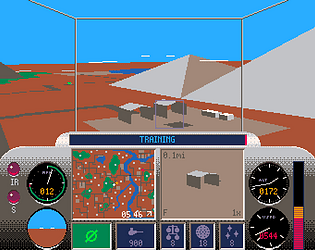
The dashboard instruments are listed on the game page. From left to right:

  • Speed in knots
  • Height in feet
  • Vertical speed in feet per minute
  • Flaps
  • Throttle

Hey thanks for that! Much appreciated.

I'm pretty lost in the Linux world, so it took me a bit of time to figure out how to get it running. But yeah, you'd need to save it as text with a .sh extension.


So hopefully the steps should just be:

1. Rename the "whiplashtaxi" file to "whiplashtaxi.aarch64".

2. Find the PortMaster folder on your device (e.g. /share/roms/ports).

3. Create a subfolder named "taxi" and copy in the files.

4. In the main PortMaster folder save the above script as "Taxi.sh" (or whatever name you want it to appear as in the UI).

5. Update your gamelist in the frontend UI.

Then (hopefully) it should appear in your "Ports" folder.


If it has trouble running, it *may* be necessary to set the executable flag on "whiplashtaxi.aarch64" and/or the .sh file - which might involve invoking a linux shell and running:

chmod +x filename

(1 edit)

That's the PortMaster script I use.

The game files are in the "taxi" subfolder of the "ports" folder.

The main file is renamed to "whiplashtaxi.aarch64"

The script has the "chmod" logic built into it, so that shouldn't need to be done manually.

#!/bin/bash

GAMESUBDIR="taxi"

GAMEEXE="whiplashtaxi"

# Based on

# https://portmaster.games/packaging.html#the-launchscript-sh

XDG_DATA_HOME=${XDG_DATA_HOME:-$HOME/.local/share}

if [ -d "/opt/system/Tools/PortMaster/" ]; then

  controlfolder="/opt/system/Tools/PortMaster"

elif [ -d "/opt/tools/PortMaster/" ]; then

  controlfolder="/opt/tools/PortMaster"

elif [ -d "$XDG_DATA_HOME/PortMaster/" ]; then

  controlfolder="$XDG_DATA_HOME/PortMaster"

else

  controlfolder="/roms/ports/PortMaster"

fi

source $controlfolder/control.txt

[ -f "${controlfolder}/mod_${CFW_NAME}.txt" ] && source "${controlfolder}/mod_${CFW_NAME}.txt"

get_controls

GAMEDIR=/$directory/ports/$GAMESUBDIR/

cd $GAMEDIR

> "$GAMEDIR/log.txt" && exec > >(tee "$GAMEDIR/log.txt") 2>&1

$ESUDO chmod +x "$GAMEDIR/$GAMEEXE.${DEVICE_ARCH}"

$GPTOKEYB "$GAMEEXE.${DEVICE_ARCH}" &

pm_platform_helper "$GAMEDIR/$GAMEEXE.${DEVICE_ARCH}"

./${GAMEEXE}.${DEVICE_ARCH}

pm_finish

(2 edits)

I'm not much of an expert, but I'll try and share what I've figured out.


Essentially it's a native Linux executable for the aarch64 processor (aka "arm64"). So assuming your device is compatible, it boils down to: 1) Transferring the files onto your device, and 2) Getting it to run the executable file.

Also it may be necessary to bring up a terminal and run:

chmod +x whiplashtaxi

to make it executable first.


To integrate it into the front end UI you can use PortMaster - assuming your frontend supports that (I use Knulli, which I believe is EmulationStation based). Basically it involves adding a bash script to the ports folder to launch the main executable, which PortMaster should detect when you next scan for games. There's some other commands to enable proper PortMaster integration, which may be necessary to get the controller inputs to map correctly, and enable shortcut keys (like exiting back to the menu). It's worth following through the PortMaster documentation to make sure it's done correctly.


I can put an example script somewhere if that would help.

-Tom

Awesome game, man.

Love how you've captured the feel of the original (like how it always *starts out* as co-op...), but also mixed it up with new elements that keep it interesting.

Err...

Thanks.

Yeah, it is actually intended. I wanted transitioning between forward and reverse to feel deliberate - but didn't want to go as far as adding gears. And you need to be able to stop completely to pick up passengers.

Hi again.

I've uploaded v1.1.1. It now explicitly creates a "cmd.exe" terminal window in vscode for executing MotC commands (at least when run in Windows).

Please let me know if this fixes it.

Hi. 

I think the issue is it launched a Powershell terminal instead of a regular Windows command prompt terminal.

I'll have a look at the extension code.

Hi igor,

Sorry, I have no plans to add any more race tracks at this stage.

Hi.

Arrow down to "!! Race !!" and press "x" or "z".

I've released the change as v1.0.1.

Let me know whether that helps 🙂.

Glad to see someone is looking at it :-)

Fullscreen mode in SDL2 does seem a bit flaky - window borders change or disappear when switching back for example. And the documentation isn't very clear on how it selects the screen resolution. In my case it preserves the aspect ratio (I get black bars on the left/right), but that could just be on my monitor size/resolution.

SDL2 does have a "fake" fullscreen mode where it leaves the desktop resolution as is, and expands the window to cover the screen. From some basic experimentation this seems to work quite well. It fixes the window border issues and should leave the aspect ratio unchanged, as it doesn't actually change the screen resolution.

So I'll probably put out a patch to use this mode instead soon.

Good to know.

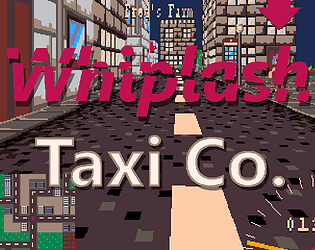
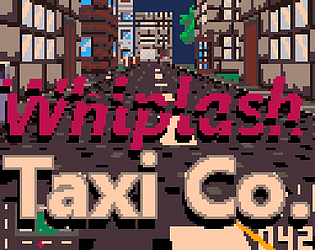
Btw you might be interested in Whiplash Taxi + which now has a Linux version. 

It doesn't have any music (yet), but otherwise is the same game but at 320x240 resolution, with better gamepad controls.

Thanks, glad you like it. :)

How do you run it on Steam Deck, if you don't mind me asking?

Thanks.

Yeah, I hope so. It has modest memory requirements and doesn't use 3D acceleration. It boils down to whether the operating system has support for the SDL2 library.

Hey thanks.

It's at the limit of what I can squeeze into a Pico-8 cart, so it's not really possible to add anything else. Maybe I'll do a sequel someday...

You can download standalone versions of the game for Windows, Mac, Linux. But if you prefer in-browser, the experience is identical anyway.

Anyway, I managed to squeeze in an option to turn off traffic in street races.

Hey, thanks, I appreciate the feedback.

I personally like the traffic in street racing, but I can see why you might want to focus on driving the route. Perhaps I'll add a "no-traffic" option.

The gold times are all beatable (although I struggle a bit with "East" and "Flats"). For the tighter corners you actually maintain speed better if you slow down just enough so that you don't drift.

It occurred to me while recording this that the waypoints around the "East Suburbs" area might be a bit misleading. I.e. you can go straight, then make two 90 degree left-turns, whereas the arrow suggests you should turn left straight away, which then forces you to make an extra hairpin turn. Perhaps I can tidy that up a bit.

I haven't seen (noticed?) the hard turn issue yet. Which version are you playing on (browser/download/pico-8 etc)?

Sure, if you want.

Trial of the Sorcerer's multi-cart is pretty basic. It just jumps between carts using the load() command. As long as that works, and the carts can access the same cart data (via cartdata(), dget(), dset()) that's all it should need.

I could upload the .p8s I suppose. (There's actually 2, one for the menu, one for the game.)

What do you need them for?

Thanks! It's actually based on a Wolfenstein 3D style ray-casting renderer.

Thanks Tim :)

Sorry, I forgot to add instructions for which keys to press.

Press X on the menu screen to select an option.

For example, select "Taxi Driver" and then "Drive" to play the standard game.

For some reason I only just stumbled onto this today.

The vector graphics look great. Very impressive for a 1K game.

Hey thanks :)

I don't have a steam deck, but I do have a steam controller, and yeah it's crazy configurable, so mapping it to mouse and ESDF is the best way to get analog turning (although I prefer using the touch pad/accelerometer).

I made this update when I bought a USB controller for my Android phone. It can't do mouse input but acts like a standard game controller. So this gives me twin stick support on a hand-held device (unfortunately I can't get a Steam Deck here in New Zealand).

Of course the ideal setup would be to map the left stick to the Pico-8 mouse input, then you'd get analogue turning on a regular game controller. Should be possible, but I couldn't figure out the JavaScript to make it work.

I haven't tried Firefox, although I would have expected it to work, as it's basically the Pico-8 web player, which I believe is Web Assembly.

Chrome and Edge work.

This was a lot of fun.

I managed 47.22 :)

I've narrowed down a couple of issues.

It appears to be renaming words inside multi-line strings (using [[ ]]):

this=5
function that()
print("hi")
end
string=[[
this and that
]]

And ultra-compact mode appears to have difficulty with the short-hand "if" syntax:

function compare(n)
 if(n>10)return "big"
 return "small"
end
print("15 is "..compare(15))

Awesome! This squeezed the single cart version of Mot's Grand Prix down by 15%, enough to fit in a whole 4th track. Thanks for sharing this.

(I always have to untick "Other identifiers" for though. Must be something about my coding style...)

I really like this picoCAD model. Great work.

Hey thanks.

That's one of the advantages of the Pico-8 platform is that you never have to worry about whether your PC is fast enough.

Yes, I'm working on an update with a few more tracks. So far I've added Spa Francorchamps, old Hockenheim and started building Monza, which will be the 6th. I may add a couple more after that.

And I'd like to add a championship mode, to add a bit of depth to it.