

I seem to have found it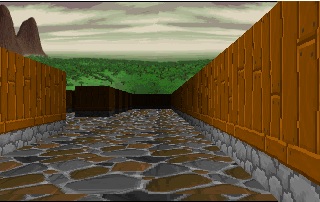
TIDMADT
5
Posts
A member registered May 19, 2020
Recent community posts
That makes a lot of sense. I have tried it with the resolution set to 1, and it does eat up a lot of cycles.
in working with multiple textures for the walls, I have tried to set the wall_type where you find the wall hit, but it gets screwed up with the hor and vert hits... I think I would need to set the texture in (if wall_hit) but I am having problems at that point identifying the x and y of what wall we are drawing... I tried using ray_x and ray_y, but that does not seem to be the correct x and y of the wall...
Performance really isn't the issue... Here are the changes I have made:
1) I added the ability to have different "wall" types
2) I added a ceiling
3) I allowed for the floor and ceiling to have a different tile than the walls
4) I checked for collision with the wall before allowing you to move (kinda important!)
5) I added a soundtrack. The one I am using is Stones, from Ultima IX
The issue is that, now with different images, I see some "bleeding" on the wall images. For instance, if you look at the following image:
http://www.tidmadt.com/images/new_images/errors.jpg
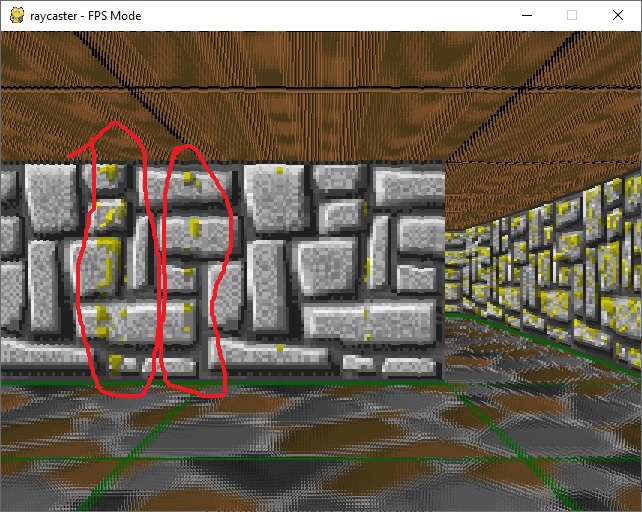
you can see (where I circle in red) where slices from the wrong image are being rendered. This isn't a problem where ALL the images are the same, but I can't see where the line of sight is failing. As you can see in the code, what I do wherever you check to see if there is a wall (if grid[y][x]==1:) I set "wall_type" to what that wall is (a 1 or 2... wall_type = grid[y][x]) so it SHOULD be the same result for the entire segment of the wall... for some reason, some bands seem to be wrong.
Also, while the walls (resolution wise) seem to be fine, the ceiling and floors don't look right.
I created a GitHub fork of your code (giving you full credit for the original) here:
https://github.com/TIDMADT-SYS/simle-raycast
I have 2 versions there, the FPS (with free movement) and the crawler mode (which locks you into 90 degree turns, and one full grid space in movement)
Hopefully it is something minor... just not knowing that aspect of it as well as you, I can't see where in it the problem rests
Thank you in advance for taking time to look
First of all, thank you... I have been struggling with finding a simple raycast sample to help me figure it out, and so far yours has been ideal for what I am trying to do. I have already tweaked the code in a couple places to achieve what I was hoping for. I do have some questions I would like to ask, and was wondering what the best way to go about that is?