Thank you for your comment! I think you had a problem moving around while in the picture. I suggest, if you want to play our game again, to try using the camera while in the picture to navigate where the character's looking so that it doesn't fall out if the error screen.
I put an in-game play video for it, but i think it didn't show up on the page..
Anyway, Thank you for the advice and also playing our game!
I entered this jam with a game named 'bug report'(3d one) and someone told me that he/she couldn't play the game due to an index error. Can anyone check if there is any problem with the game?
2. take a picture of the error screen. Then you can become small to touch fix
3. take a picture of the big platform to go up and touch fix
4. move the error screen next to the fix box and take a picture of it so that you can become small to get in there
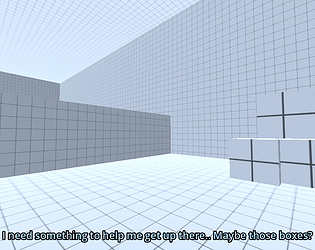
5. move the box, step on it, and while holding the box press e to move it towards you
6. complete the maze. if you touched the pot, see through the brown wall with your camera and take a picture of the bug report screen, and complete the parkour
7. find a missing piece in the maze and put it in the small maze
take a picture and complete the small maze
8. you can see through the wall
grab the error block to make error screens, grab one of them and move it right so that you can go up to the carved area
umm i think we're gonna make a 3d game, so people who are good at blender or other tools would be really nice!(but our team consists of students, so some of us might not have much time preparing jams..)