Indie game storeFree gamesFun gamesHorror games
Game developmentAssetsComics
SalesBundles
Jobs
TagsGame Engines

suesue12

5
Posts
3
Topics
11
Followers
2
Following
A member registered Oct 05, 2023 · View creator page →

Creator of

Recent community posts

First of all, thank you so much for this small plugin!! It's exactly something I needed. 

I've been testing the Gauge Game Creator plugin and I have a question about the Point Game mode.

Currently, when I press the button outside of the correct area, it still counts as a success, and the range is very wide. I tried adjusting Value Applied On Button, but that only changes the speed of the gauge and doesn’t affect the accuracy of the judgment.

Is there a way to make the Point Game stricter, so that only pressing within the correct zone is counted as correct? For example, can I set or reduce the size of the target zone manually?

Thank you very much for your help!
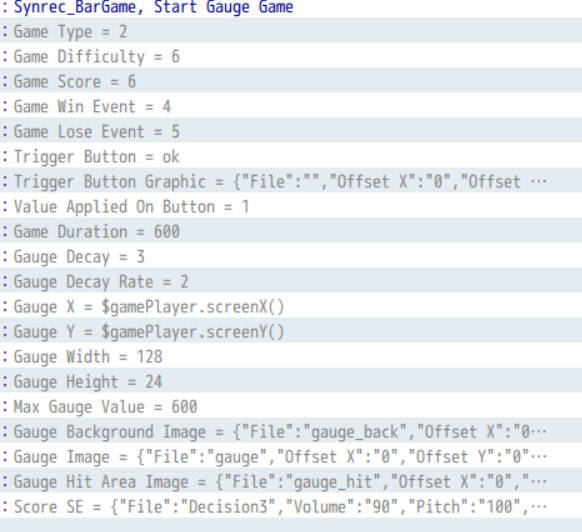

ohh I see! Thanks so much for your clarification! 

Hi Winlu! Thanks for the update.

I tried to import A1 and A2, as well as the sample maps. (i put all the json files into the data folder.) 

But it seems A1 and A2 are not working right. Do I miss anything?

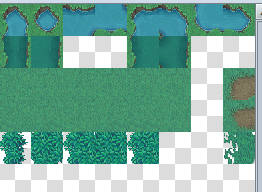
in RPGMZ tileset after importation:

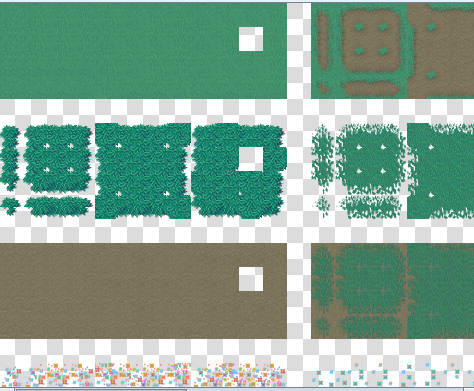
original:

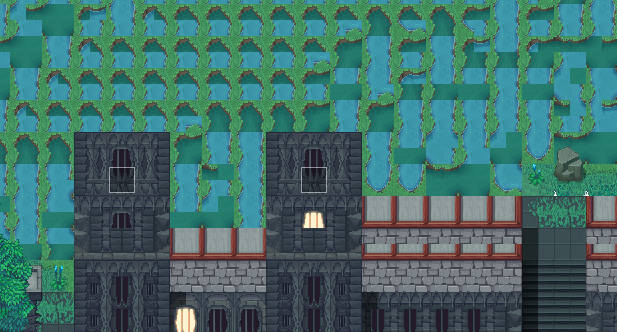
map:

Hi! I just bought your work and they are awesome!! Thanks for making those.

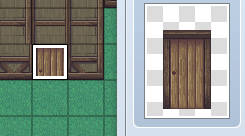
I'm new to Mz and I'm having trouble adding the door. I can see the door are tall and around two grids tall. (I'm not sure if you get this)  I loaded the door texture as an event. Even the texture itself is tall but after I loaded it it doesn't look the same as the texture. 

Also, I want to reference the sample map, but I'm not able to open that and I didn't see them when I tried to load sample maps. (I put them in the data folder) 

Do you have a solution? Thanks!