Delete the existing SSave folder in your project, then do "Import Local Package" again
stoozey_
Creator of
Recent community posts
Hello again and thank you!!!!
Currently Zenith Grabber is in development limbo, but that's not to say there isn't an update coming. The next planned update is quite a major one, and I have been very busy with work and life; finding time to dedicate to the project is hard.
I will add these suggestions onto my todo list for the next update, but I really can't say when it will come out.
Thanks :)
Glad you sorted your problem out! Yeah, this was written for GameMaker Studio 2 V2.3+, anything older than that won't work.
To answer your question, yes, you can do that using json_encode to turn it into a struct. Then, when loading it in you can read through the struct's values and re-create the DS map. (note that you cannot directly set the DS map as a value in SSave, so when re-creating it you will have to store the DS map in a variable somewhere else).
Hope that helps!!
Hi, you don't need to do anything to decrypt the files; if it's encrypted SSave will already know--it is handled automatically (using Sphinx internally).
As of V1.4.0 you should be storing your inventory data as either a struct or an array. But, I will write down a note to add support for more data structures as it would definitely be useful.
Are you sure you're adding the files to the import list when opening the package? GameMaker doesn't select anything by default.
Feel free to send me a friend request on discord: stoozey_
Alternatively, send me a DM on twitter (I don't check twitter as often)
Hi, really sorry for the inconvenience! When running the updater myself it has no problem connecting:
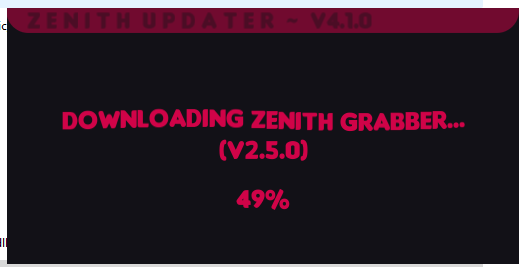
I'm not sure what's going on for you as I've never had anyone report this issue before, so it may be something else on your computer blocking it. I do plan to release a standalone version of pro in the future, so eventually this issue should be gone!
Do you have a twitter or discord where I could privately send you a copy of pro? Saves you needing to go through the installer :)
Good point, I will add a readme in the next update.
Scraping and using an API are very different. APIs are typically hosted on a separate domain and present you information in a text format that is designed for code to easily and efficiently read.
Scraping, on the other hand, is going onto the main website itself and manually digging through all of the HTML to get information. That is not only really slow, inefficient, and time-consuming to implement, but if the website host ever decides to change it's layout it becomes obsolete and needs to be completely rewritten.
Hey, thanks for the requests. I was originally planning on adding rule34.paheal.net, but they don't have a public API so I opted for rule34.xxx instead. The only other option is web-scraping--which Zenith Grabber doesn't support.
I don't personally see an uninstaller as being required since the program is 99.99% portable. If you want to remove *everything* (which only saves you a few kb of storage), you can delete the external data folder located at:
C:\Users\USERNAME\AppData\Local\stoozey_\GRABBER-ZENITH
It's a Deltarune spin-off game, I've been posting progress on my Twitter if you'd like to check it out.
I haven't written proper documentation yet but you should be able to get something working without it.
Before you write code you need to learn how the website you want to add's API works. If it's a booru then they are all fairly similar. All boorus have a wiki/help section with information on how their API works.
Inside Zenith Grabber's "resources\website_handlers" folder contains each website's module. They're all pretty similar, just duplicate one (Danbooru might be the best to start from).
Firstly, two classes are created: UriOptions and WebsiteHandler; you can find some small documentation comments about them in the "resources\modules" folder to understand what they're doing. (Note: you don't need to supply the "unwanted_tags" part of UriOptions)
The only other thing in the file is the GetPosts function which is what turns the JSON or XML web response into an array of Posts. This part is quite simple long as you understand how the API you're accessing works. Make a request to the API in your browser and see how the JSON/XML is formatted so you know what to write here.
Hey, thanks for the feedback!
- As for stuff not loading, it's probably due to some file types being incompatible with what was used to create the program (untested but it's most likely the .webp format). Videos are also not currently supported - but the next update does have video support planned.
- You can already download everything; in the settings menu, there is an "auto-select posts" option which will automatically select all posts that get loaded so you can quickly download them. If you mean something other than this then I'd need a bit more information on how it'd look and work, as it would need to be able to fit into the UI without being weird/confusing.
- I will make a note to optimize the downloading process so that doesn't crash again, sorry about that!