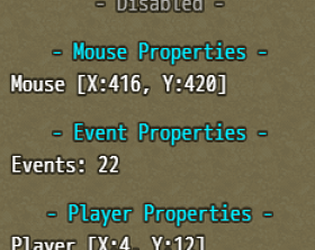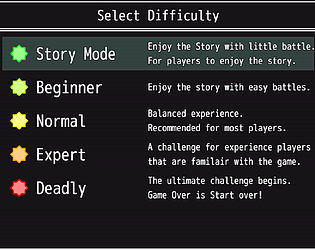


Below a screenshot to see the difference, also, picking the theme "Darkly"
doesn't save the theme upon exit.
it seems really useful and short test did work nice.
you see Superhero theme as bold font on Map ID/Name, but not on
Darkly theme, somehow, the note is bigger and usage smaller, not sure why.
ShadowDragon
Creator of
Recent community posts
Testing the Program seems promising in MV on short test.
But testing darly mode, from Superhero, the Map id, Event,
and Common code is not bold, and same color as background.
you really should make this darker, same goes for list.
best is to double check your superhero theme, and compare with
darkly theme, and adjust darker grey and maybe slight light grey
to separate the fields.
I test it out, and it looks really nice, and while but just wondering
as I don't own MZ, I do have 2 questions that might occur if they do
so or wondering the same thing.
1) what happens if 2 items are close or in a radius distance as
overlapping? which take priority? and what if there are 3?
possible secondary tracker opacity which is further away?
2) could arrows be replaces by a dot, so it needs to be in the center?
so instead of a square, you can have a round scanner and a dot?
if more are close by, its showing too?
so when the dot is in the center, you have the item below you?
or in front of you.
Keep up the cool work you do, hopefully, it comes to MV too.
while is deseased, put the below snippet in a new plugin an
place it below the skillTree plugin and see if it works.
Usage = skilltree addpoint 4 1
or: skilltree addpoints 4 1
actor 4 gain 1 point (this is MV usage, if you use MZ
the plugin commands work differently
const alias_RoseDale_SkillTree = Game_Interpreter.prototype.pluginCommand;
Game_Interpreter.prototype.pluginCommand = function (command, args) {
alias_RoseDale_SkillTree.call(this, command, args);
if (command.toLowerCase("skilltree") && args[0]) {
switch (args[0].toLowerCase()) {
case 'addpoint':
case 'addpoints':
const actorId = Number(args[1]);
if (actorId) $gameActors.actor(actorId)._bonusSp += Number(args[2]);
break;
}
}
};
also on 3 items => it select 2 on the left, skipping the 3rd on the right.
the other thing I notice is shifts up 48pixel on rotation (2-3-4) depending
in a row, than it swap correctly.
so it is somehow not preloaded.
on the selection window to pick an decoration, you can press W,
and select an item on the map which cannot, so you have to cancel
out first in order be able too.
so cleaning the UI and if you select => instead of cancel => remove.
so you can either cancel the placement or in changing items,
it says removes, so it make more sense to that (but up to you).
just to point it out, the demo crashed with an error:
############################################################################################ ERROR in action number 1 of Alarm Event for alarm 1 for object obj_player: audio_get_name argument 1 incorrect type (undefined) expecting a Number (YYGI32) at gml_Script_change_bgm ############################################################################################ gml_Script_change_bgm (line -1) gml_Script_set_area gml_Object_obj_player_Alarm_1
no idea what it means, as there is another error, but it needs to be checked
in the javscript console:
Exception thrown: See Javascript Console.
it looks good for the point of view.
a sample is inside the helpfile, on victory common event, you do:
$gameTroop.aliveMembers() < 1
on defeated common event if used:
$gameParty.aliveMembers() < 1
this is a conditional branch that runs the code
once all enemies or actors are dead.
if you add an else Handler, you can do another
thing or debug with x members left/alive.
if you need further assistance, please reply back
on what you seek and I do my best to help you out.
I got the same way as you do, so your definitely right there.
specially when you got it, new idea's pop up to try.
Just take your time, and it will go out, I could be a bug squasher
as I'm good at it. I wait patiently as I like to know the story.
so take your time, RL goes first too as it could get in the way.
I definitely gonna play this one when it's downloadable ^^
so far I understand the plugin, you need 2 files.
default 192x192 and oversized in the extended folder.
so when you have Water!400dmg.png (default 192x192) you need also
Water!400dmg.png in the extended folder of the size 400x400 to draw that one.
on my end, it does work, but I have little use for this plugin, but not sure where you got
stuck, if it persist, try to ask help there, and I'm sure they can help you if they know the
plugin or trouble on it.
as I try to help when I can and able too. [here} is the other one (opens a new tab), which might work for you.
I wish you good luck on your projects
if you use MV, it should work, check the thread.
if you use other plugins modify the animation, it can be
a conflict.
unfortunately, this person cannot help fix the issue if it really
doesn't draw from the extended folder, ensure you name your
file correctly.
this person died around 2 years ago by an accident.
I can tell he was one of the best and most enthusiast person
I ever known on the forum.
if the problem exist in a clean project, try to ask help on
the forum. I think there was another person that alter
the animation size.
Dispite you don't know me is oke, but at least, I'm very friendly
and enjoyed the game to help you improve.
as for all the people trying the demo, the start is quite easy,
the real challenge really begins after you reach 25+ where
you need to think to go through the levels, but I tell you this,
you wont regret it.
I had some hard trouble figure out some of those annoying
levels, but if you like the demo, the price is worth it :)
The first person of the game is even a bit harder while you push
the blocks, but the view of the score on the wall is really neat.
to the Dev @AllenMLewis17 that was helpful and quick answer
on fixing the bugs and game breaking part to throw out a fix,
otherwise, the level couldn't be completed.
Thank you for the amazing game and the fixes you made :)
dear arrosev, the author of this plugin wont respond anymore
as the author of this plugin (and others of his) has passed away.
if you have a account on the https://forums.rpgmakerweb.com
create a thread with a possible screenshot what you did, and
we can try to help you there further in fixing your problem.
I had some MZ games running on 5.1.x I believe, but I run 0.48.4 on my own in MV, but if that is the cause, than it sucks really.
I hope it wouldn't be that worse, but I can see why it throw
it the error like that, I go do some digging on the nwjs 0.74.
EDIT:
so far I can read, 0.57.1 can work on win7 and 0.72 can work (final release for win7 support).
so if you can set it to 0.72 for me to test, it shouldn't give the error as well, but it also have the
most release version for your game for win7 users :) (hopefully).