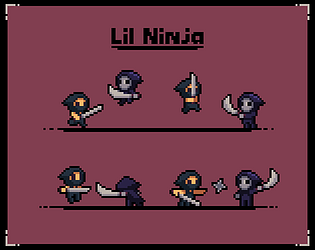
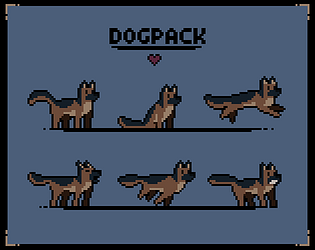
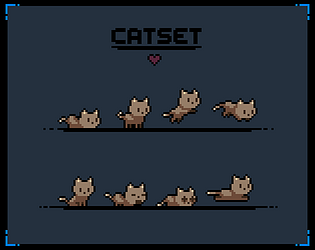
Unfortunately I'm not currently taking on commissions, sorry. That might change in the future though. Welcome to join my discord: http://discord.gg/kcJ8Vddcjt
seethingswarm
Creator of
Recent community posts
Hi phaelex, I'm so glad you enjoyed the demo of Primal Planet! 🦕
The main character is controlled by whatever gamepad or keyboard you start the game with, then player 2 can jump in as the dino with whatever else is available, so if you start the game with a gamepad, you'll be controlling the caveman with that.
Thanks for the kind words :)
Hmm, unfortunately that link is not related to this asset pack, and I'm not familiar with those animations. As you can see those are totally different foxes in a different style and size, made by a different artist.
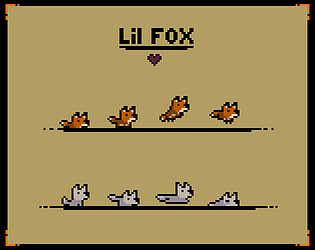
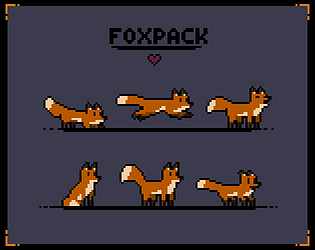
This asset pack, Lil Fox, is intended to be used on its own or as a cub for my Fox Pack, but of course you are free to use it however you like! All the animations are listed in the description and most of them are showcased in the embedded youtube video.
Hi there mccmela and thanks for the kind words! I'm really glad you like my art :)
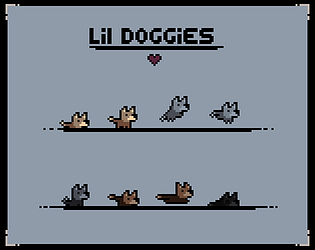
Unfortunately I'm not currently available for commissions. I'm a bit too busy with other projects, sorry. If there is a specific dog breed you had in mind, feel free to comment here and I might make it happen when I get the time.
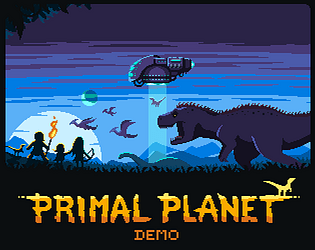
Oh I'm glad you like the look of Primal Planet so far!
Yeah unfortunately you can't adjust controls for the d-pad and thumbstick movements on a gamepad. I'm doing my best to make it so that players can cusomize their own controls on both keyboard and gamepad, but for now the d-pad is reserved for movement only and can't be changed, sorry.
You mentioned that you wish that there was a way to disable the Control section altogether, and just let the keyboard defaults sit as they are. You can use the default keyboard control setup. If you've changed it from the default setup, you can always reset the controls in the controls menu and just use the default control setup, unless I'm misunderstanding you.
Thanks for sharing this issue!
I'm really glad you like Primal Planet so far :) You can make the game fullscreen from the settings menu if you want. Oh and I'm not sure what you mean with a button for all the original buttons, but you can reset the controls in the controls menu, which you can find from the settings menu. There you can also see what the buttons do. Not sure if that's what you meant though. Anyway, thanks for the kind words and suggestions!
I'm so glad you like Primal Planet so far!
Sorry that the game crashed on you multiple times. I'll look into seeing what might cause these crashes. If you have any extra information about when and where the game crashes it could help to figure out what's wrong. If you don't mind sharing your pc's specs, that could also help a lot, thank you.
The browser version isn't as stable as the desktop version, so you if you want you could dowbload the demo from Steam and try it out: https://store.steampowered.com/app/3260600/Primal_Planet_Demo/
Thanks for letting me know!
Oh and yes, there isn't much of a difference between carrying your daughter or not. I did consider making it so that you have to manage your daughter in a similar way you described, but I decided to try to make your companions as little of a hindrance as possible instead. I kinda like the idea of having to manage your daughter, but it might cause all kinds of annoyances.
Ah thanks so much for the kind words and I'm glad you like Primal Planet so far! I love shooter games too, FPS games like the Metro series and Half-Life are some of my faves, but metroidvanias like Primal Planet is defintely my kind of thing too, heh. I'm glad you got into it and thanks for the suggestions :)
I've noticed that some browser games including this one sometimes seem to stop loading completely. This game is pretty big, so it might take a little longer to load, but when the loading seems to freeze for a long time, refreshing the page has helped me in the past.
I might provide a desktop version to dowbload instead of this browser version in the future, since the browser version seems less stable.
Thanks for letting me know!
Oh that doesn't sound good, I'm so sorry this happened to you. I'll look into seeing what might cause the crash. If you have any extra information about when and where the game crashes it could help to figure out what's wrong. If you don't mind sharing your pc's specs, that could also help a lot, thank you.
The browser version isn't as stable as the desktop version, so you if you want you could dowbload the demo from Steam and try it out: https://store.steampowered.com/app/3260600/Primal_Planet_Demo/
Thanks for letting me know!
Oh it seems like the camera is acting very strangely for you, I'm sorry about that. Another person have reported this and their pc was simply way too old to run the game properly. If you have a low-end pc it could be that Primal Planet is just too much for it. It's a bit on the heavy side for a 2D game with a lot of things going on at once and the minimum system requirements are a bit higher than most games like this. I'm sorry about this. If you want, you could tell me your PC's specs just to be sure. I'll look into this issue to see what else could be causing this behaviour and to see if there might be a solution. Again, my apoloigies.
Thank you! Oh no, it crashes after a while? That really shouldn't happen. Any information as to what was happening in the game when it crashed might be useful to track down the issue.
The browser version is not as stable as the desktop version, so you could try to download the demo from Steam. I might switch this itch version to a downloadable version instead too. If you do try out the desktop version and it still craches, please let me know, and thank you.
I'm not sure what causes this crash, but I'll look into it.
Oh that's no good. You could try to fix it by going to "controls" from the "settings" menu and resetting them. Could you move normally otherwise? I'm so glad you like the look of Primal Planet, but I'm sorry the controls are acting weird. I'll look into it, but any more information you could give might be useful in tracking down the issue. Did you perhaps switch from keyboard to a gamepad at some point, or something similar?