On Sale: GamesAssetsToolsTabletopComics
Indie game storeFree gamesFun gamesHorror games
Game developmentAssetsComics
SalesBundles
Jobs
TagsGame Engines

SamGrady

79
Posts
2
Topics
117
Followers
12
Following
A member registered Jul 29, 2022 · View creator page →

Creator of

Recent community posts

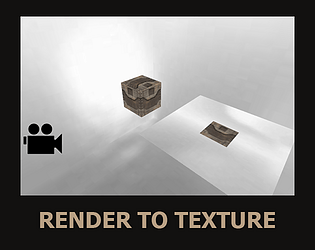
You need to create any mesh and set it as the node for rendering the scene. The code works by rendering the scene onto a mesh that’s projected in front of the camera.

The license is CC BY 4.0, so you can use it in your game. Just make sure to credit me in the credits (either in the credits list or a doc file). If you plan to sell the models or distribute them in any other way, it’s recommended to include a link to this model pack. Otherwise, just mentioning 'Sam Grady' somewhere in the product is enough

I don’t get what the issue is — how to use it is explained in the descriptions, just re-read them. In the updated CopperCube Screen Shader Extension, you can now switch cameras without any problems. If you want to use multiple different effects, then yeah, you’ll need to combine them into a single shader and write a callback to switch between the effects.

I can’t thank you enough for the kind words!

I appreciate your kind words! Thank you for the encouragement, it inspires me to continue writing good code.

I’m thrilled to hear you liked my code. Thank you for the positive feedback, it truly motivates me to keep improving!

I really appreciate your kind words! Thanks for taking the time to share your thoughts on my code.

Thank you so much for the positive feedback! It means a lot to me that you appreciate the code.

You can add more light sources in the code if you rewrite it, but since this shader is meant to mimic the original PlayStation 1 effect, even 4 light sources is kinda overkill

Alright, I’ve published the updated code that uses the active camera: 

https://samgrady.itch.io/coppercube-screen-shader-extension

Right now, we need to use a single camera for everything. Later on, I’ll add the changes I used in the "Lupsosian: The Dark Ages" teaser to enable rendering from an always-active camera

thank

yes

add CC BY 4.0

Now it’s free.

Now it’s free.

Now it’s free.

Looks like not... You can download the demo and just rip the models from it, there are programs for that, Google it... I just live in a not-so-great country, and it seems I can’t get paid through itch.io... I need to delete this asset pack from the site, I keep forgetting.

Or maybe I’ll just make it free...

Right now, I have a new version on my computer, but it’s been reworked for XInput and works on a different principle. Email me at: samgradyart@gmail.com

The demo shows how to fix it—you need to put the folder with the 2D UI layers inside the mesh node that the scene is being rendered onto. That mesh gets skipped during rendering, so as a result, the 2D layers don’t get rendered onto the texture.

I'm not really sure what the problem is, but you can create a state variable, and if the button is pressed once, the value will be 1, if pressed twice, it'll be 2. Then, based on this variable, you can trigger the squat or lying prone animation

Thanks)

Of course, you can manually change the target node's name variable, but for convenience, there’s an action included that automatically enables and disables the lock on the target node.

yes

Use "Input Buffer Press" Action/Behavior

Alright, I’ve run into two problems - first, I have no idea what you’re talking about right now, and second, I forgot to remove the automatic buffer clearing in the code… Gonna update the project files now

"So in case I want to press the Up,Up,Up 3 times where upon pressing each Up, I want a UI corresponding to each UP pressed to become visible, how do I achieve that?" - Since this works as a buffer, just do three checks using InputBufferPress. If VK_UP is pressed once, trigger one action; if pressed twice, trigger another; and if pressed three times, trigger a third action.

As for "Also, how can I make the UI invisible if the player is not quick enough to press the buttons in succession?", that’s a less standard situation. You’ll need to build the logic yourself depending on how you handle the UI and its visibility triggers.

I don’t know, I can only recommend writing them yourself… Look at interesting filters and try to create shaders that imitate those effects

Thanks! I might publish a few more shaders in the future

(1 edit)

The shader uses a 4x4 Bayer matrix for dithering:
{\displaystyle \mathbf {M_{4}} ={\frac {1}{16}}{\begin{bmatrix}0&8&2&10\\12&4&14&6\\3&11&1&9\\15&7&13&5\\\end{bmatrix}}}
The code is open and available for review, so you can check out the implementation directly. You can read more about dithering and the Bayer matrix here: https://en.wikipedia.org/wiki/Ordered_dithering

Thank

(1 edit)

You can download the VHS shader made for this extension - it comes with a demo project in CCB format, which should help you understand how to use the extension.

But anyway, describe the issue, and I'll do my best to help you solve it 

Thanks! I'd love to see it in your amazing games))

(1 edit)

Thanks, glad to hear that)

Thanks! Always happy to help

LOL, in that case, I might as well start writing a DX13 library first 😂

Thanks, Interplay! I really appreciate the support! 😊 Excited to see what cool things the community will create with it. Let me know if you try it out, I'd love to hear your thoughts!

Look, you can’t disable lighting in the shader during gameplay, but you can simulate turning lights off and on by tweaking the light sources’ parameters and the ambient color setting for the scene’s root node.

Depends on what you mean by that. In general, you can start by writing to me at this email: samgradyart@gmail.com.