On Sale: GamesAssetsToolsTabletopComics
Indie game storeFree gamesFun gamesHorror games
Game developmentAssetsComics
SalesBundles
Jobs
TagsGame Engines

RubberCrowy

15
Posts
1
Topics
1
Following
A member registered Jan 10, 2023

Recent community posts

(2 edits)

Well, first, I didn't see anywhere else to put this, so I apologize for putting this in the wrong spot.

Second, I don't see any reason why this should be the case! It's not even like I can't come up with my own idea for this; make holding shift or ctrl slow you down! Holding shift or ctrl could add a speed multiplier of, let's say, 0.25x, slowing you down when holding the button!

PTPTeam Jr, if you see this, then make this change! (Or at least make the outfit for tip-toeing onto a Nitro crate also available by crawling onto one.)


Oh, also, my point still stands on the other topic being closed with no conclusion. I will not, and will never, count needing a controller to be a conclusion of any value to the issue of not being able to tip-toe/get an outfit on a keyboard.

I can't seem to find a way to tip-toe on keyboard. It's nowhere in the manual, and no buttons nor button combos seem to work.

I know that someone has mentioned a "gamepad", but I have no clue what that is, other than being another word for "controller". (I hope I don't need to explain why needing a controller to tip-toe doesn't help when I'm trying to tip-toe using a keyboard.)


Also, I know there technically was another topic made for this, but that one was closed with no conclusion.

The jump button is 'z', in case that's what you're asking.

From what I've found, I think the problem is the scale of the image. This image is a 2160 x 360 size image; all (or at least some) of the other custom "horses" are 900 x 150.
Basically, you need cleaner images. I suggest taking from either of these sprite sheets, as they seem to have the sprites you're trying to use:
The Spriter's Resource - PMD: EoT/D
The Spriter's Resource - PMD: RRT

(1 edit)

I mean, update, I got past it, but the boxes placement made things difficult! 
I don't even remember if the solution I used even felt intended...

Hem[pull]i

(1 edit)

107_dk's nuke design they shared here worked for every level for me... 

up until the skull intro. It doesn't work for skull intro.

...I'm stuck on the first puzzle with a grey box... Help.

Oh, I was trying to use the numbers at the 
top of my keyboard! I never thought about
the number pad, as I usually don't use it.

Resetting progress doesn't seem to work. I've tried ctrl+0 and ctrl+o multiple times and it's not doing anything.

I just want to look at a previous puzzle!

Why do the Gnorms attack using swords and I can't retaliate? I hate these things. The gameplay is nice, but the Gnorms... I don't want to play this. I can't play this.

I just figured that one out. I'll give you a hint: The character is pushable.

This is... not intuitive enough for me to complete. At least with the others I gave up while feeling like I could solve it, and I had fun. This is just not fun to me. Maybe this could've worked better if you hit a button to invert your character, and that would be how you interact with the standard-looking frogs. Not this undo stuff.

...Gosh darn it...

(2 edits)

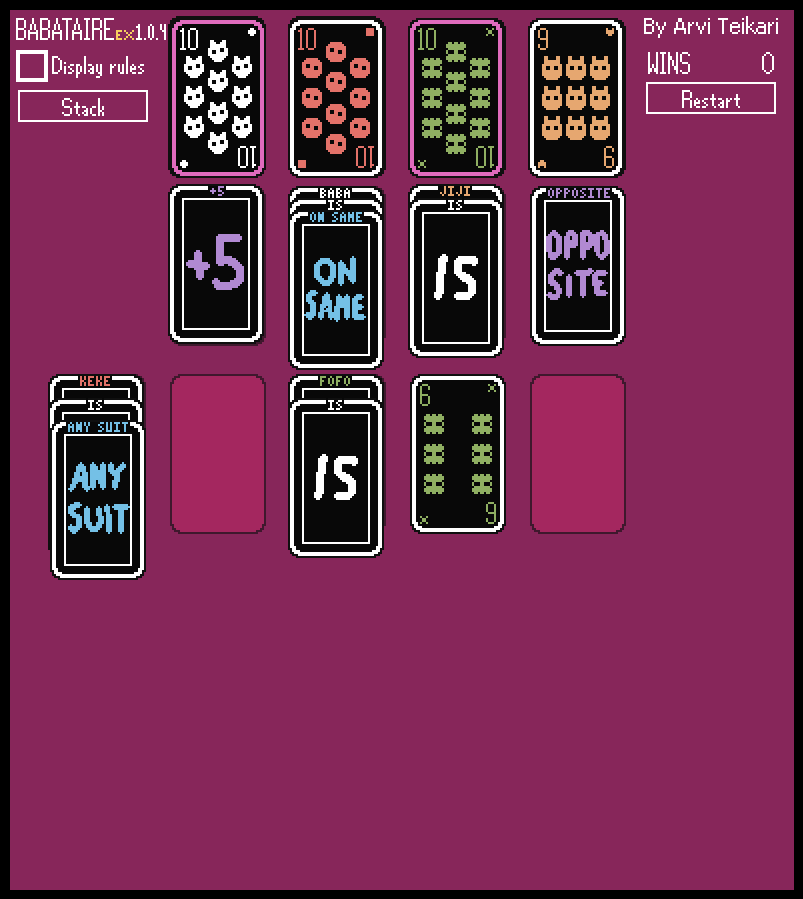
I feel like this would be better if text cards always stacked onto each other. It wouldn't matter if they're different types (name, "is", property) or if it helps form a statement; You'd always be able to stack the cards.

I also feel like it would be nice if the rule cards had their own border colour; Maybe pink, like the "text" noun, while the current border for a value being changed becomes purple instead.