
Indie game storeFree gamesFun gamesHorror games
Game developmentAssetsComics
SalesBundles
Jobs
TagsGame Engines

Rob_hawk

72
Posts
4
Topics
6
Followers
79
Following
A member registered Jan 20, 2023

Recent community posts

MacOS version works fine for me too after the last update.

(1 edit)

Hi, This is a much nicer install thanks…

One thing I noticed this evening is that when I make the package to run via WHDload for my real A1200 when I try it out I have the old teams and not 26/27? 

I tried twice to be sure I was selecting the correct options.

Keep up the great work.

Regards - Rob

(1 edit)

I was making the build for my Amiga 1200 on my Mac. When I have tried running on Installer on the Mac I keep getting the ‘MacOS is trying to run from a hidden location’ error. I did overcome it with a little help from AI giving me some new commands for the terminal to ‘unquarantine’ the app however this has to be done every time there’s a new build. 

xattr -d com.apple.quarantine "$HOME/Desktop/OpenSWOS-Setup/macOS/OpenSWOS Setup.app"
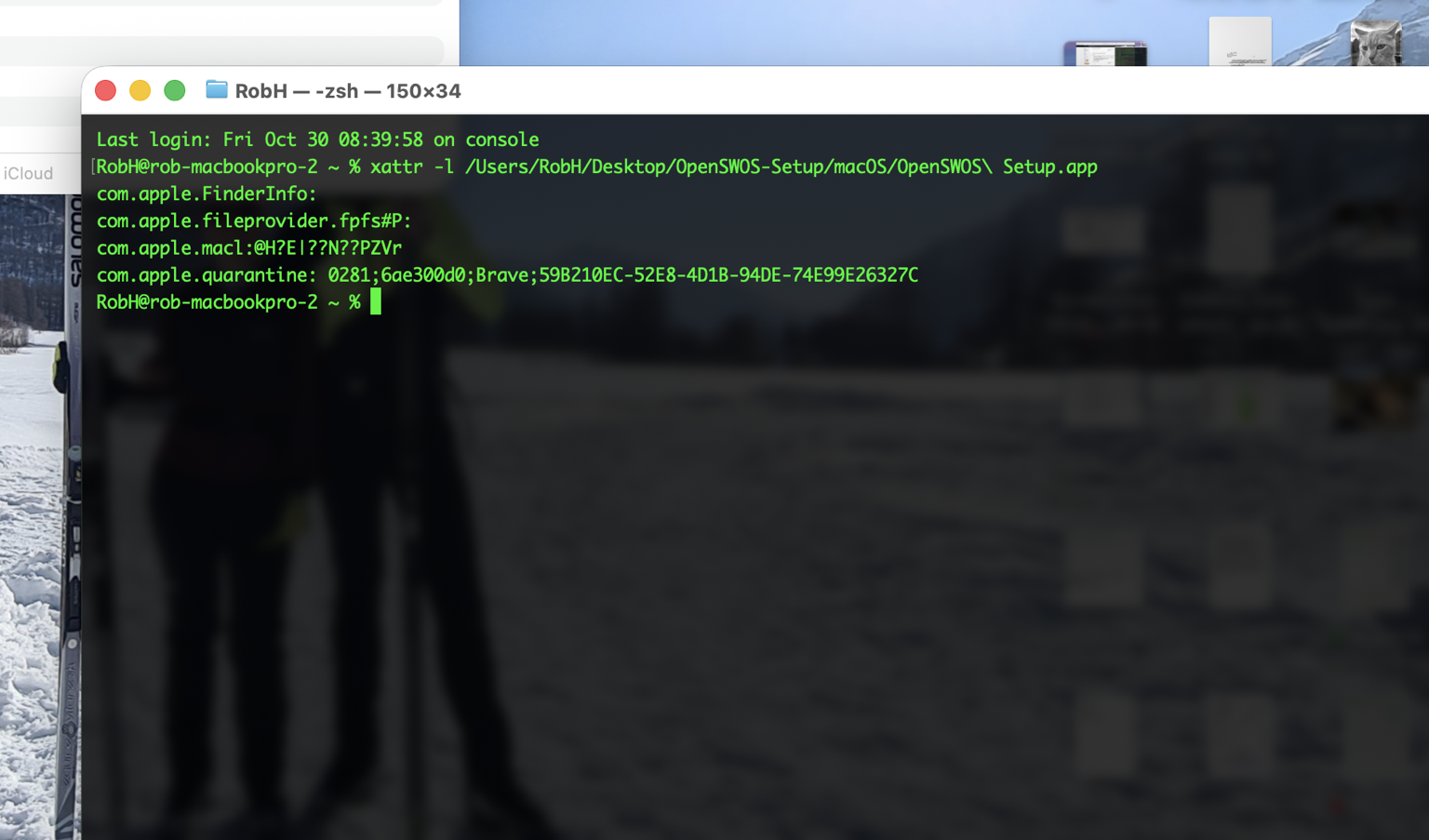
Are others having this issue?

I have been using Wine only because the Mac installer has not been straight forward.

It’s great that you’ve done this work and looking forward to online gaming again soon.

Help appreciated. 

I was making the build for my Amiga 1200 on my Mac. When I have tried running on Installer on the Mac I keep getting the ‘MacOS is trying to run from a hidden location’ error. I did overcome it with a little help from AI giving me some new commands for the terminal to ‘unquarantine’ the app however this has to be done every time there’s a new build. Are others having this issue?

I have been using Wine only because the Mac installer has not been straight forward.

It’s great that you’ve done this work and looking forward to online gaming again soon.

Help appreciated. 

Good news I resolved my MacOS install problems by running the PC version of the setup via Wine. It worked perfectly so a good solution to stop MacOS later versions interfering :-)

(1 edit)

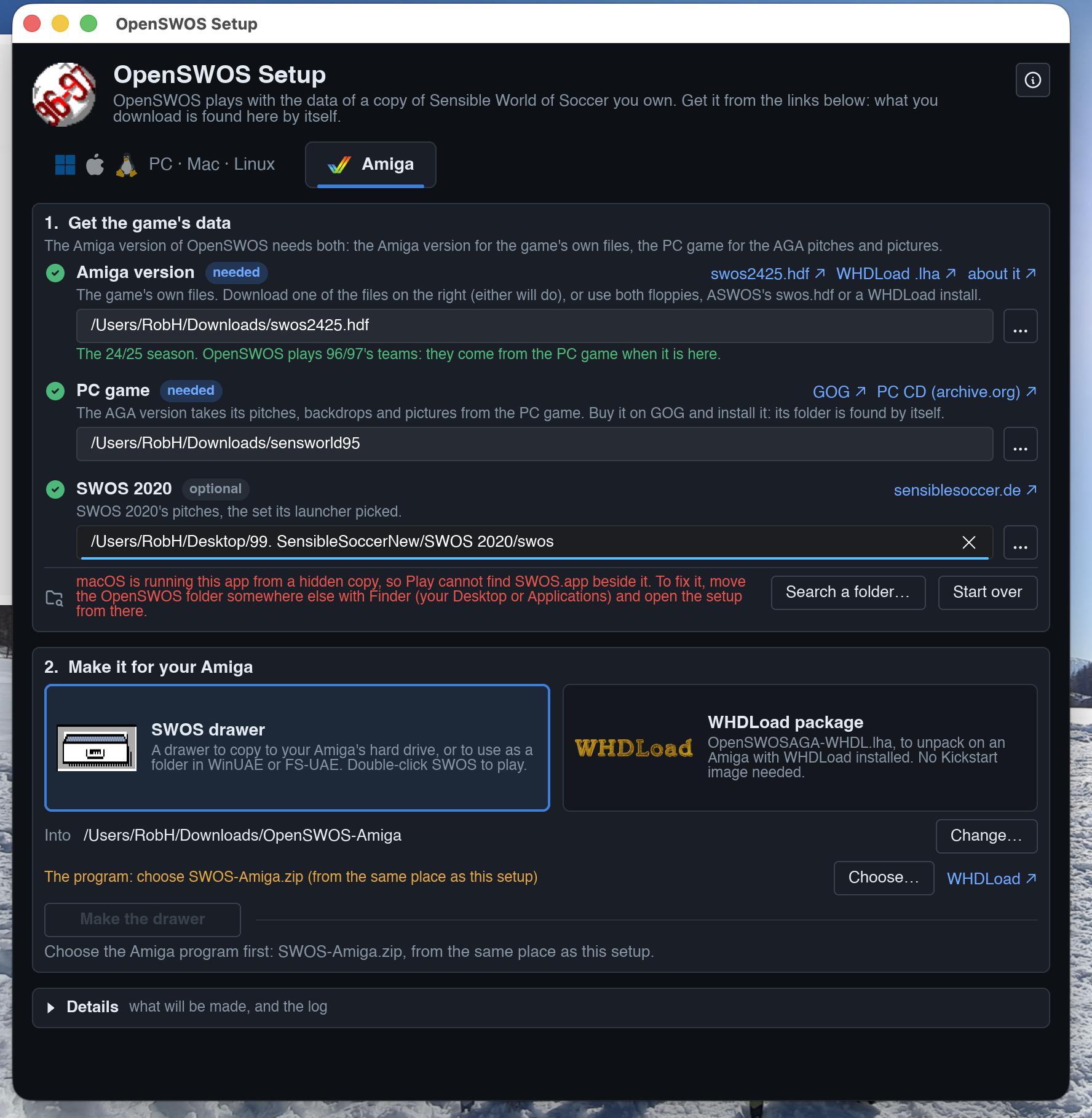
Hi,  Thanks for this! I have been trying without success to run the installer on my Mac  to create a version for my physical Amiga. I have tried moving the install app however I just keep getting "MacOS is running this app from a hidden location".  I have moved the installer to the Desktop and also Applications directory but keep getting the same error. Can you help me please as I'ld to get this up and running?

I am downloading the "openswos-setup-windows-mac-linux.zip" and then running the installer inside the MaxOS folder.  It is the unzipped version of this downloaded folder I am moving the Desktop or Applications folder.

Thanks in advance. I love that you have done this.

Rob
thanks just waiting for my Easyflash to arrive now. 

Thanks. I’ve actually just taken the plunge and ordered an EasyFlash3 for this :-)

Where was the wheel?!

(1 edit)

Okay thanks very much for the quick reply. I’ll try. So just so I am doing this correctly I save the game when I die to a slot, then reset the machine so the cart boots back to the ‘startup menu’ and it’s then that I do the ‘transfer saves’ to disk?

Sorry for the daft questions I’m a little confused by this…

(1 edit)

I’ve been looking forward to this for ages. Great work!
I have a question. I have a MEGA65 and am running the C64 core on it. If I load the .CRT version so there are no load times that you experience with the disk am I able to save progress to a disk?

I ask because when I start the game via .CRT it asks me to set a drive which I have set to ‘8’ I have then mounted a save disk via the C64 Core in drive 8 however when I save the progress is shown in the ‘CONTINUE’ screen but I can’t seem to get it to save to disk?

I’d really appreciate help on this as it’ll make my day if this work.

Thanks again for this awesome game.

PS - If I order the cartridge version as well will that allow me to save etc? Sorry for basic questions as I’m not up on the Easy flash cartridges etc.

Rob

Thanks. I went ahead and purchased it as well. The game is awesome!

(1 edit)

I’ve spent around 4 hours playing Hyper Runner today and it’s absolutely amazing! I love the speed, graphics and music the whole package is just incredible.

I’ve been playing a lot of Wipeout Pure for PSP of late and it’s a game from my past that I love. Today I have had more fun playing Hyper Runner and listening to its tunes than playing Wipout Pure and that’s high praise indeed.

This has been well worth waiting for. Thank you so much for bringing this great game to my Amiga 1200 in 2026!

PS - If there’s any chance of a high score table that saves in a future release that would be amazing. 

Regards

Rob

(3 edits)

Hi,

I have run into some problems running the game. My big box edition arrived in the post this morning and I copied the files from the CD over to my Amiga 1200 TF1260  machine and ran the game. The game loads up but when you go to start a race once you have selected your pilot it just hangs on the ‘LOADING’ screen with the music playing (great tunes!).

I thought I would then try on my other Amiga 1200 which is a TF1230 machine in case this was an 060 issue and the same happened on this machine as well. I then copied an ISO over to both machines that I made on my Mac and mounted it to try and run direct and the result was the same, it was not possible to get passed the game loading screen once the pilot was selected. I am running OS 3.2.3 on both of these machines.

I then tried booting with CPU caches disabled on both the 030 and 060 machines and the same problem persisted.

Finally I thought I would try what you suggested for ‘stock machines’ in the manual which clearly mine are not and attempted to run the game from the DOS CLI (after holding down both mouse buttons). Using this method the game ran and started which is good news!

Please can you let me know how I am able to run the game from the Workbench because that way it allows me to quickly dive in and out of the game between other activities as opposed to having to boot the machine each time I want to play which I fear will reduce enjoyment levels?

I’m more than happy to help with any testing so just let me know.

I really appreciate your help with this. Many thanks.

Have a great weekend.

[UPDATE AND FIXED]

Likely both machines were low on Chip Ram. Solution is to install the WHDloader as below. Read the instructions carefully and it’s up and running in 2 mins.

https://www.whdload.de/games/HyperRunner.html

[UPDATE 2 AND FIXED]

In addition I have now managed to run the game without WHDload from the Workbench. I ensured I had over 1.9MB of Chipmem available prior to starting the game by reducing workbench screen resolution and colours to 4. 

Regards

Rob

Many thanks. Do big box purchasers have access to a digital version download version also? If not can the version from the big box CD be installed on the hard drive? (I have no CD drive!)

No trouble thanks for the reply.

A fabulous update and it’s great that you are really focused on bringing a great experience to the Amiga for us all! Keep up the great focus and attention to detail. Good luck this autumn.

(1 edit)

I have ordered the big box edition. Please can you let me know which formats it contains? I am unsure if it has physical disks, digital download and CD version or something else? If you could clarify that would be appreciated.

Also if there are software updates/bug fixes in the future how do big box edition owners obtain these?

Thanks

Rob

(2 edits)

Hope you are well! 

[UPDATE - I decided I wanted to support your efforts more than just a download so I’ve just ordered one of the big box editions from the Darkage Software site]

I’ve been looking forward to the release and was wondering if it was intentional that the digital download is not available on the 6th Oct which from the main Darkage site looks to be still the scheduled digital release date? Hope it’s still happening!?

Help appreciated

Regards

Rob

(1 edit)

Love it this instantly reminds me of Blagger on the BBC Micro from way back in the early 80’s. I’ll download and have a play and be sure to not try and load it up on my Beeb :-)

Thanks for the latest update. It now runs on my real Amiga with an 68060 card :-)

My pleasure. The game is superb. You are very talented to have created this on the C64.

Good news. Magic Desk 2 support has now been added to the upcoming V6.0 of the MEGA65 C64 Core so we’ll be able to enjoy your awesome game on the MEGA65 now as well.

I thought you’d like to know:

https://github.com/MJoergen/C64MEGA65/issues/203#issuecomment-4234000292

Thanks I was just curious.

(1 edit)

Thanks for the quick reply. Looks like I’ll miss out on this great game :-(

Out of interest will it run on the new Commodore C64 Ultimate?

Hi,

I've been looking forward to this since reading the review in Zzap recently and playing the awesome original !

I can't currently play this Stronger version as the download .CRT file will not work with the Mister FPGA C64 core or the C64 Core of my MEGA65. The original edition worked perfectly.

Are you planning on releasing in a format that will work on one or both of the above? I hope so, fingers crossed because I'm sure I'll not be alone with this.

Look forward to news. Have a great weekend.

Regards

Rob

Hi Dan, 

Unsure why but my comments re 030 cards on A1200 seemed to disappear since yesterday evening. I wanted to let you know that the black screen happens on both the Tsunami 1230 and also a TF1230. Hopefully this helps.

What an amazing game this is shaping up to be. Keep up the great work.

Cheers - Rob

Dan just to let you know that the same happens with a TF1230 card as well. 

Hi Dan,

Great to hear from you. Thanks for the escape tip.

I'm using a Tsunami 1230 card at the moment and it's the one without the FPU. It's pretty bullet proof with all games both old and new to be honest. If you need anything testing let me know, happy to help out.

https://tsunami.arananet.net/

Have a great weekend.

Cheers

Rob

Love this, great progress... A quick couple of things:

1. When I load on my A1200 with 030 accelerator I still get a black screen and music and nothing more.

2. I fired it up on my Mister which is an 020 as you'll know and it works fine.

2a. Once I lose all my lives and get the "GAME OVER" it gets stuck and I can't restart a new game without having to reboot the machine.

I can';t wait to see this progress further. Keep up the great work.

Regards - Rob

This is great to say the least! I watched on Amiga Bill yesterday night and today got the download.


I’ll be purchasing the final version once it’s completed. Good luck in the compo!!

Hi Dan,

Enjoy your holiday. It’s well deserved after the excellent progress you’ve made on this game!

There’s no rush I’m not on X these days sadly but I am on Discord. As things progress I’ll try future versions and provide feedback over in the Discord if I find anything I think you should know about.

It’s all very impressive.

Cheers

Rob

(1 edit)

This looks first class when I saw on Amiga Bill last Saturday. I downloaded to try on my physical A1200 which has an 030 card in and sadly it crashes as soon as you go to start the game, the screen is filled with garbage artefacts although you can make out movement and the slime rising. The second time I tried to run the game I was also greeted with a black screen as opposed to the menu screen I got first time.

If you need help with further testing please let me know. More than happy to help you.

Regards

Rob

Wow this is great to see. Thanks for the great New Year’s Day treat.

Happy New Year Mike.

Enjoy some holiday time as well!

That’s a great update thanks for sharing. It really is great to see you making excellent progress with this AMOS PRO game! Truly remarkable…

Perfect thanks.

That’s great to hear and thanks for the insight. If you could recommend one AMOS Pro book what would it be? (I have the manual)

Good luck and I look forward to the next updates.

I have a question for you. How well did you know AMOS Pro before starting this project? I often wondered about taking a look at AMOS.