Indie game storeFree gamesFun gamesHorror games
Game developmentAssetsComics
SalesBundles
Jobs
TagsGame Engines

Ryan Kubik

161
Posts
3
Topics
301
Followers
97
Following
A member registered Sep 21, 2016 · View creator page →

Creator of

Recent community posts

Thank you for the suggestion! I will check this method out.

Ah, I think that the on view do was not triggering because when you open a Card that does not have a script, then it gets populated with a template empty view event. This event was catching the view event and then it never made it up to my Deck view script.

(2 edits)

I want to have a global timer going in my deck that can detect if the player has done a given action within the last 5 minutes. If they have done that action, I want to reset my timer.

timer with animated widget

I’ve figured out I can create a timer by animating a widget and setting its value on view, with a script like this:

on view do
 me.text: me.text + 1
 
 #if me.text = 3600
 # my_event[]
 #end
end

I think I can use my_event later to trigger my time out behavior. I think I could reset the timer’s current value to reset the countdown fine.

My current issue is that I want this timer to be tracking time globally and not just on a single card. From what I can tell, my timer widget is only animated if it is on the current card.

Is there a reasonable way to get a timer this?

trying to copy paste timer widget

The current thing I’m trying to do is figure out how to copy/paste the widget across views cribbing some notes from this topic: https://itch.io/t/3658580/moving-widgets-between-cards-while-interacting-with-deck

I’m having trouble adapting it to my case though. I don’t seem to see go being triggered on my deck level script. I’m not seeing view being triggered consistently on my deck level script either.

I’m not seeing the go!!! print in my listener ever and am only seeing the current card print on one of the cards in my deck and not the rest.

on go dest trans delay do
 print["go!!!"]
 print[dest trans delay]
 send go[dest trans delay]
end
on view do 
 print["current card:", deck.card.name]
end

Thank you for the advice! I think the tip to define many more functions is where I should start. Excited to see how to adapt to this pattern.

Cool, thanks for sharing! Excited to vectorize my brain properly as I go.

Oh hm, maybe I can use sleep[10] instead of what I was trying to do here?

Still curious about writing guards for other validation though.

Is there a way to do a guard statement or an early return in Lil?

I feel like I missed something, but I haven’t seen anything about it in the Lil or Decker documentation.

I have a function like:

on view do
 if frames_since_last_step < 10
   # stop the function execution here since its not time
  return
 end

 # do the next animation step
end

Ahah! Great, thank you so much!

I have a Prototype that seems to have a transparent background. At least, when I go to View > Transparency Mask I see the background look transparent.
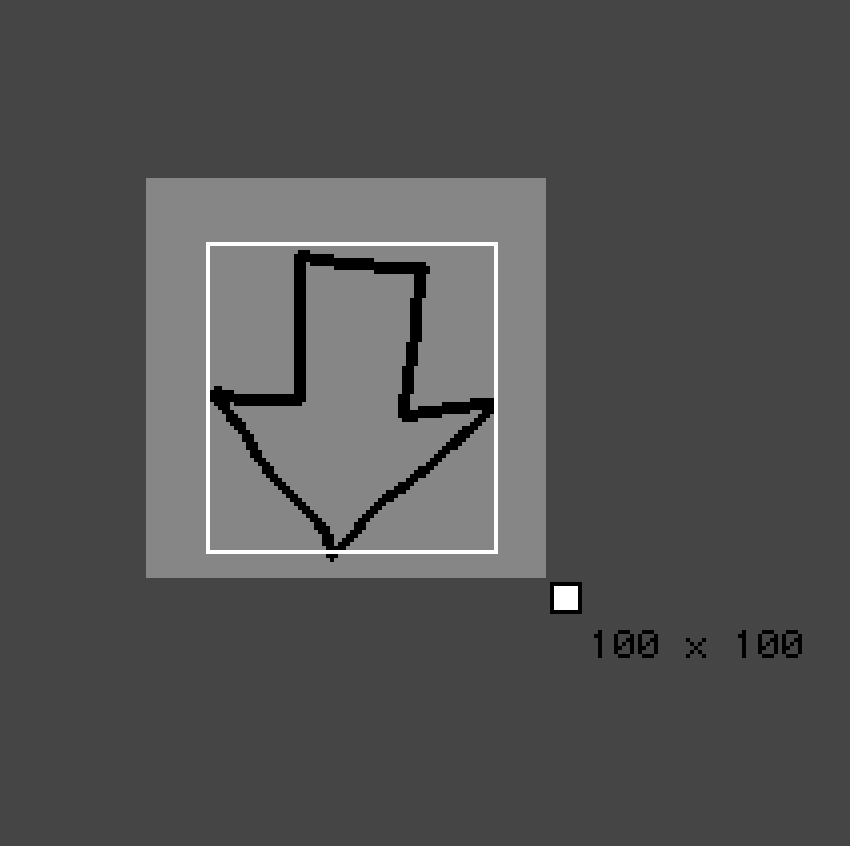
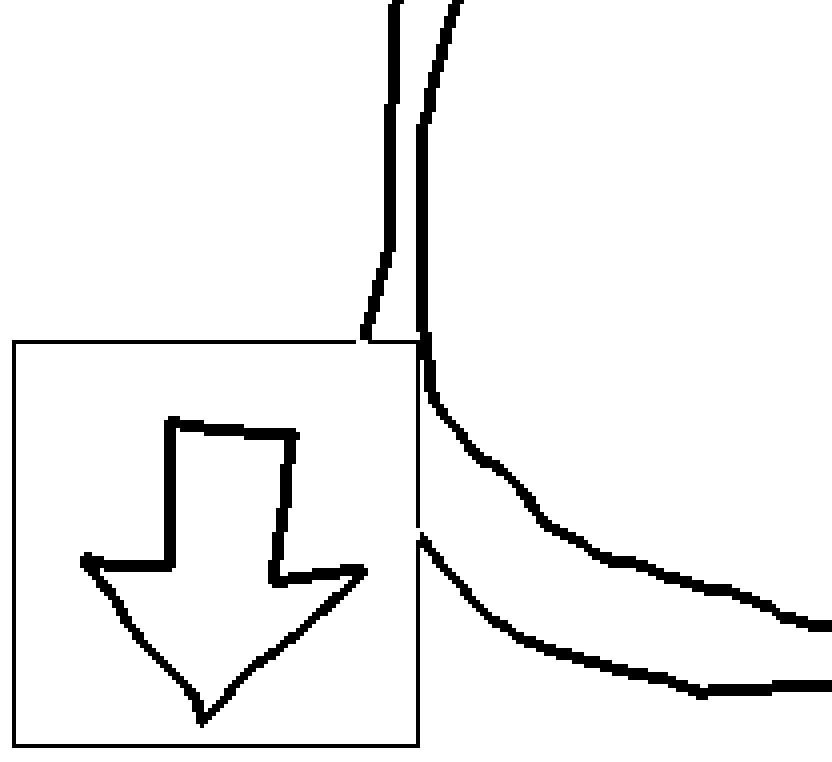
When I add this prototype as a Contraption to my slide, the background is covering up my drawing. Is there some way to make the background of a contraption transparent?
Cool game! :-)

This is so great! I need more souls and win95 inspired puzzley games.

great work!

That would be fun to add. :-)

That would be cool! Maybe a v2 for that!

Great work!

Oh sorry y’all! Will add a note on that!

walk around with WASD and bump into things to learn what they do - it’s kinda just a big mushy puzzle

This came out so great! Great work! I feel like the balance hit a really nice place. :-)

I’d love to see more Myth Bearer!

I love these new lil guys!

Ohhh wow! Yeah! I think that I introduced the custom levels in 3.0.0 so that might’ve totally destroyed some save files. 🙈

Hmmm! It depends on when you played last, I think. At some point I definitely changed the save format when I introduced all the levels… but it also might just be a bug!

171 is pretty good! Nice score for a fresh save!

The commands only get registered by:

gur uryc pbzznaq vs lbh npghnyyl eha “uryc pbzznaq”. V guvax lbh zhfg’ir hfrq gur bar lbh’er zvffvat va gung yvfg gb fbyir gur tnzr.

Answer: zvffvat pbzznaq vf cevag

Yeah, you did it! Good job!

  1. N ybg bs sbyxf zvffrq gur pyhr sbe cj uvag bar. Vg’f ohevrq gbb sne bss ba na rneyl oenapu va gur chmmyr fcnpr, V guvax. Gur pyhr vf nyfb cerggl HF-pragevp, juvpu V qvqa’g zvgvtngr jryy rabhtu ng gur gvzr. Lbh pna svaq vg ol cynlvat jvgu gur cvat pbzznaq.

  2. V qvqa’g ybir gur gevivn dhrfgvba sbe gur svany cnffjbeq nafjre. Gung’f jurer V raqrq hc jvgu gur gvzr V unq gubhtu. Vs V qvq vg ntnva V’q jnag gb unir zber vasbezngvba nobhg gur pbzchgre’f hfre lbh pbhyq hfr gb penpx gur svany cnffjbeq.

(for others who happen upon this - you can use https://rot13.com/ to decode)

Looking at the commands you posted earlier, it seems like your next step might be running help on parse and print. And using that to figure out how to read environment variables.

I accidentally deleted a reply to this thread on mobile!

I’m not sure who said it, or what it said, but please feel free to repost whatever it was!

Ah, I wasn’t aware of that. There’s a lot of traditional stuff I don’t know about word puzzles. :-)

Glad you enjoyed the puzzle!

Have you found all the commands? The way you combine them is a different one.

Hehe, Shield OS is even older than Status Code! Idk why I keep using it, but it feels right. Here’s the first little incarnation. Not really a game at all: https://shield-os.netlify.app/

Glad you’re enjoying the game! :-)

That was actually part of my original plan, but I needed to cut a loooot of scope to ship this as a reasonably short experience.

I’m glad you enjoyed!

V whfg ernyvmrq V sbetbg gb nqq n pyhr sbe gur erznvavat inevnoyr. Lbh’q unir gb thrff vg va gur bevtvany ohvyq. V whfg hcybnqrq n arj irefvba jvgu gur uvag!

Aw, I’m sorry. :-(

I found it really tough to choose good words and clues for a trivia game like this!

This was super fun! I love this premise and hope you get a chance to do more with it. :-)

Oh shoot! It looks like I forgot to actually add that in as actual rules text in the Journal.

The Kraken will be added to your hand every five shipwrecks that are created.

The witch hut is a bit tricky to stumble into by accident. It involves using the Curse.

The kraken involves shipwrecks. It’s probably best to hunt for that on the archipelago map.

I’m happy to out right tell you either one if you want!

Sorry for the delayed response! Here’s an image of the completed journal behind a spoiler wall: https://r-k.io/island-maker

Unfortunately, the editor mode doesn’t actually work right now on Itch.io. There’s not actually any way to save or import map files, so it’s disabled.

I’m hoping to have time to make an update which actually allows editing soon though!

Ah, I haven’t done an update in a little while now.

I’ll definitely put this on the list for when I’m able to work on another one though.

Thank you for taking the time to play Status Code and record a playthrough! :-)

That’s great feedback for the UI. It is certainly a bit rough right now.

The random level generation is a great idea. I’ll have to think on that!